Skip to content

Your ideas.
Your audience.
One UK email platform.

Create emails, organise your contacts, automate follow-ups and understand the response. Email Blaster brings the everyday work of email marketing together, with software developed in the UK, UK mailing data storage and people you can speak to when you need help.

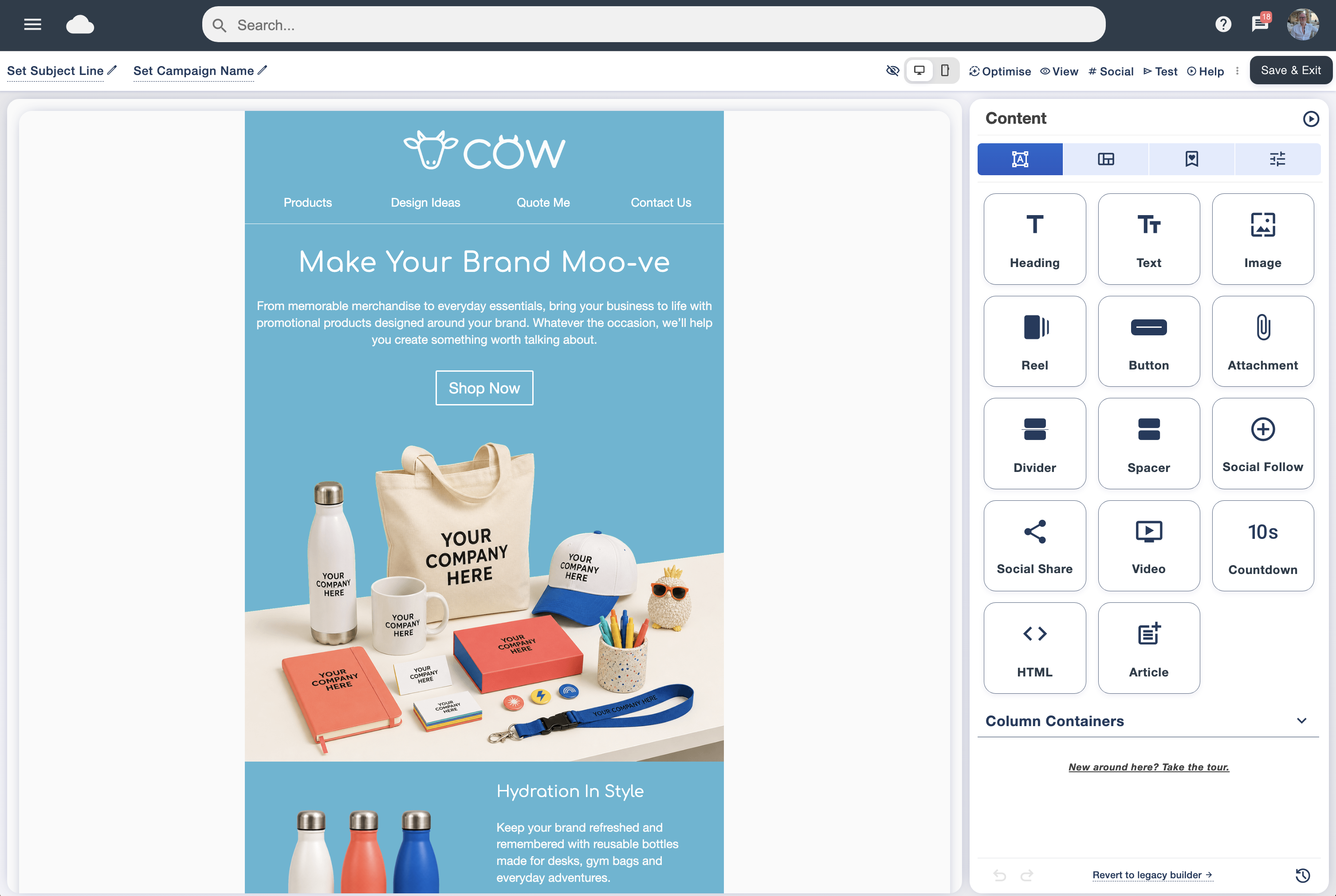
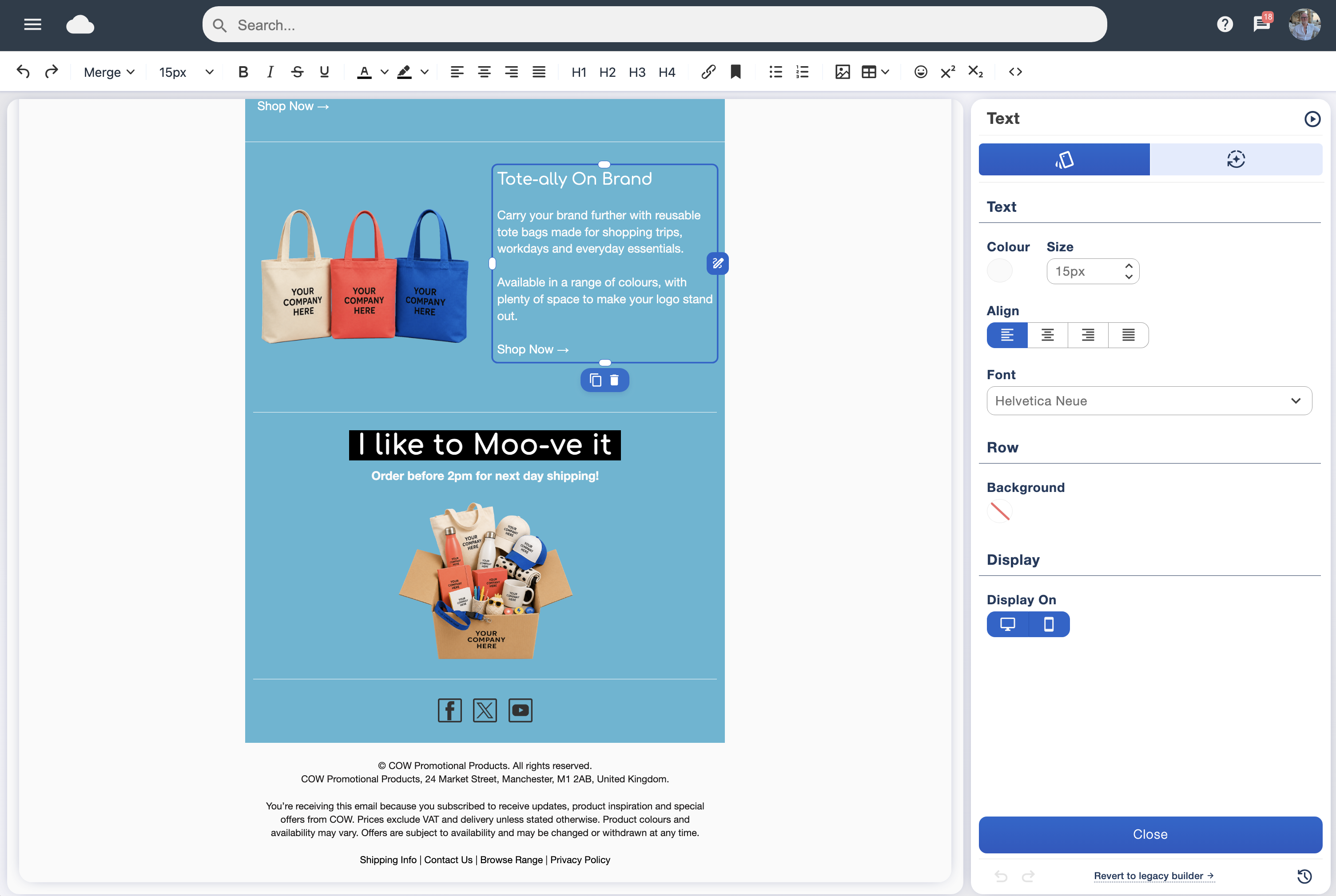
Email Blaster visual email designer with editing tools beside a newsletter
Build and edit your email in the visual designer.

Built around the people using it

Email Blaster’s UK email marketing platform is developed and maintained by our own UK team. We have been developing the software here since 2009. Our aim is straightforward: help organisations communicate with their audiences through useful, well-designed emails, with practical tools and approachable support.

We believe the people building the product should stay close to the people using it. Customer questions and suggestions inform development, while our technical team takes responsibility for the network behind your campaigns. You can read our company story and meet the team to see the people behind the service.

The platform supports different kinds of communication: customer newsletters, product launches, supporter updates, event invitations and internal news. Whether you are a small business handling your own marketing or a team managing a regular programme, you can build a workflow around your audience and objectives.

From your first idea to an email ready to send

Start with a layout, bring in your brand and shape the message around what you want readers to do. The drag and drop designer lets you arrange and edit content visually, so you can produce newsletters without writing the underlying HTML. Reuse a familiar layout for regular campaigns to keep your communications recognisable.

Templates, images and AI assistance

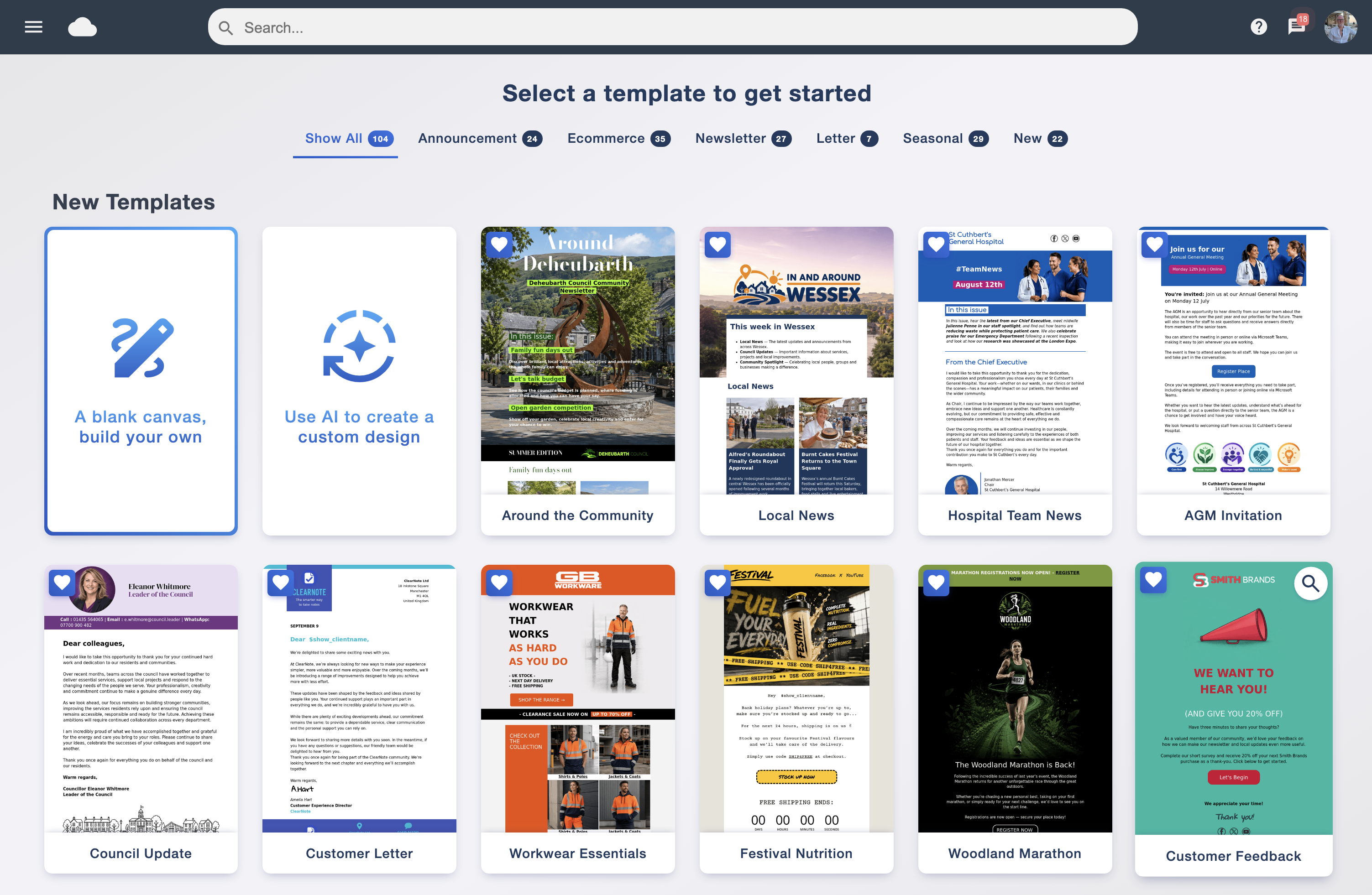
Explore the email template library for a starting point, then adapt the design to your message. Keep campaign assets together in the image library. The AI email builder offers another route from an initial brief to a design you can refine.

AI can help you get started, but your knowledge of your customers gives the message its purpose. Review the wording, facts, images and links before sending. Use personalisation to draw on contact information where it makes the email more useful, and connect your wider channels through social media integration.

Make the reading experience part of the design

Keep the main message clear, make links easy to identify and review the email on smaller screens. Our email marketing best practices and compatibility guide explain the practical decisions behind readable campaigns.

Choose a starting layout from the Email Blaster template library
Choose a starting layout from the Email Blaster template library.

Keep your audience organised and your messages relevant

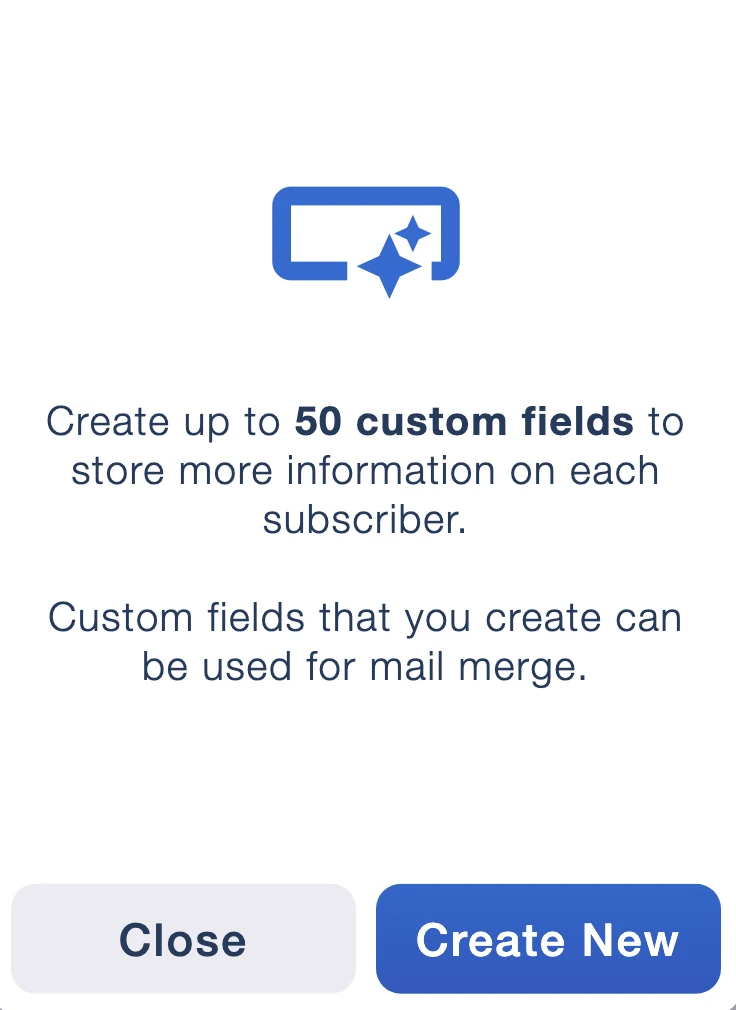
Your contact list is more useful when it reflects what you know about the people on it. Contact management brings lists, custom fields and organisation tools into your campaign workflow. Keep the information that helps you choose the right audience, rather than sending every message to everyone.

Grow, group and personalise

Subscribe forms provide a way for people to join your mailing list. Our list-building guide helps you plan how to attract subscribers and set expectations. Use data tagging and segmentation to group contacts around relevant information and tailor your campaigns.

For example, an events business could distinguish interests in different event types, while a retailer could use customer information to make product updates more relevant. Decide which details you actually need, keep them accurate and make your collection practices clear.

Give list quality ongoing attention

List Ai data cleansing helps you investigate mailing-list quality before you send. Review delivery failures and opt-outs as part of your regular process. Cleaning addresses does not establish permission to email them; responsible list collection and maintenance remain essential. Our guide to bounces explains what delivery failures can tell you.

Custom fields in Email Blaster contact management
Custom fields in Email Blaster contact management.

Plan the send and build useful follow-ups

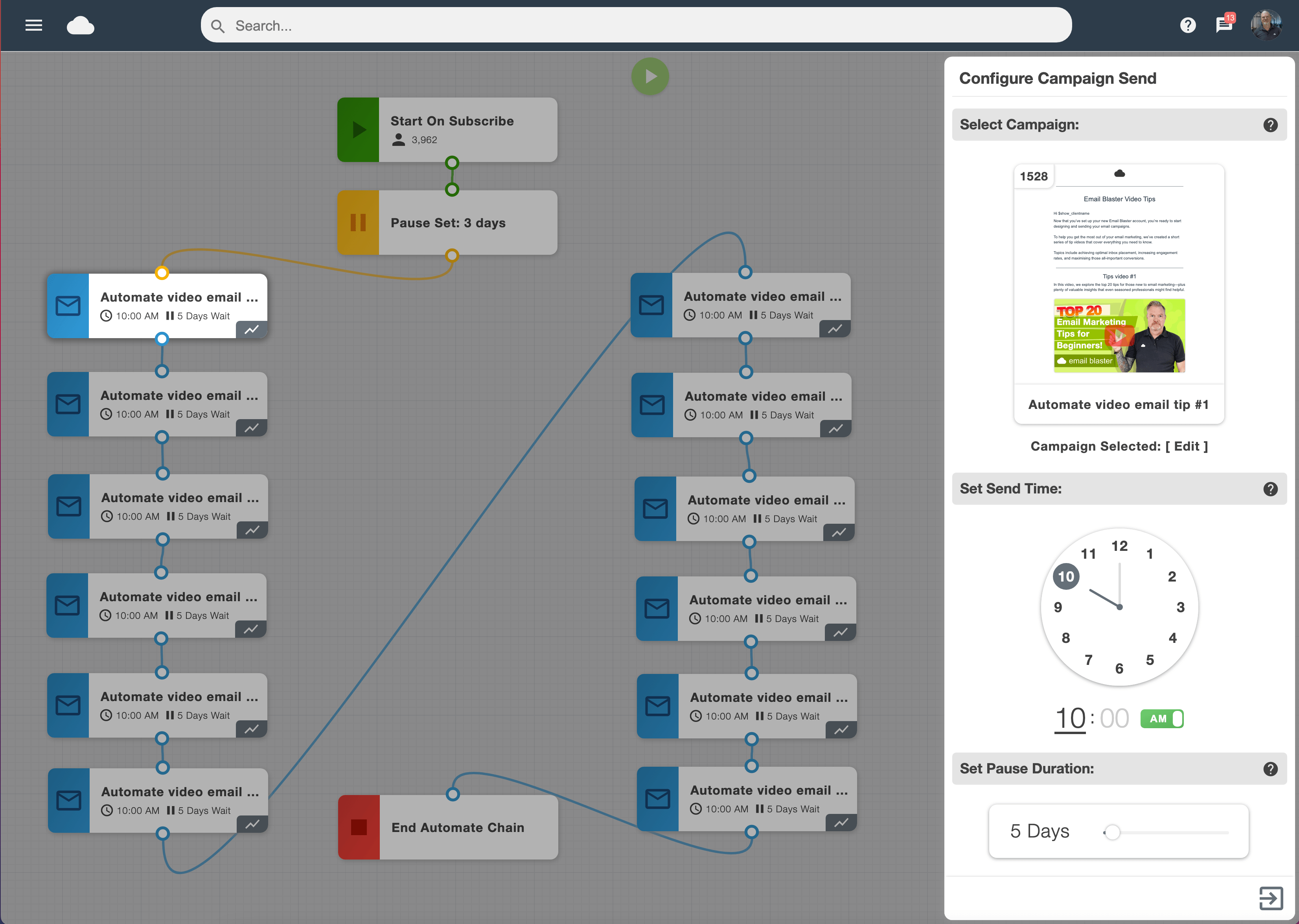
A regular newsletter and a timely follow-up have different jobs. Send scheduling lets you prepare campaigns ahead of time. Smart Automation helps you build a sequence around the journey you want subscribers to take.

Begin with a clear purpose: introduce a new subscriber to your organisation, share helpful information over several messages or follow up on a campaign. Plan the content, timing and audience before building the sequence. Review it from the recipient’s perspective so each message earns its place.

Prepare your sending identity

Use a recognisable sender and follow our domain-verification guidance before launching your programme. Review your audience, test the content and check the destination links. Delivery depends on factors including authentication, list quality, reputation and recipient systems; no platform can promise that every message will reach the inbox.

Plan connected messages with Email Blaster automation
Plan connected messages with Email Blaster automation.

See what happened and decide what to improve

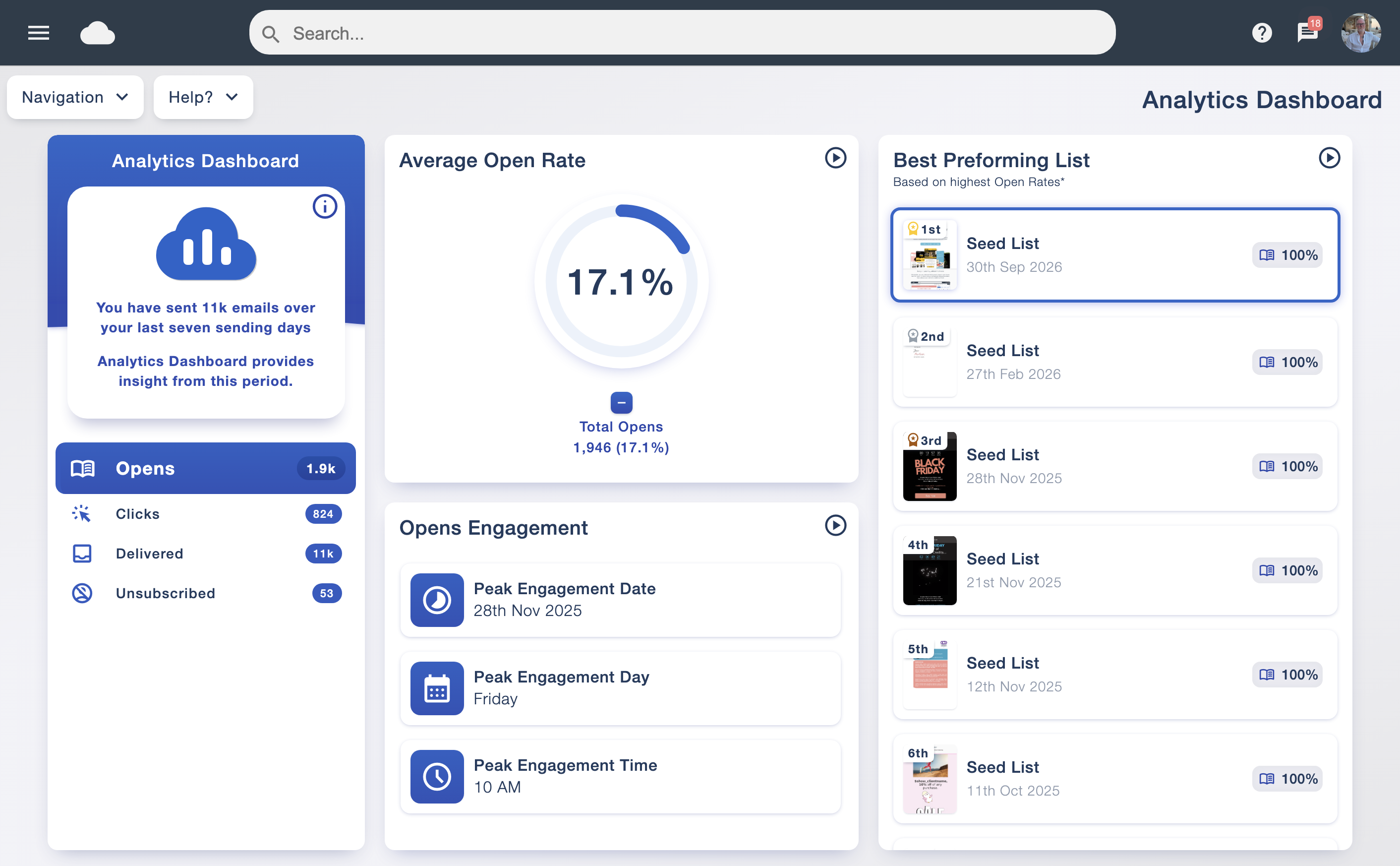
The campaign analytics suite brings reporting into the same platform you use to create and send. Review delivery, engagement and link activity to understand how readers responded and where to investigate further.

Use A/B testing to compare a deliberate change, such as a different subject line. Keep a record of the question you tested and what you learned. The goal is a clearer next decision, rather than collecting numbers without a plan.

Revenue and web tracking helps connect email activity with what happens on your website when configured. Consider those outcomes alongside campaign engagement. Open tracking has limitations, including privacy features in email clients, so use several signals when assessing performance.

Campaign reporting in the Email Blaster analytics dashboard
Campaign reporting in the Email Blaster analytics dashboard.

What does this look like in everyday use?

Send a regular customer newsletter

Choose the audience, adapt a reusable template and give the email one clear purpose. Check the links and layout, schedule the send, then review the response before preparing the next edition. Over time, the same process helps your team communicate consistently.

Welcome new subscribers

Decide what someone needs to know after signing up, collect the appropriate details through a subscribe form and build a helpful introduction. Use automation to organise the sequence, then review timing and relevance as your audience grows.

Improve an existing programme

Review list quality and sending practices, identify a specific problem and change one part of the campaign. Compare the results, document the lesson and use it to guide the next send. Our customer stories show how this process works in practice.

Tools for teams and connected systems

Agencies and organisations working across accounts can explore parent and child accounts. Developers can review the API overview and developer documentation to assess how Email Blaster could fit their systems. Check the relevant documentation and discuss your requirements with us before planning an integration.

See how the platform fits marketing agencies, charities, NHS and public-sector teams and staff communications.

UK development, infrastructure and support

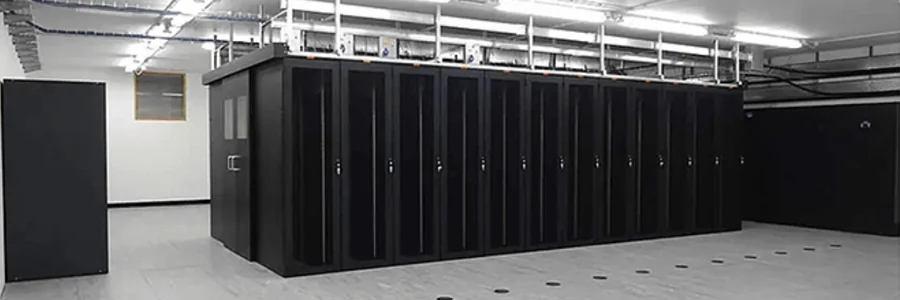
We develop the software in house and store customer mailing data on UK infrastructure, with our data centre in Milton Keynes. We own and manage the server network and IP addresses behind the platform. In 2012, we became a registered UK Internet Service Provider with our own AS number.

Our UK company and network overview explains the infrastructure in more detail. For supplier reviews, discuss your specific storage, processing and contractual requirements with our team. UK hosting is one part of that assessment; it does not replace your responsibilities for how personal information is collected and used. See our GDPR overview and practical email marketing guidance.

People you can talk to

Support is available through telephone, live chat, support ticket and email. Our UK support team works closely with development, connecting questions about the software with the people who know it. Whether you need help understanding a tool or investigating a campaign, contact the Email Blaster team with the details.

Our approach behind the scenes

We value useful software, direct responsibility and long-term customer relationships. The data centre housing our servers also uses on-site solar generation and measures to reduce energy, water and waste. Read about the facility’s sustainability measures and how they fit the infrastructure behind the service.
The data centre infrastructure behind Email Blaster
The data centre infrastructure behind Email Blaster.

Customer results with the story behind the numbers

Professional Choice Hair and Beauty worked with Gemma Russo of Green Opal Digital to improve its campaigns. The review combined List Ai cleaning tools, campaign checks and a correction to a sending process that had caused duplicate mailings.

89% → 98%Reported average delivery
2.6% → below 1%Reported unsubscribe rate

These were results from that customer’s combined changes, rather than a promised outcome from using the software. Read the full Professional Choice case study for the context.

Other stories explore different goals. Total Pool Chemicals built a regular weekly newsletter around offers, products and advice, while the Sir Henry Royce Memorial Foundation used email to connect with its supporter community. Explore the customer case studies to see the objectives, approach and lessons behind each programme.

Software people enjoy using.
Support they value.

From getting started to running regular campaigns, hear what customers say about working with Email Blaster.

Customer review · GigaCycle

“Simple, effective, fantastic customer support. Would strongly recommend to anyone new to email marketing.”

Chris Davies · GigaCycleMore customer feedback →

Recognised by G2

Explore customer feedback alongside our G2 recognition, including Winter 2025 High Performer awards.

Explore reviews on G2 ↗
G2 High Performer Winter 2025G2 Users Love UsG2 Small Business High Performer Winter 2025

Choose a package and try your own campaign

Start with your expected sending pattern. Choose a monthly sending allowance for regular campaigns or pay-as-you-go credits for occasional sends. Pricing is based on sends, with no separate contact-storage charge. You can move your monthly package up or down as your month-by-month volume changes. Compare the monthly sending plans and pay-as-you-go pricing, including allowances, VAT and account terms.

Open a free account to explore the software without a payment card. Bring a real campaign idea, try the designer and review how your contact information would fit. If you are moving from another service, take stock of your templates, permission records, opt-outs and any connected systems first. Our Email Blaster and Mailchimp comparison provides another starting point for evaluating your options.

A straightforward first-campaign checklist

  1. Choose a purpose and an appropriate audience.
  2. Prepare your contact data and verify your sending domain.
  3. Create the email, review the content and send a test.
  4. Check the links and schedule your campaign.
  5. Review delivery and outcomes, then plan your next improvement.

The beginner’s quick guide and video guides can help you work through the first steps. For advice on your organisation’s requirements, speak to our team before choosing your package.

Your next campaign starts here

Explore the tools for yourself, compare the packages or talk through your plans with our UK team.