Skip to content

Understand the average customer journey

An email click is a useful starting point, but it only tells part of the story. Insight follows subscribers who arrive from your campaigns across your tracked website pages, bringing that activity into your Email Blaster reports.

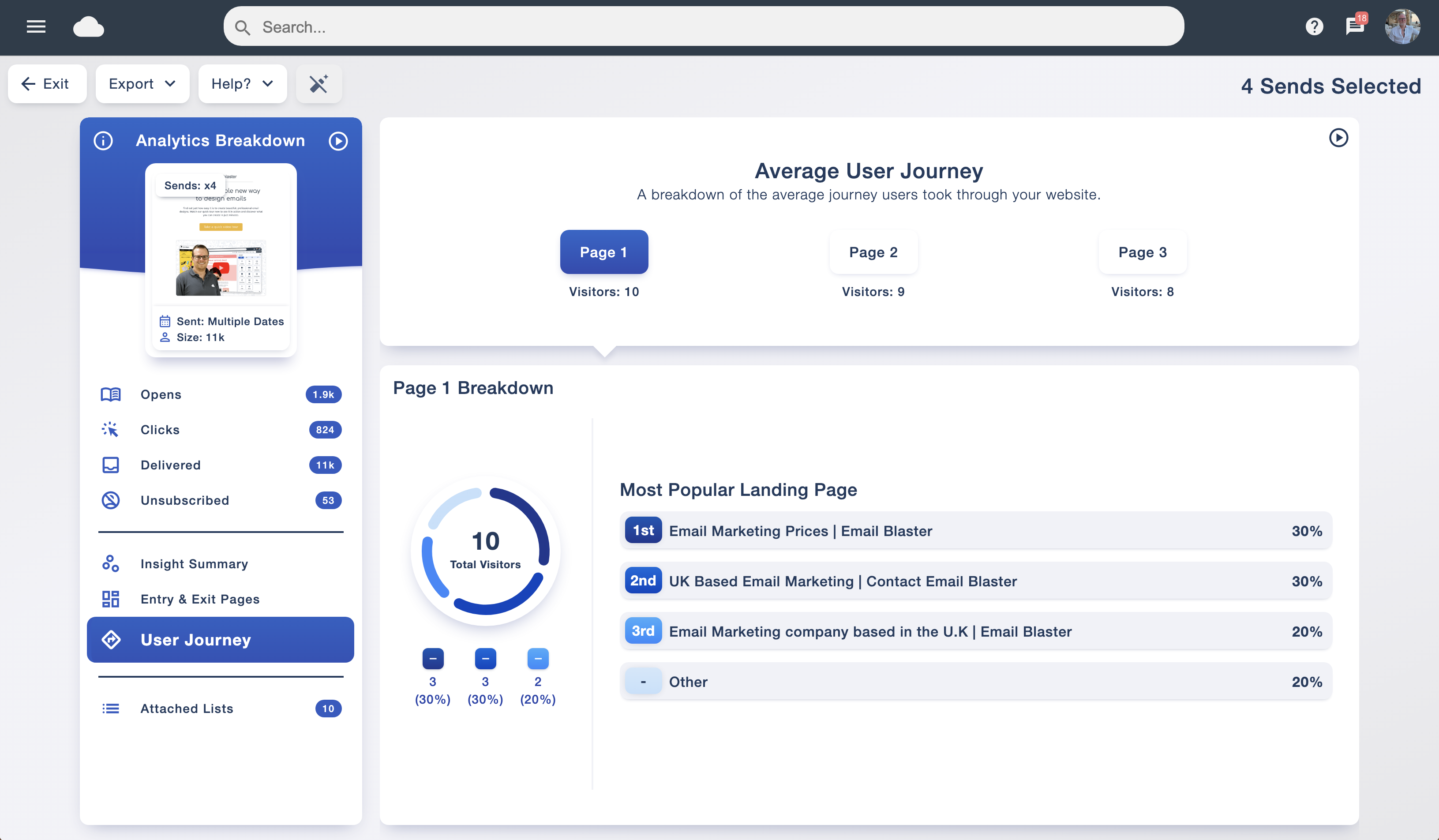
The average customer journey shows the route visitors take through your website. See the pages they reach at each stage, identify popular paths and explore where interest drops away. You can use those findings to make the next step easier, whether that is reading an article, requesting a quote or buying a product.

View this alongside your email marketing analytics to connect the response to your email with the experience on your website.

Average customer journey report showing successive website pages and popular landing pages
Explore the average route subscribers take after arriving from the campaigns you have selected.

Find your top entry and exit pages

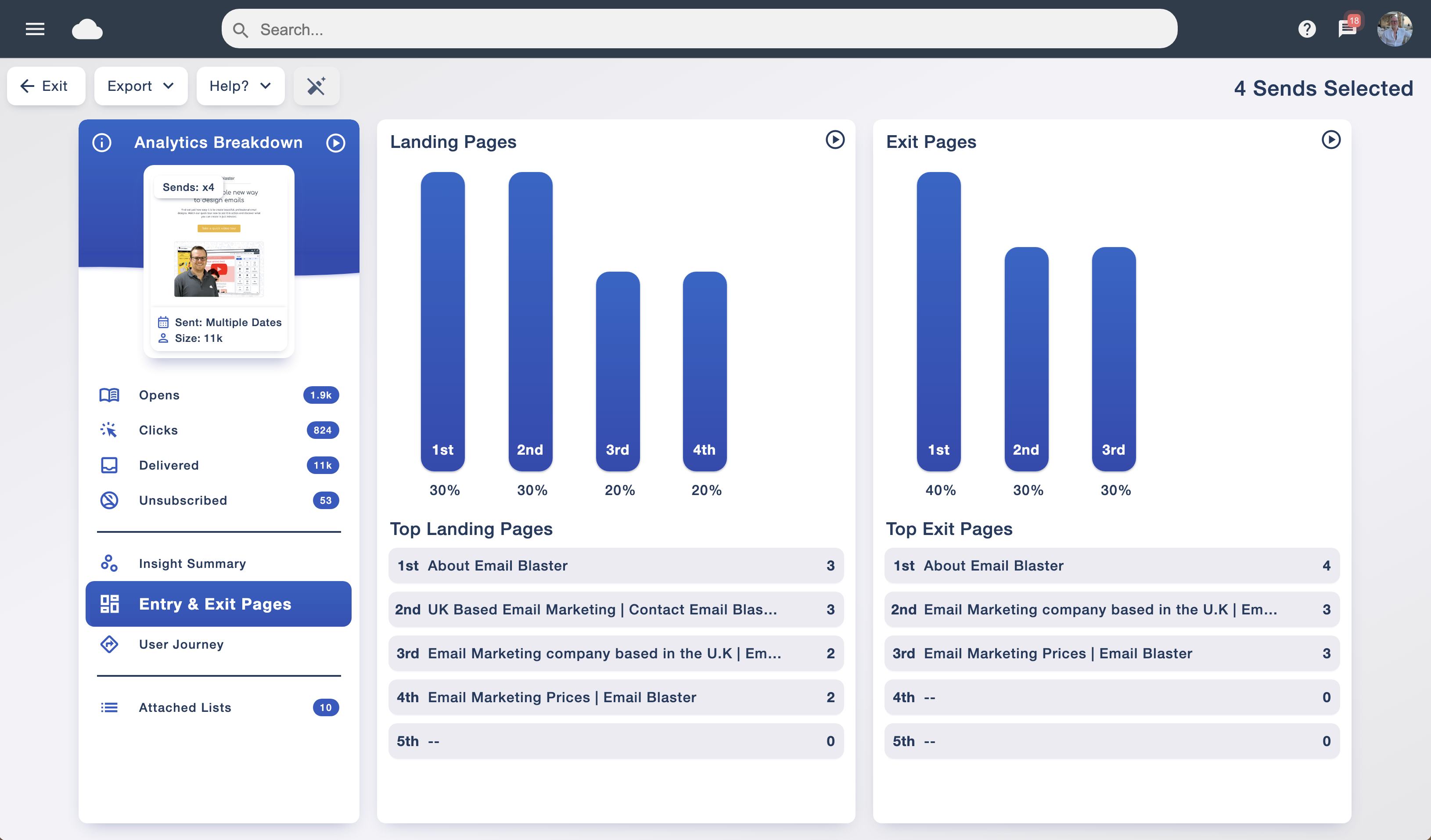
Where does your email bring people in, and where do they leave? Ranked entry and exit page reports make those destinations easy to spot, with charts and page names together in one view.

Check whether readers land on the page you intended. Then review the pages where visits end: is the next action obvious, does the content answer their question, or have they simply reached the end of their task?

This is useful feedback for both your campaigns and your website. Pair it with A/B testing to assess changes to your email content, and make sure the landing page follows through on the promise in your message.

Website tracking report with ranked landing and exit pages for selected email sends
See the most common arrival and departure pages for traffic from your email campaigns.

See how long subscribers spend on each page

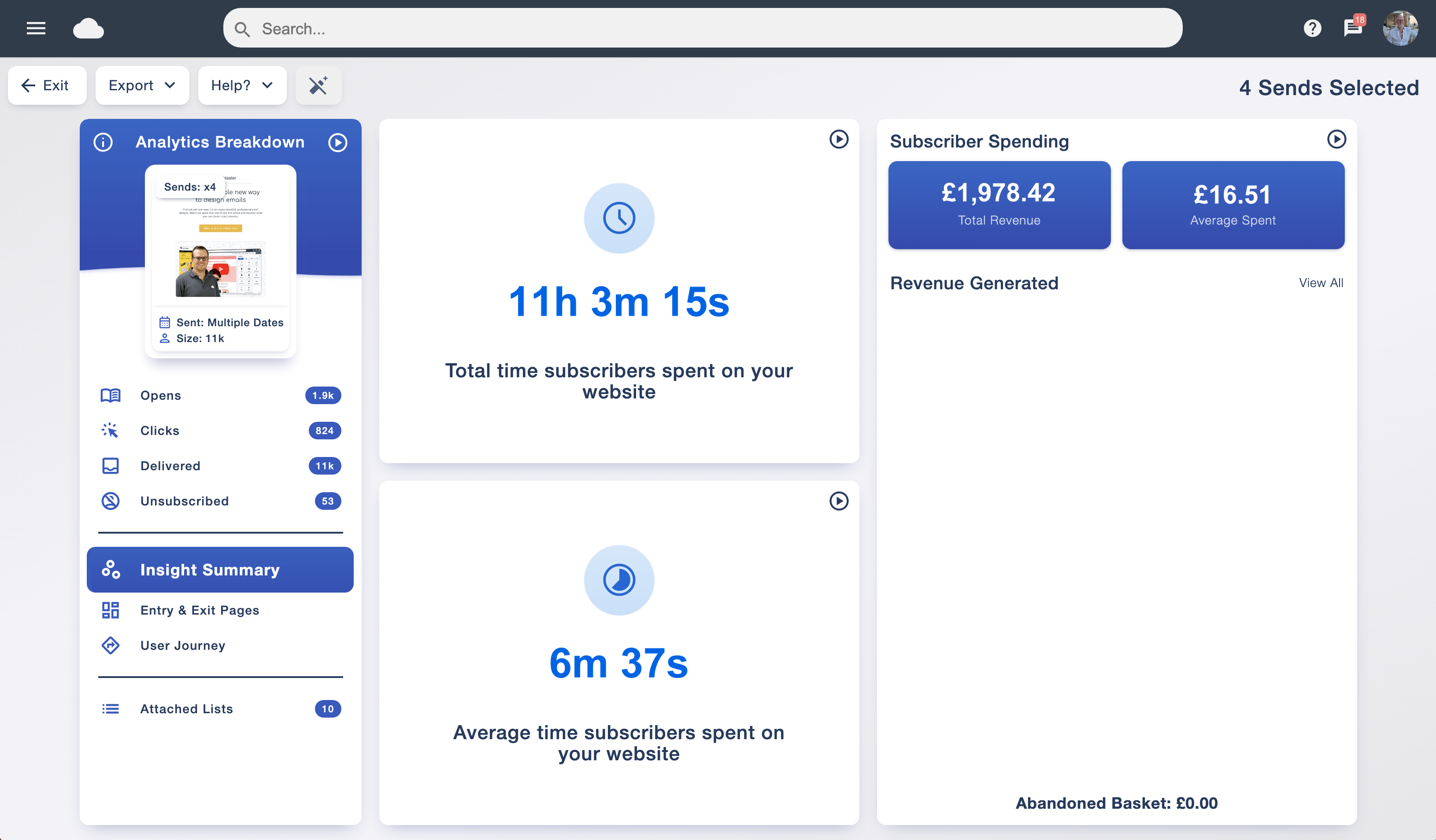
Recorded time on each tracked page adds context to a visit. Explore which content holds attention and which pages people move through quickly, alongside total and average time spent on your website.

A short visit can mean someone found what they needed quickly. A longer visit can suggest closer interest. Read the timings alongside the journey and the purpose of each page to decide what deserves a closer look.
Make your next campaign more relevant

Website activity helps you understand the topics and products drawing interest after a send. Use it to plan a useful follow-up and choose a destination that suits the message.

Organise your audience with data tagging and add relevant details with smart personalisation. Your reporting gives you a practical starting point for those decisions.

Track subscriber spend and email marketing revenue

Opens and clicks show interest. Orders help you understand the commercial result. With Insight’s optional e-commerce tracking connected to your checkout, you can attach purchase values to orders from subscribers who arrived through your email marketing.

Review revenue generated and average spend, then explore the recorded purchases to see what customers bought. This helps you identify the campaigns and offers associated with sales, and gives you firmer evidence when discussing results with your team or clients.

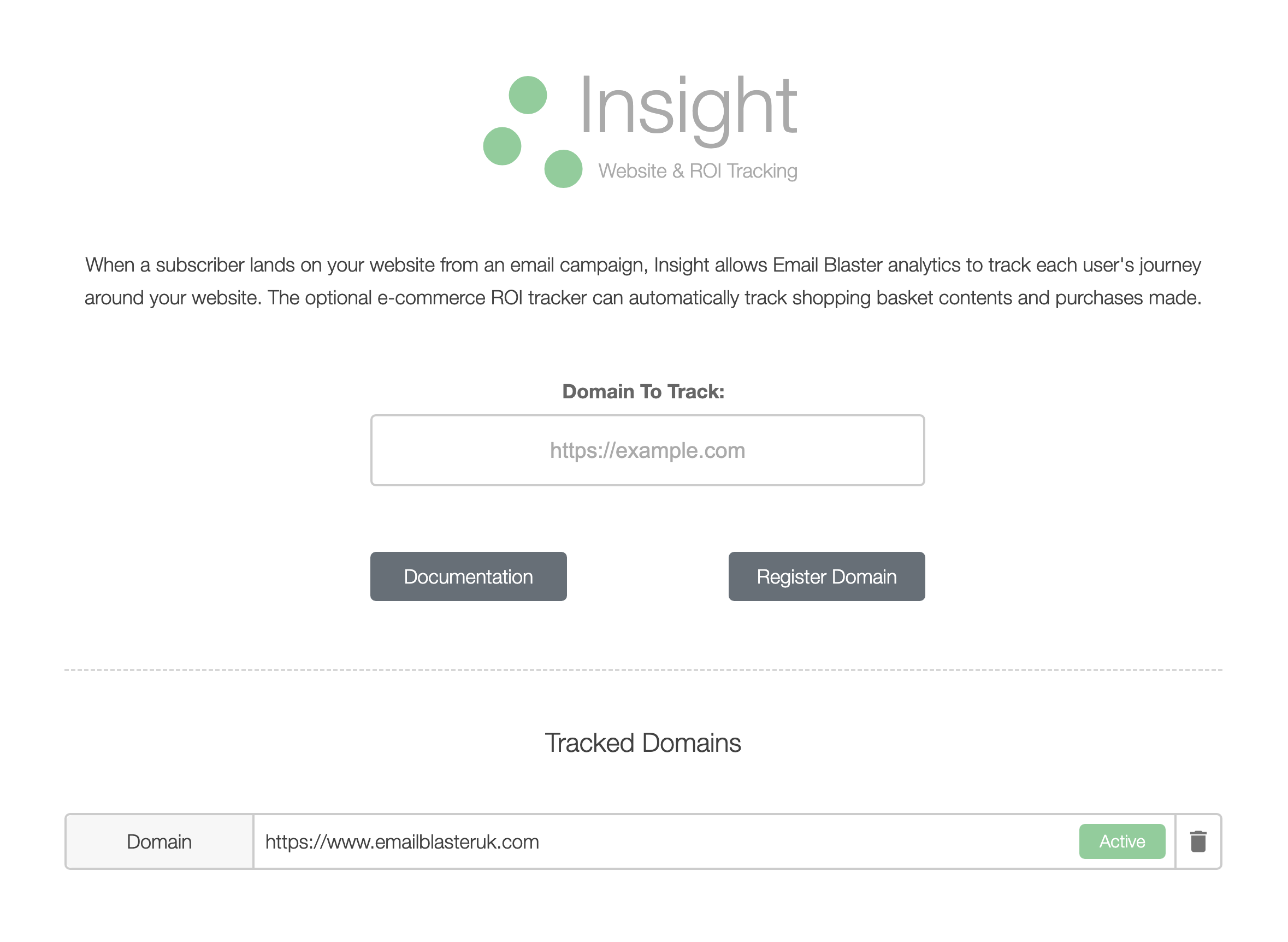
Revenue reporting relies on your website passing purchase details to Insight. Basic visitor tracking is quick to install; purchase and basket tracking need the additional e-commerce integration. Our UK-based team can help you understand what your website needs.

Insight summary showing total and average website visit duration alongside subscriber spending and revenue
Insight brings website visit duration and subscriber spending into the campaign reporting workflow.

See how to track subscriber spending

Watch the short guide for a closer look at revenue tracking.

Watch the revenue tracking guide

Keep website and email results together

Insight works alongside the analytics suite, so you can review email engagement and the website activity that follows in the same software. Move from a campaign report to entry pages, journeys and spending without piecing together separate reports.

Share the findings with your team

Export campaign statistics as PDF or CSV for reporting and further analysis. Share a readable summary with colleagues, or use a spreadsheet to explore the data in more detail. Keep the selected campaigns and tracking setup in context when comparing results.

Insight revenue tracking guide

Watch on YouTube