Clear permission, relevant targeting and healthy mailing data.
Good email marketing starts before you press send
Email marketing best practices connect the whole workflow: the way someone joins your list, the campaign they receive and what you learn afterwards. Design matters, but so do permission, delivery, expectations and the next step you offer the reader.
Use this guide to review your current approach or prepare a new campaign. Focus on one useful improvement at a time, then make the successful habits part of your regular process.
Readable design, honest wording and an obvious next step.
Reports, thoughtful testing and improvements based on your audience.
Build your list around permission and relevance
The most important email marketing best practice is to send useful messages to an appropriate audience. Build your own subscriber list and make the invitation clear: who is emailing, what the updates contain and how often they arrive.
Do not scrape addresses, assume a purchased list is suitable or treat an enquiry as newsletter consent. Check the records behind an existing customer list before importing it. For individual subscribers, you need consent or an applicable PECR exception; legitimate interests alone does not replace the electronic marketing rules.
Keep a record of the choice
Store the subscription source, date and wording shown to the person. Make it easy to explain why an address is on your list. Where you use confirmed or double opt-in, the confirmation step helps check access to the address and record the subscription. It does not guarantee that every address is genuine or make every campaign compliant.
Keep marketing consent separate from competition entry or other unrelated actions. Read our list-building guide and the ICO’s email marketing guidance.
 Watch and learnWill cold emailing damage my email address?▶ Play video guide
Understand where your mailing data is stored
Your choice of email marketing provider affects more than the design tools you see on screen. Ask where customer mailing data is stored, who can access it and which subprocessors are involved. Include backups and support access in the conversation.
Email Blaster stores customer mailing data on its UK infrastructure, with its data centre in Milton Keynes. Its UK team develops and supports the software, giving you people you can contact about your account and your provider’s arrangements.
UK storage is part of a considered supplier choice, rather than a substitute for permission, security or privacy information. Overseas processing is not automatically unlawful, but restricted international transfers need the relevant conditions and safeguards. Review the ICO’s international transfer guidance and our GDPR guide.
 Watch and learnWhy GDPR offers no protection for UK companies using US data storage▶ Play video guide
Segment your audience before writing the email
A campaign becomes easier to write when you know exactly who it is for. Group subscribers using relevant information you have a reason to hold, such as their chosen interests, customer relationship or location.
Make the difference useful
A retailer could separate updates about new products from event invitations. A service business could write differently for prospective customers and existing clients. The purpose is to improve relevance, rather than create more lists for their own sake.
Use data segmentation to select the audience, then check that the subject, offer and destination page all fit that group. Avoid assuming a recorded open proves someone is interested, and do not use sensitive information casually to target a campaign.
Where you personalise an email, check the fallback text. “Hello there” is better than an empty name field or an unexpected database value.
Give your email one clear purpose
Good email design guides a reader from the main message to a useful next step. Decide that step before opening the template: read an article, book a consultation, browse a collection or register for an event.
Make the reading order obvious
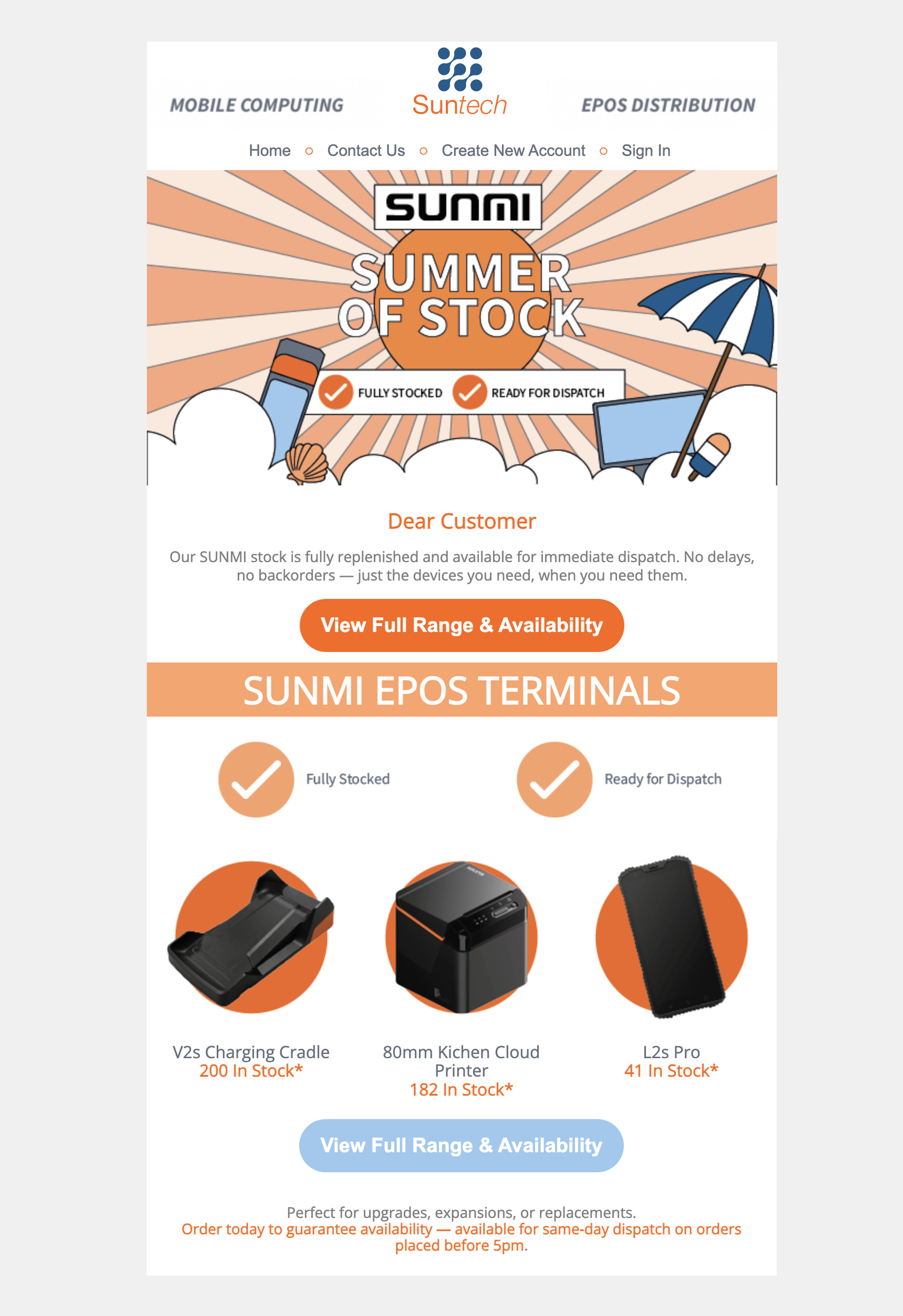
Use an accurate subject line, useful preview text and a headline that explains the value. Follow with short paragraphs and a prominent call to action. Descriptive button labels such as “View the event programme” tell readers more than “Click here”.
Keep fonts, colours and spacing consistent with your brand. Use images to support the message, while keeping essential information in readable text. A single image containing the entire newsletter can become inaccessible when images are blocked.
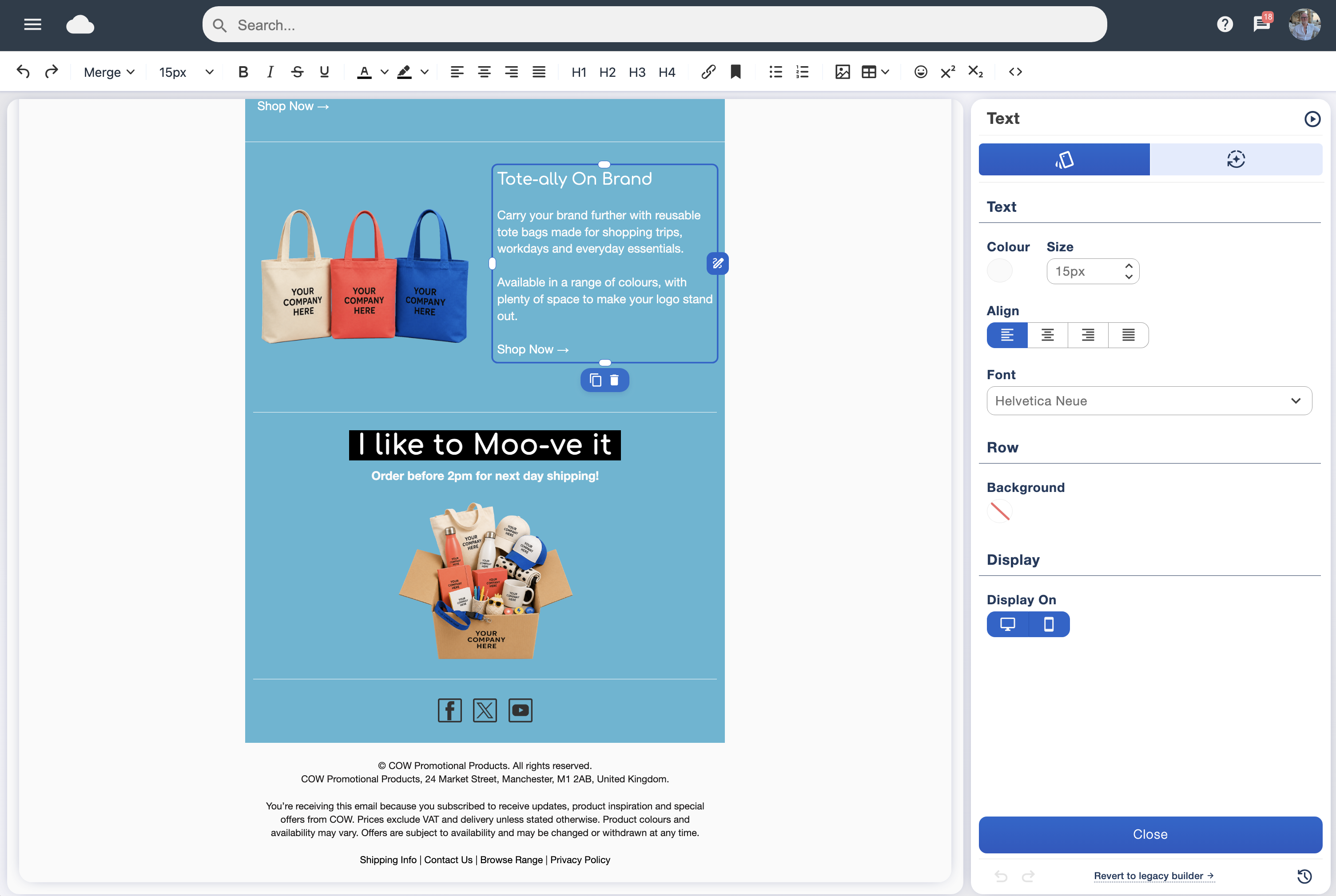
Use the Email Blaster drag and drop designer to build a clear layout. Check spelling, prices, dates and destination pages, especially when adapting an older campaign.
 Watch and learnCraft an irresistible email newsletter for your audience▶ Play video guide
Design for phones and different email readers
Make your campaign comfortable to read on a small screen. Readers should not need to zoom in to understand the message or accurately tap a tiny link.
- Use a clear layout that stacks sensibly on mobile.
- Keep body text readable and give buttons enough space.
- Use meaningful alternative text for informative images.
- Check contrast and avoid relying only on colour to communicate meaning.
- Make sure the linked website works well on a phone too.
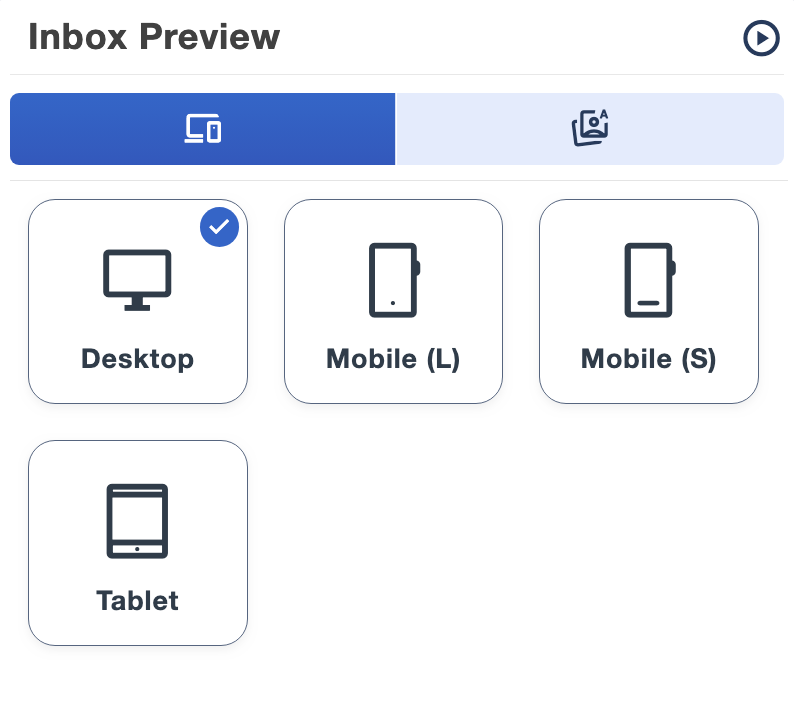
Preview across screen sizes and send a test to real inboxes. Previewing the design does not replace checking the delivered email, its links and its sender details. Explore our email compatibility guide.
Authenticate your domain and keep the sender recognisable
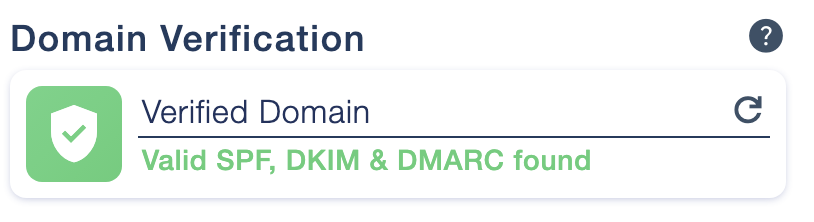
Domain authentication helps receiving systems verify your use of the sending domain. SPF authorises sending servers, DKIM signs the message and DMARC checks alignment with the visible From domain and publishes your policy.
Use the exact records shown in your logged-in Sender Profiles and follow our domain verification guide. Ask the person managing your DNS for help if needed. Do not add duplicate SPF records or overwrite an existing policy without understanding it.
Use a familiar sender name and a monitored reply address. Your identity should remain clear across campaigns. Authentication supports delivery and helps prevent impersonation, but does not guarantee inbox placement.
Mailbox providers apply requirements that depend on your sending pattern and volume. Check Google’s current sender guidelines when reviewing your setup.
Make list hygiene a routine, not a rescue job
Email marketing best practices include looking after the data between sends. People change jobs, domains expire and addresses become invalid. Duplicate contacts and repeat failures make your campaign less useful before anyone reads it.
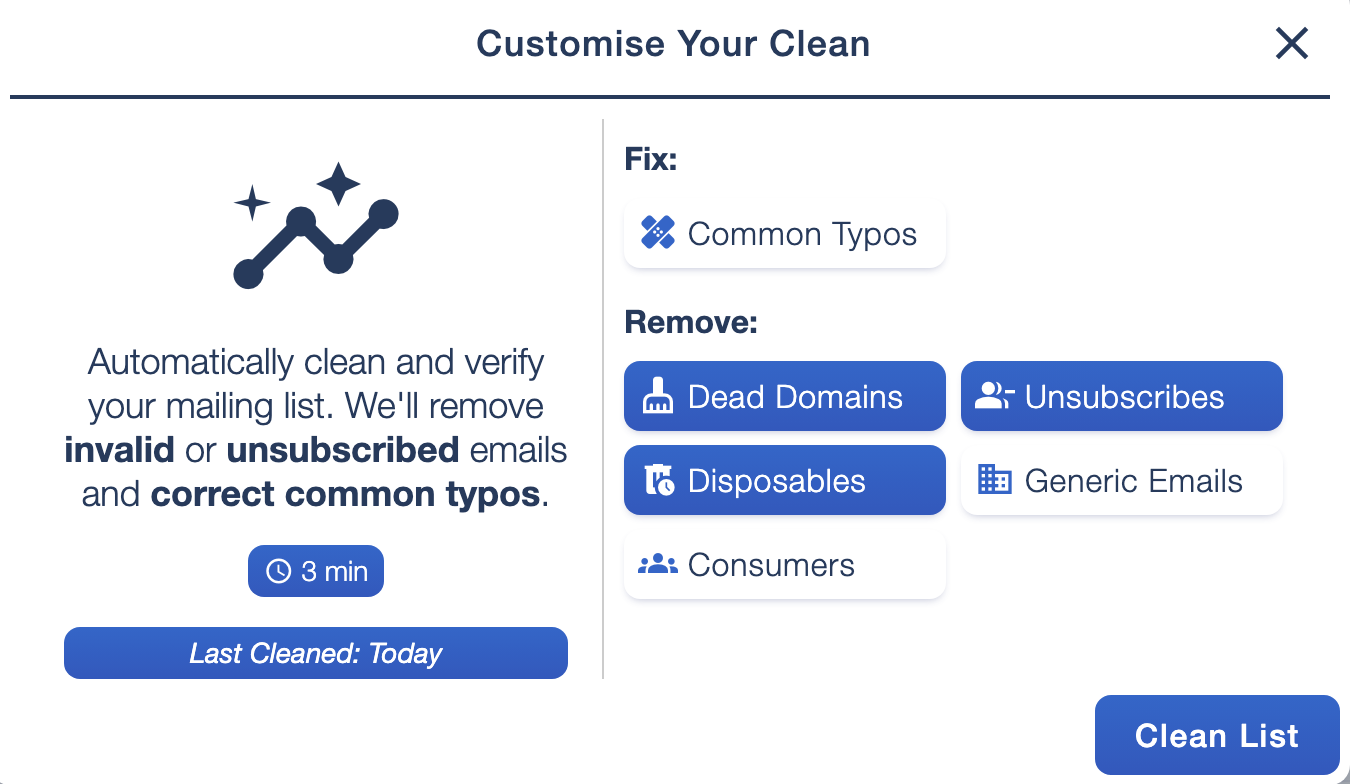
Email Blaster checks new imports for duplicate contacts, common address errors and inactive domains, and checks against unsubscribes and suppressions. Its List Ai tools provide cleaning options and reports to help you understand your mailing list.
Review the settings before cleaning
Choose options that suit your audience. Generic inboxes and consumer email providers can be valid contacts, so removing them indiscriminately may remove people you want to reach. Review the result, preserve opt-outs and avoid reintroducing suppressed records through another import.
Address verification does not establish marketing permission. Combine data cleansing with subscription records, thoughtful targeting and regular campaign review.
 Watch and learnHow to fix a poor bounce rate▶ Play video guide
Investigate bounces before repeating the send
A bounce is a delivery failure, but not every bounce has the same cause. A hard bounce usually indicates a permanent problem, such as an invalid address. A soft bounce can reflect a temporary failure, mailbox capacity or another condition reported by the receiving system.
Read the report rather than assuming every failure means a dead address. Look for patterns across a domain, the age of the list, recent imports and authentication or policy errors.
If failures rise unexpectedly, pause further sends to the affected records while you investigate. Do not resend the same campaign blindly or move the list to another sender to avoid the problem. Review our guide to email bounces, and ask the UK support team to help interpret the report.
 Watch and learnHelp: why are my email bounces so high?▶ Play video guide
Set a sustainable frequency and respect opt-outs
Choose a schedule that fits the promise made at sign-up and the amount of useful content you can create. A regular newsletter, timely announcement and welcome message serve different purposes; they do not need the same cadence.
Plan the audience and reason for each send. Watch whether subscribers continue taking useful actions, and whether unsubscribes or complaints increase. Do not change from monthly advice to daily promotions without considering the expectations you set.
There is no universal best day or time. Use your own audience’s response and send scheduling to build a manageable routine. Every campaign should include an easy unsubscribe option, and opt-outs should remain excluded from future marketing sends.
Measure outcomes, then test one improvement
Choose the goal before sending. An event email should be judged against registrations, while a product campaign may focus on relevant visits, enquiries or purchases. This keeps your reporting connected to the reason for the campaign.
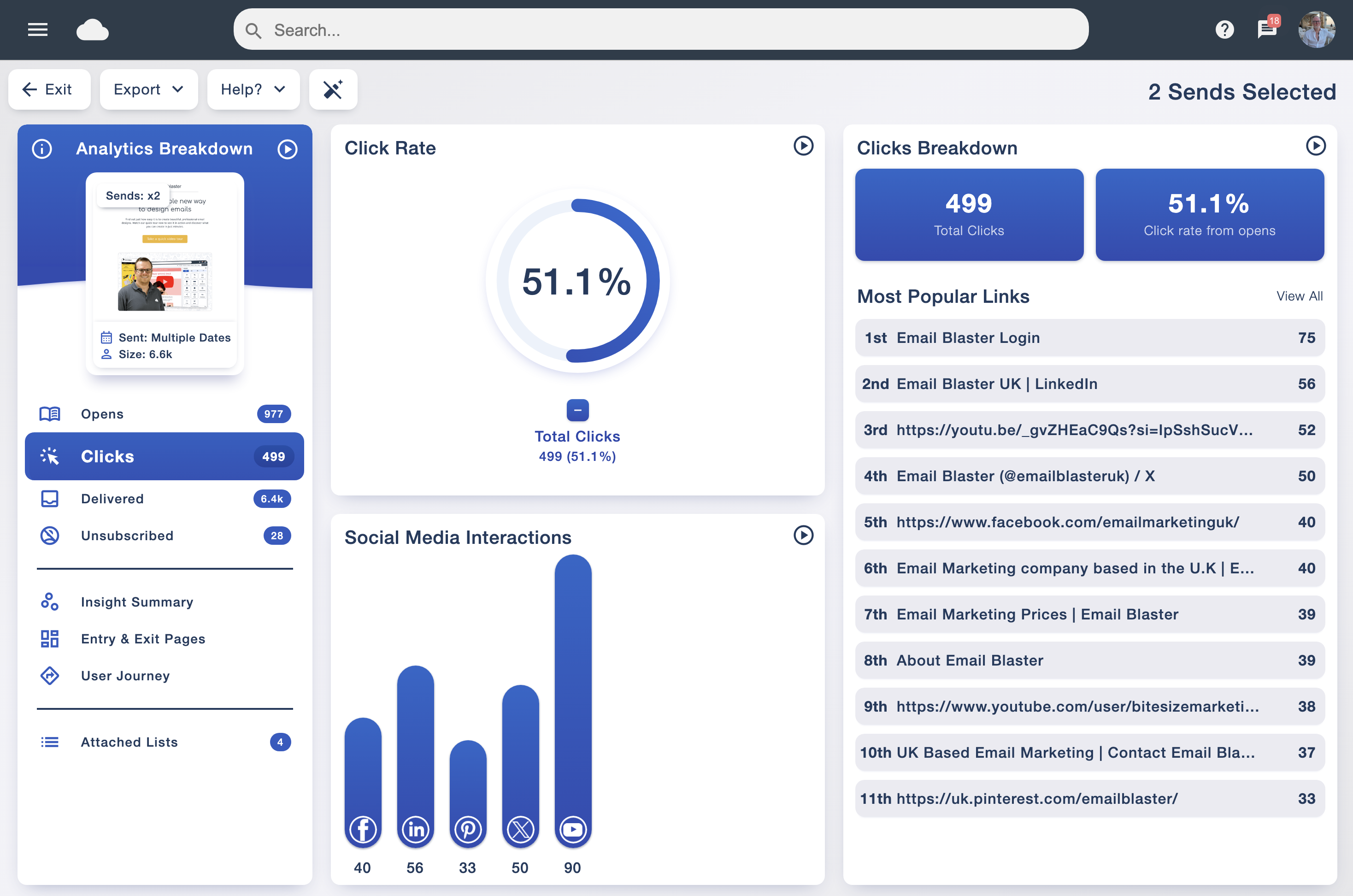
Review delivery, bounces, clicks, unsubscribes and complaints together. Use opens as a supporting indicator: privacy features, image handling and automated activity can distort them. A recorded click may also need interpretation, so compare reports with the outcome on your website where appropriate.
Use A/B testing to answer a focused question
Compare two subject lines, button labels or layouts while keeping other details consistent. Choose a measurement that matches the question, allow time for the response and remember that small samples can produce uncertain results.
Use campaign analytics and A/B testing to learn from your audience. Keep a short note of the change, result and next idea, rather than treating one winning campaign as a permanent rule.
Your email marketing best-practice checklist
- The audience has a suitable permission basis, and suppressions are respected.
- The mailing list has been reviewed for duplicates and delivery problems.
- The sending domain is authenticated and the sender is recognisable.
- The subject and preview text accurately introduce the message.
- The layout is readable on mobile and without loaded images.
- Every button leads to the right page, and important details are checked.
- The unsubscribe option is easy to find and use.
- A test email has been reviewed before scheduling the live send.
- The campaign has a clear goal and a plan for reviewing the result.
Common questions about planning and sending
Is double opt-in required for every email list?
Double opt-in is a confirmation process that can help check an address and document a subscription. It is not a universal requirement for every situation. You still need the appropriate permission basis and records for your audience and campaign.
Can authentication guarantee inbox delivery?
No. Authentication is an essential foundation, but mailbox providers also consider factors such as sender reputation, complaints, the audience and sending behaviour. Keep your setup and your campaign practices under review.
Which email marketing statistic matters most?
Start with your goal. Clicks, enquiries or purchases may be more useful than opens alone. Review delivery failures and opt-outs too, so a headline result does not hide an audience or list-quality problem.
What should I do if bounce levels suddenly rise?
Check the report and the affected records before sending again. Review recent imports, domain-level patterns and failure reasons, and contact support if the cause is unclear.