Delivery
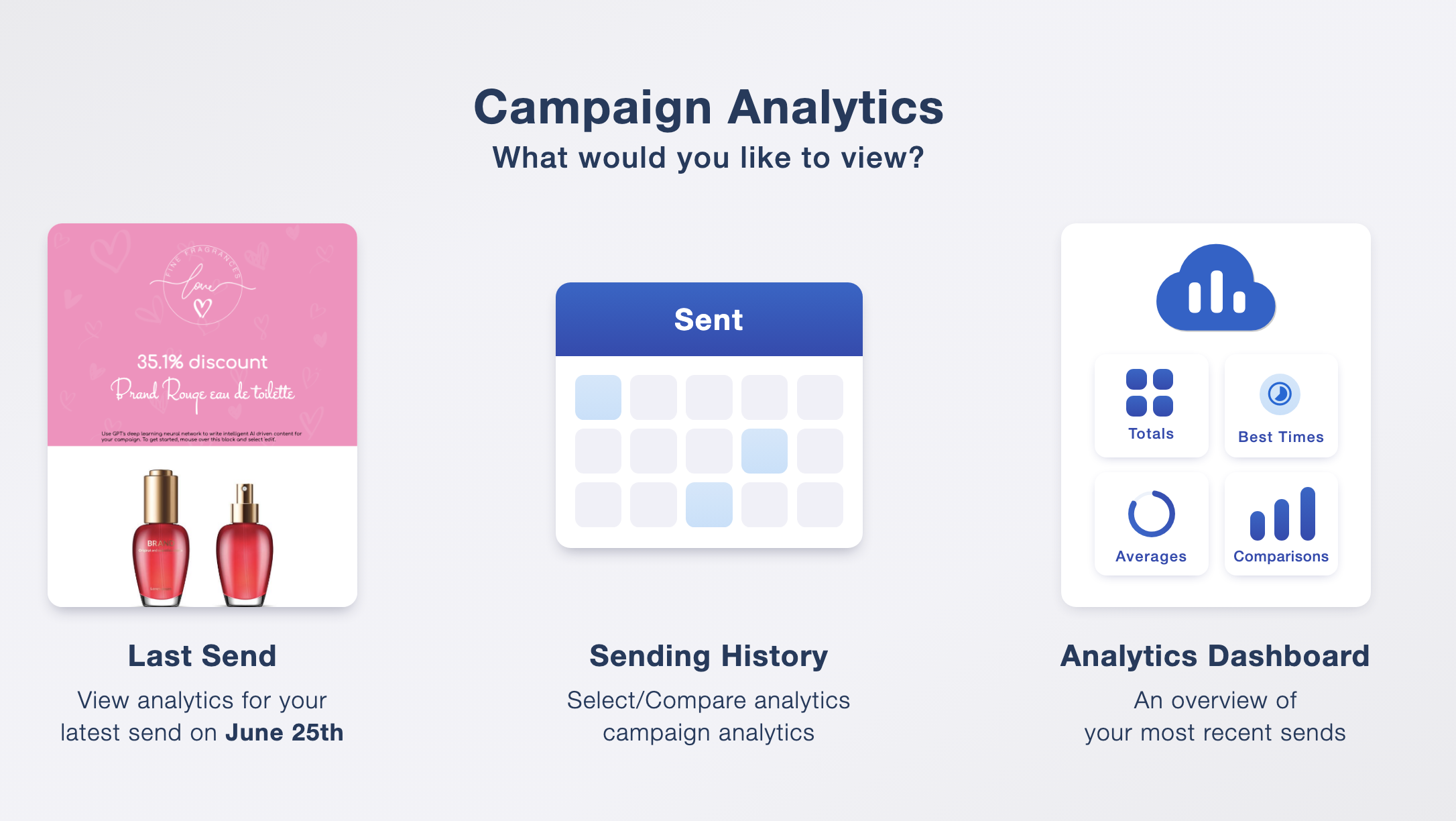
Review how many messages were delivered and investigate failures alongside your campaign results.
Sending an email is only the beginning. Your results tell you whether the message reached your audience, which content attracted interest and what might need a different approach next time.
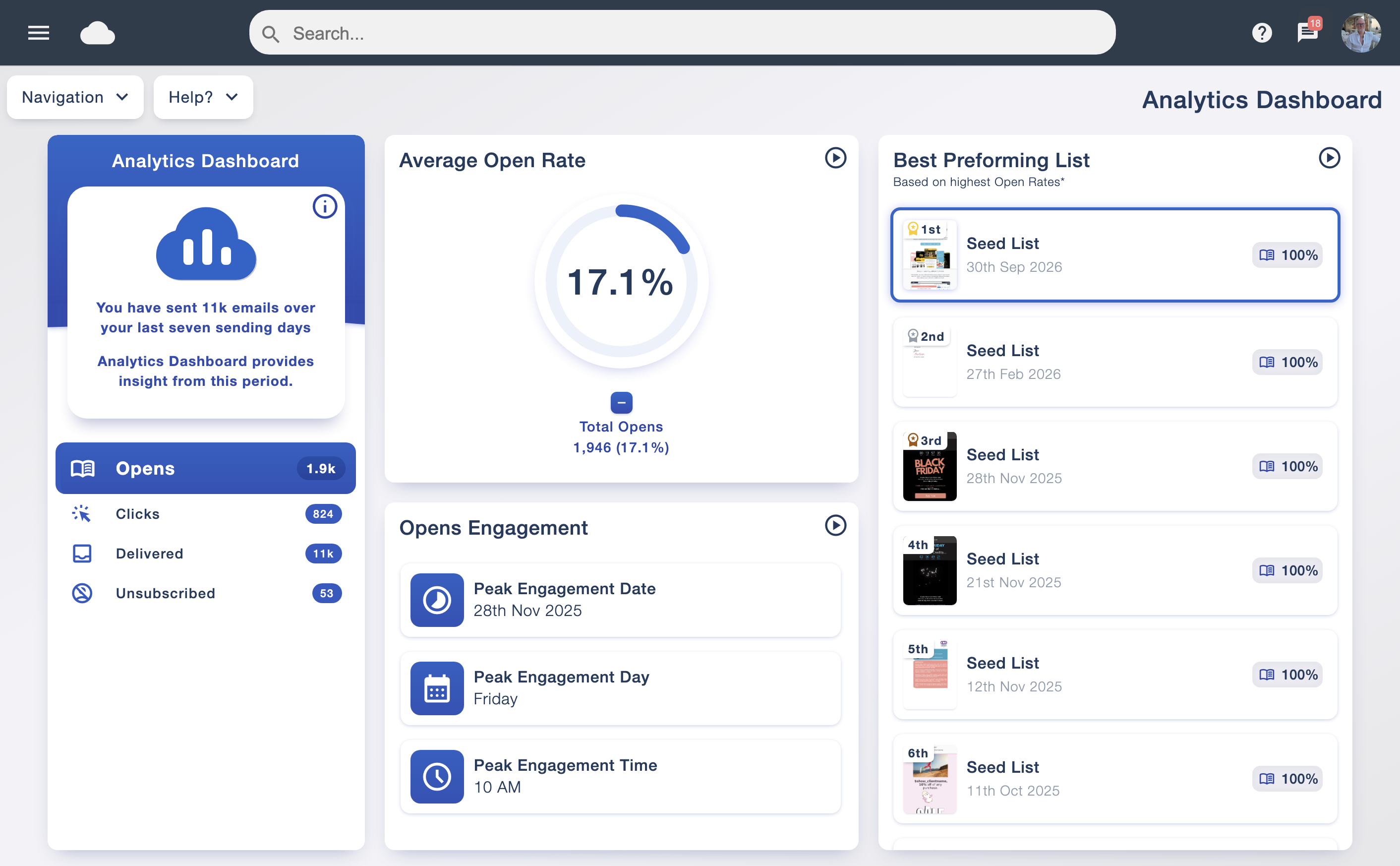
The analytics dashboard gives you a clear view of recent sending activity, with opens, clicks, delivery and unsubscribes in one place. Explore averages, audience engagement patterns and your strongest-performing lists without having to assemble a report from scratch.
Watch the video tour to see how Email Blaster presents your campaign data. Open the player below, then explore the reports and features further down the page.
Review how many messages were delivered and investigate failures alongside your campaign results.
See recorded opens and use them as one indication of how your audience responds to a message.
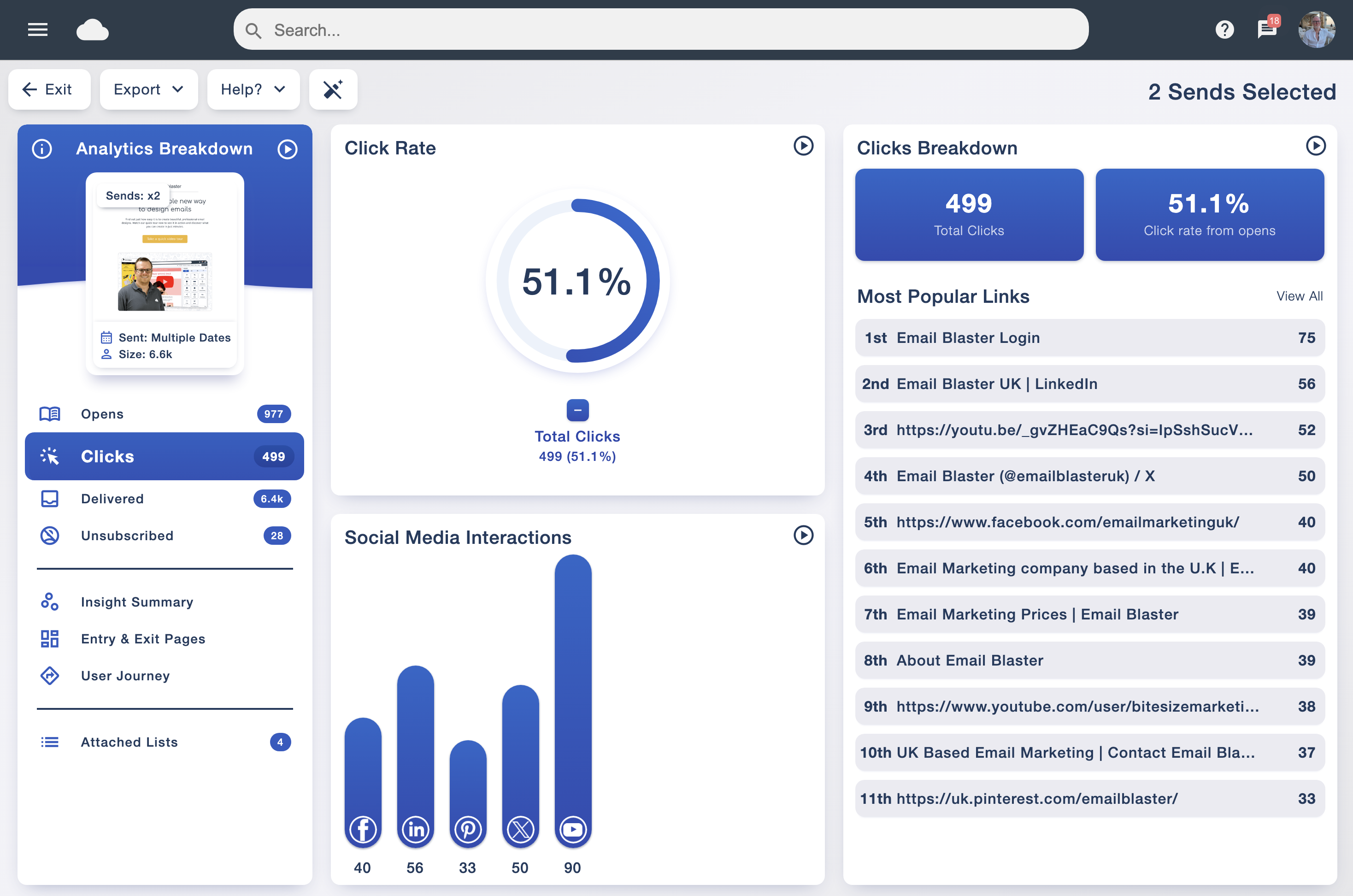
Explore the links readers followed and the content that encouraged them to take another step.
Review soft and hard bounces to understand delivery problems and identify data that needs attention.
Keep sight of opt-outs and look for changes that may point to audience expectations or sending frequency.
See clicks on your social links alongside the rest of your email campaign activity.
The click report shows your most popular links, with a clear breakdown of clicks and social media interactions. You can see whether readers were drawn to a product, a video, a contact page or a social profile.
This makes it easier to decide what deserves more space in your next newsletter. If an article receives strong interest, follow up with useful related content. If an important link is overlooked, review its wording and position.
Connect your campaigns with social media integration and track the response alongside your other links.
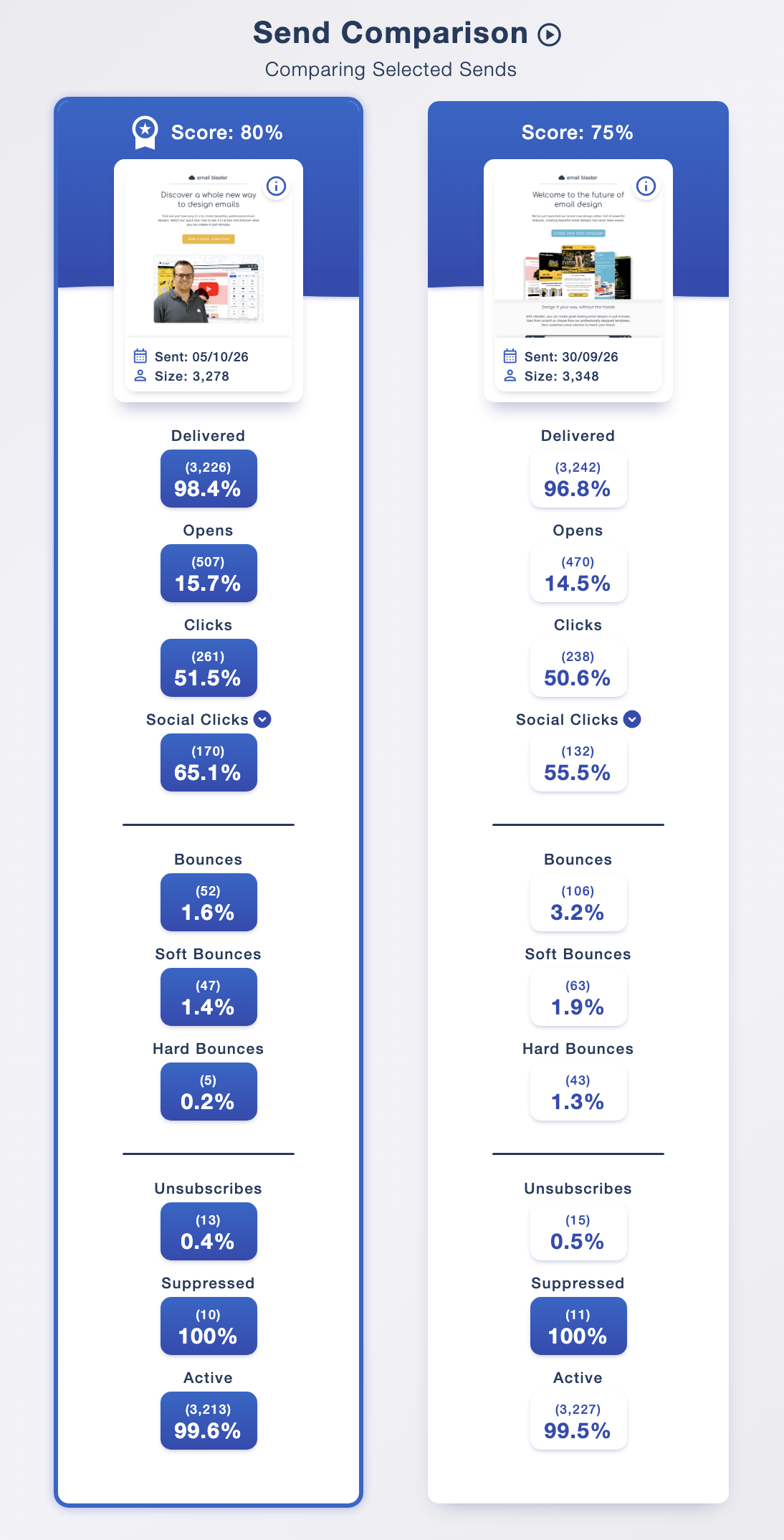
A single report tells you what happened. Comparing campaigns helps you understand whether a change in content, audience or timing made a difference.
View selected sends side by side to review delivery, opens, clicks, social clicks, bounces and unsubscribes. Identify your best-performing campaigns, then review their content and subject lines to see what you can learn from the results. The campaign previews help you recognise the designs you are comparing, while percentages and counts keep the results in context.
For a fairer comparison, consider how list size, audience and message purpose differ. Use A/B testing when you want to test a specific change, and smart personalisation to make your content more relevant.
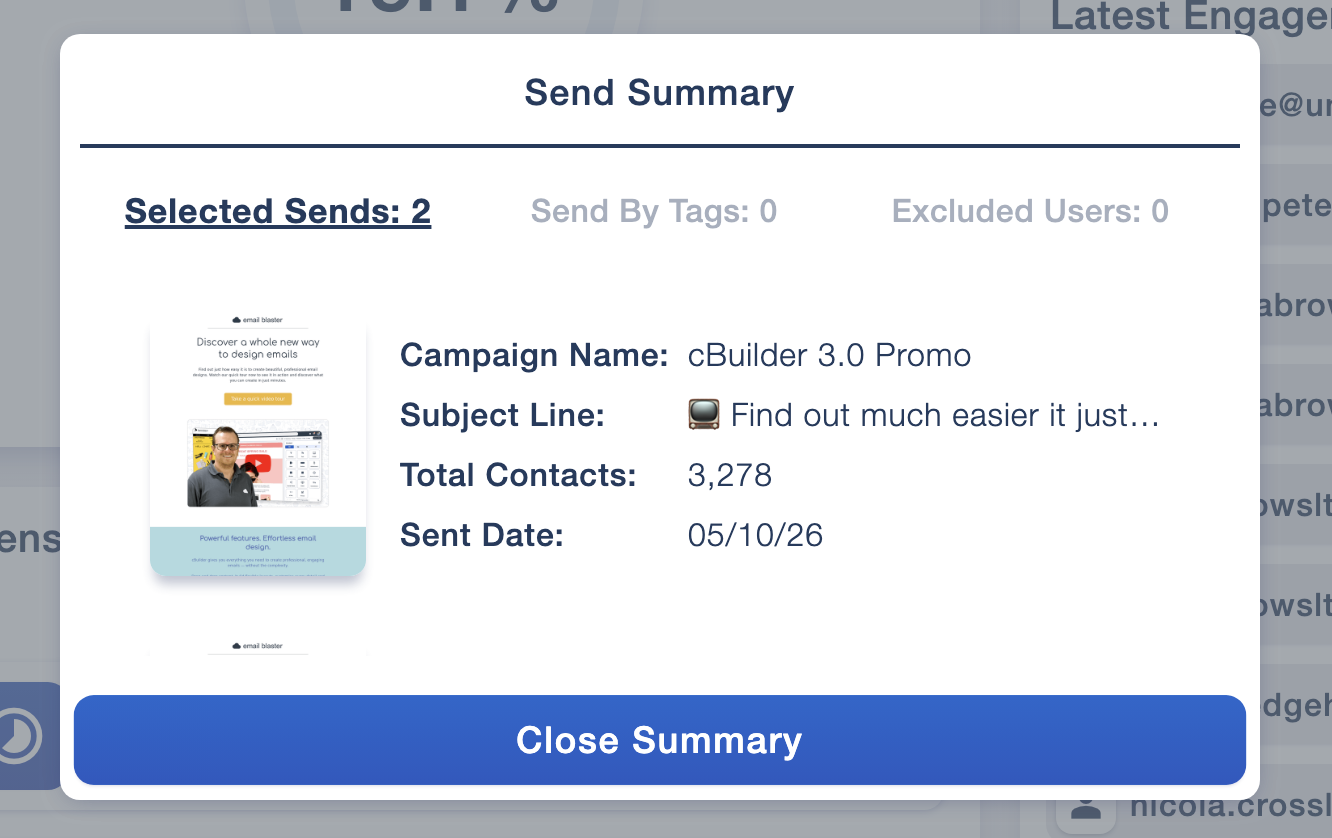
The send summary brings together the campaign name, subject line, contact count and sending date. It helps you confirm exactly which campaigns are included before interpreting the report.
Some email security systems follow links automatically to check that they are safe. Those checks can appear in tracking data even when a person has not clicked.
Email Blaster’s Smart Filter uses AI to identify and filter out bot clicks from your campaign reporting, helping you focus on recipient engagement. Its sensitivity controls let you adjust the filtering level when reviewing your reports, with a balanced option shown in the software.
Use filtered results to get a clearer picture of engagement, and keep the setting in mind when comparing campaigns. Opens and clicks are useful signals, but they work best alongside the responses and enquiries your campaign generates.
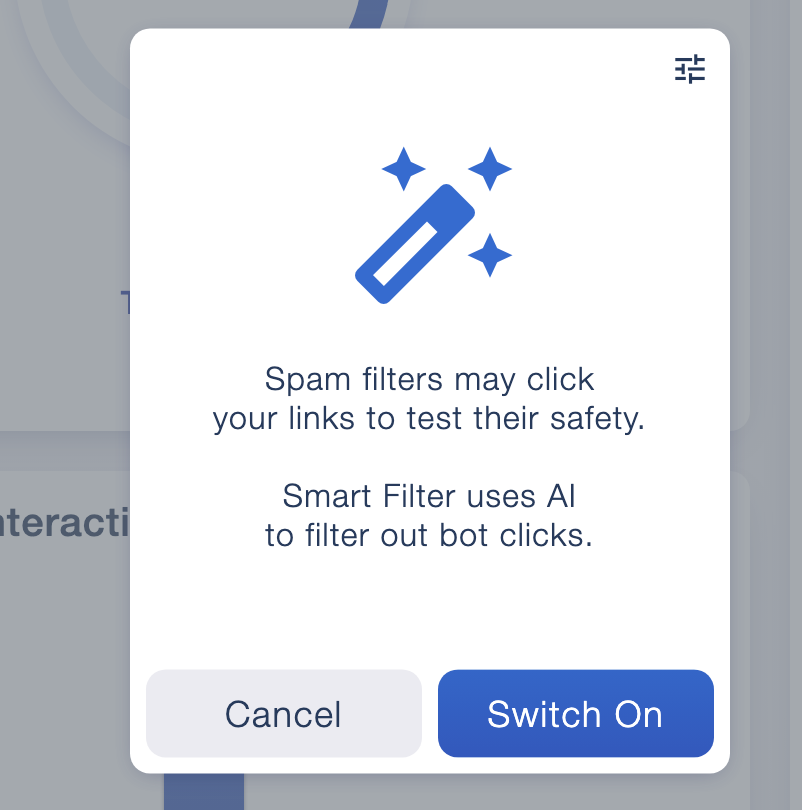
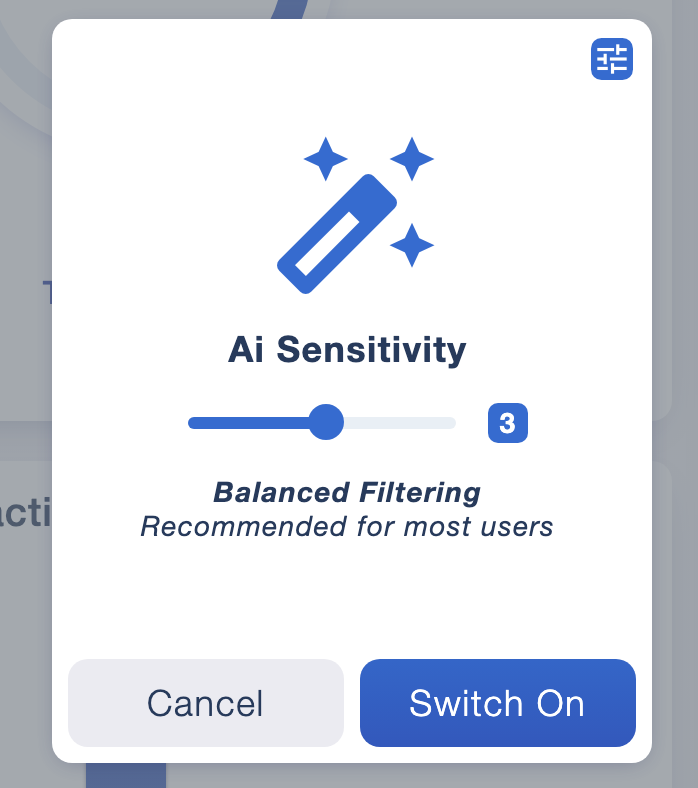
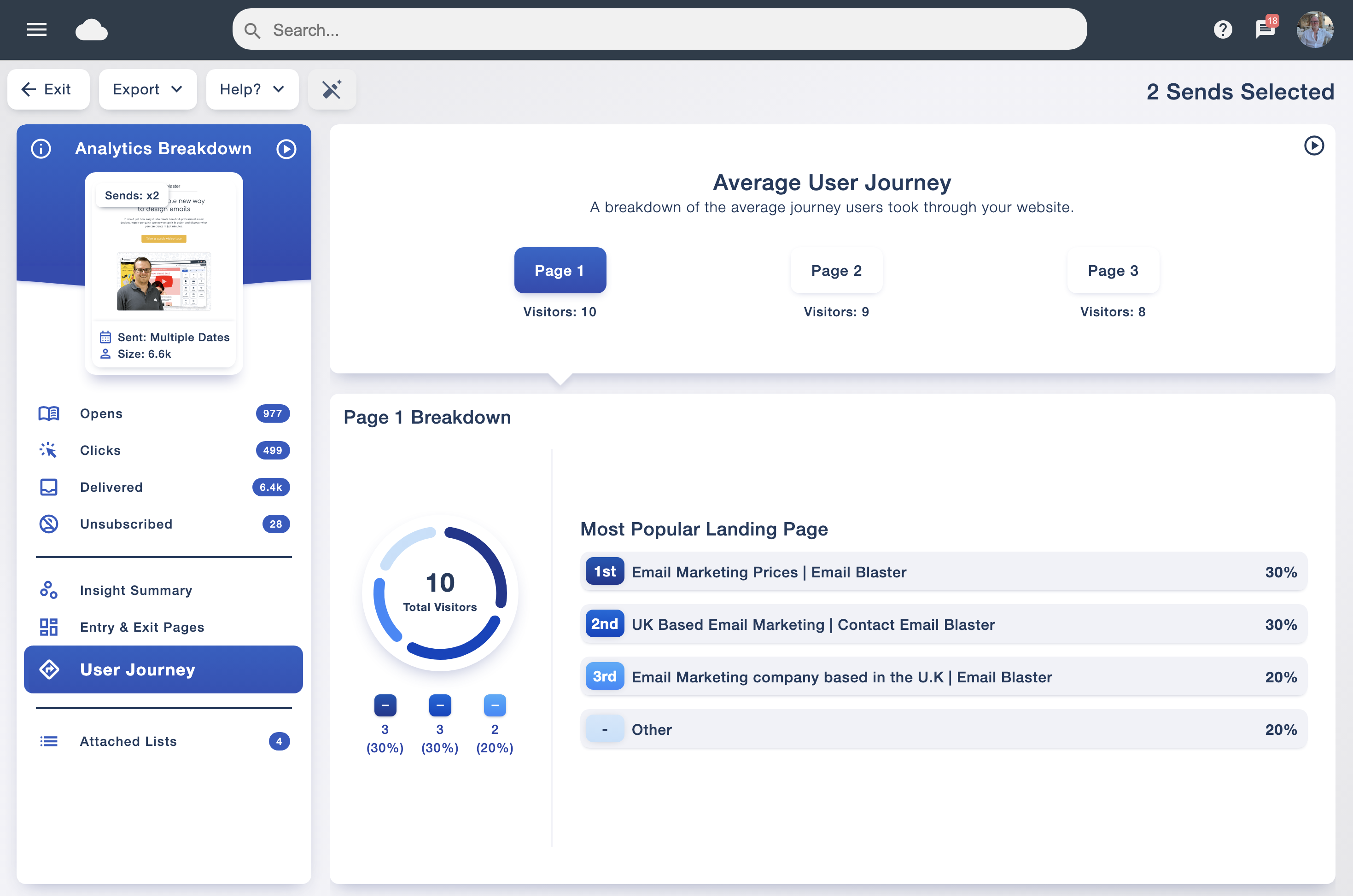
A click tells you that someone wanted to find out more. With Insight website tracking configured, you can also explore the journey that follows on your website.
The user journey report presents the average path visitors took, with a breakdown of the pages at each stage. Record which pages recipients visited and how long they spent on each tracked page, so you can explore what happened after the initial click. It helps you see how people move through your content after arriving from an email campaign.
Website tracking requires the Insight tracking code on the pages you want to measure and your domain registered in the software. Once it is set up, you can bring email engagement and website behaviour into the same reporting workflow.
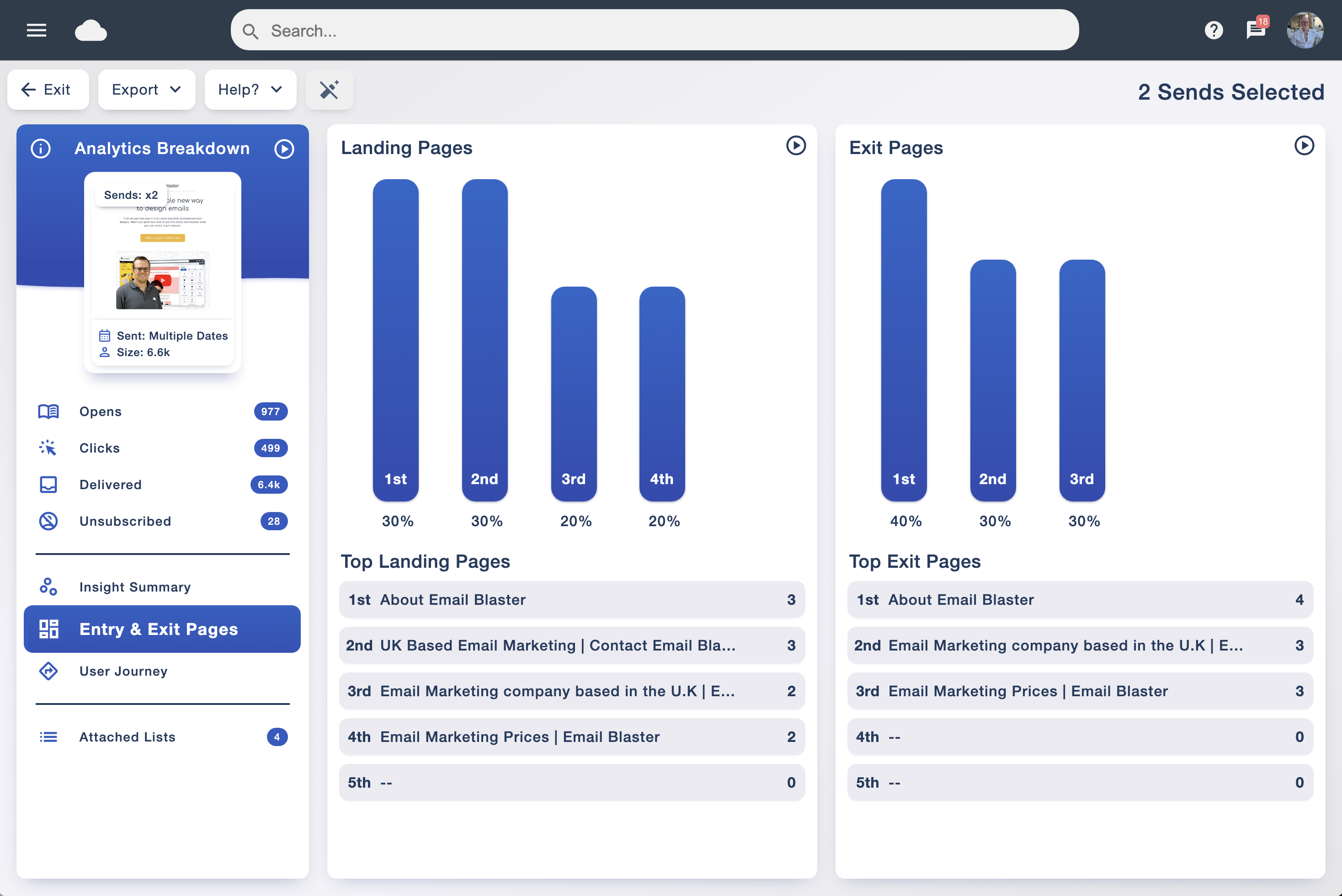
Entry and exit page reports show which tracked pages visitors arrived on and which pages they left from. Ranked lists and charts make popular destinations easy to recognise.
If a campaign sends readers to a particular page, check that it appears among the expected landing pages. Reviewing exit pages can also help you choose where to investigate the next step in the journey.
Use this detail to ask better questions about your website and campaign: does the landing page match the email’s promise, and is the next action clear?
Track engagement by day and time to discover when your subscribers respond most often. The dashboard’s peak engagement information gives you a starting point for planning future sends.
Review those patterns alongside your campaign content and audience, then test different sending times. Use send scheduling to put your next campaign in the diary.
See whether recorded engagement came from mobile or desktop, and review the email reader used. This detail helps you understand the viewing environments your audience uses.
If mobile activity is prominent, give particular attention to readable text, clear buttons and concise layouts. Preview your design before sending and use the email browser compatibility guide to support your checks.
Recipient star ratings help you spot the people who engage most frequently with your sends. The rating gives you a convenient way to recognise regular interaction alongside the detail in your reports.
Use that context when planning relevant follow-ups, and keep reviewing whether your content meets the needs of both regular readers and less active subscribers.
Use recorded opens to explore the response to your subject lines, then look at popular links to see which content encouraged a next step. Campaign comparisons help you find the sends worth learning from.
A high open rate and a strong click response answer different questions. Consider both, and use A/B testing to test a particular subject line or content change with more control.
Headline graphs give you a starting point. Open the detailed reports to explore which contacts registered opens or clicks, the links involved and the recorded interaction details.
Location reporting adds context to your audience’s activity. Use it alongside the rest of the report when planning content for different regions, rather than treating a recorded location as a person’s confirmed address.
Review bounces and unsubscribes alongside engagement so you can see the whole picture. A popular campaign still deserves a closer look if delivery failures or opt-outs rise.
Our guide to email bounces explains the difference between temporary and permanent failures. Use data cleansing as part of looking after your mailing lists.
All campaign statistics are available to export as PDF or CSV. Choose PDF for a readable report to share, or CSV when you want to work with the data in a spreadsheet.
It is useful for marketing teams preparing updates and agencies reporting to clients. Keep the campaign context alongside the figures so others can understand what the results represent.
Use engagement patterns to guide your send scheduling, and organise relevant audiences with data tagging.
Make one considered improvement at a time: a clearer button, a more useful subject line or a better landing page. Your analytics can then help you assess the response.