What is email marketing?
Email marketing is the use of email to share news, advice, products or offers with an audience. A good campaign gives subscribers something useful and makes the next step clear. You might welcome a new customer, announce an event or help existing customers choose the right product.
This beginners guide to email marketing follows a practical sequence: choose your audience, prepare your sending domain, create your email, test it, send it and review the response. You do not need HTML skills to begin, and you can build a repeatable routine one campaign at a time.
Build a great email marketing list
The first step in this beginners guide to email marketing is choosing who you want to reach. Build an audience of people who have asked for your updates, with a clear reason to stay subscribed. A small, interested list gives you a more useful starting point than a large collection of unfamiliar addresses.
Start with a clear sign-up promise
Explain what your emails contain and how often you plan to send them. Invite visitors through your website, relevant social posts and in-person conversations. Keep a record of the source, date and wording of their subscription, and never treat a social follow or a business card as automatic newsletter permission.
For example, a local shop might offer a monthly email with new arrivals and subscriber offers. A consultancy might share one practical briefing each month. Build your list around a promise you can keep.
Existing customer records need a permission check before import. For individual subscribers, consent or an applicable PECR exception is needed; a previous purchase alone is not enough. Read our guide to building email marketing lists and GDPR guide.
 Watch and learnHow to get more email subscribers▶ Play video guide
Choose UK data storage and a platform you understand
Choosing software belongs near the beginning of any email marketing guide for beginners. Look beyond the template gallery: ask where customer mailing data is stored, who manages it and how you can reach the people supporting your account.
Email Blaster stores customer mailing data on its UK infrastructure, with its data centre in Milton Keynes. Our UK team builds and supports the software. That gives UK businesses a clear starting point for questions about their provider and mailing data.
Know where your data goes
Ask about storage, backups, subprocessors and access from other countries. UK storage is one part of your decision; it does not make a campaign compliant on its own. Permission, security, privacy information and how you use the data still matter.
Overseas processing is not automatically unlawful, but restricted international transfers require the relevant conditions and safeguards. See the ICO’s international transfer guidance and explore Email Blaster’s UK infrastructure.
Get friendly support when you need it
Email marketing for beginners is easier when you can ask a real person about the next step. You might need help importing your first list, checking your sending domain or choosing the right campaign settings.
Email Blaster’s friendly UK support team is easy to reach by phone, chat or email. Call 01327 438077 or contact the team. Bring the task you are trying to complete and any message you can see on screen, so the team can help with the right starting point.
Keep learning at your own pace with our email marketing video guides. The tutorials in this beginner’s guide open in a video lightbox, so you can return to the instructions when you finish watching.
Structure a great email design
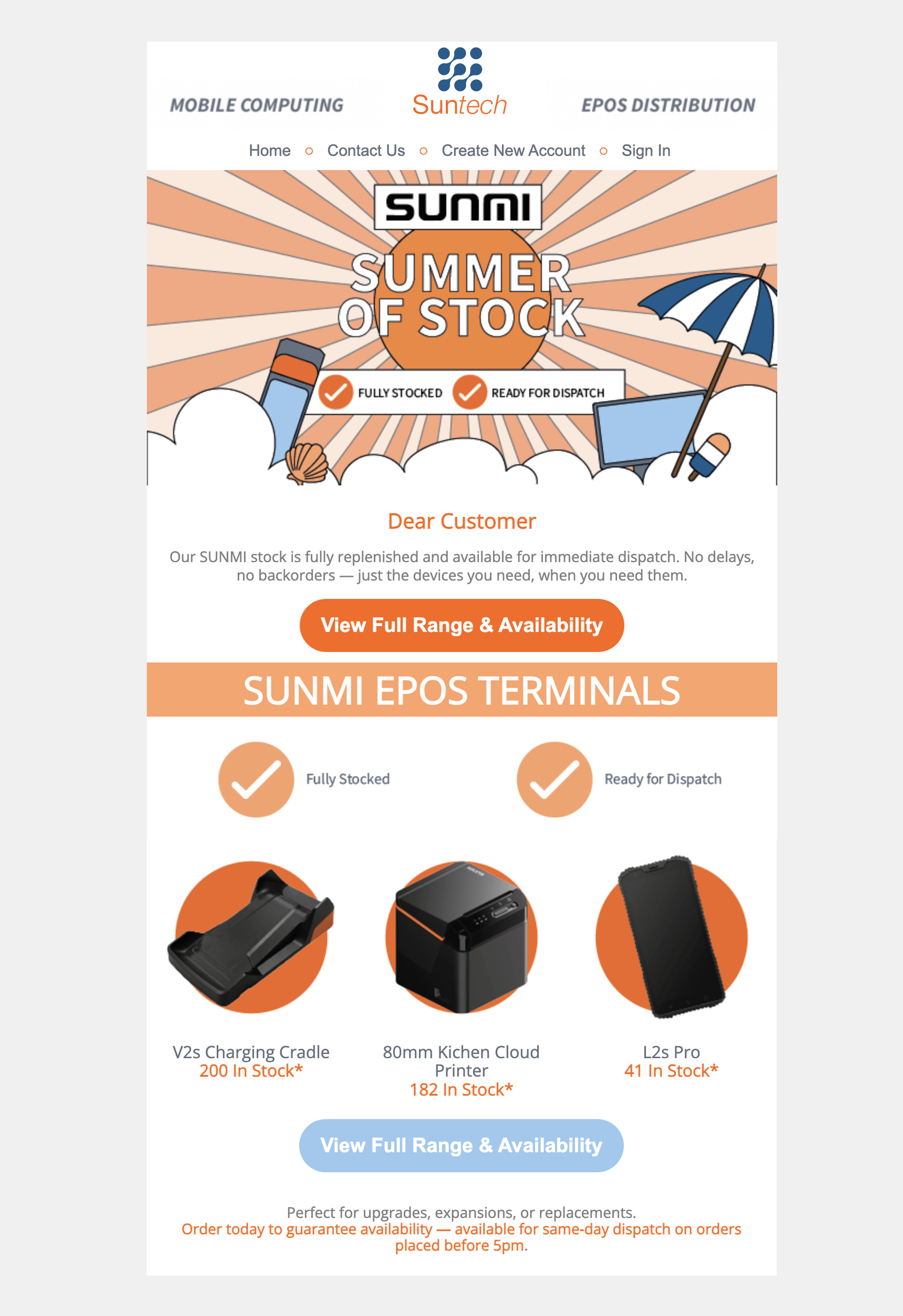
A great beginner email marketing campaign starts with one clear purpose. Decide what you want the reader to do before choosing images or writing the message: visit a product page, book an appointment, read an article or register for an event.
Build a simple reading order
- Subject line: give an accurate reason to open the email.
- Preview text: add a useful detail rather than repeating the subject.
- Headline: make the main message clear immediately.
- Body: explain the value in short, readable sections.
- Call to action: use a descriptive button such as “Book your consultation”.
- Footer: identify your business and include an easy unsubscribe option.
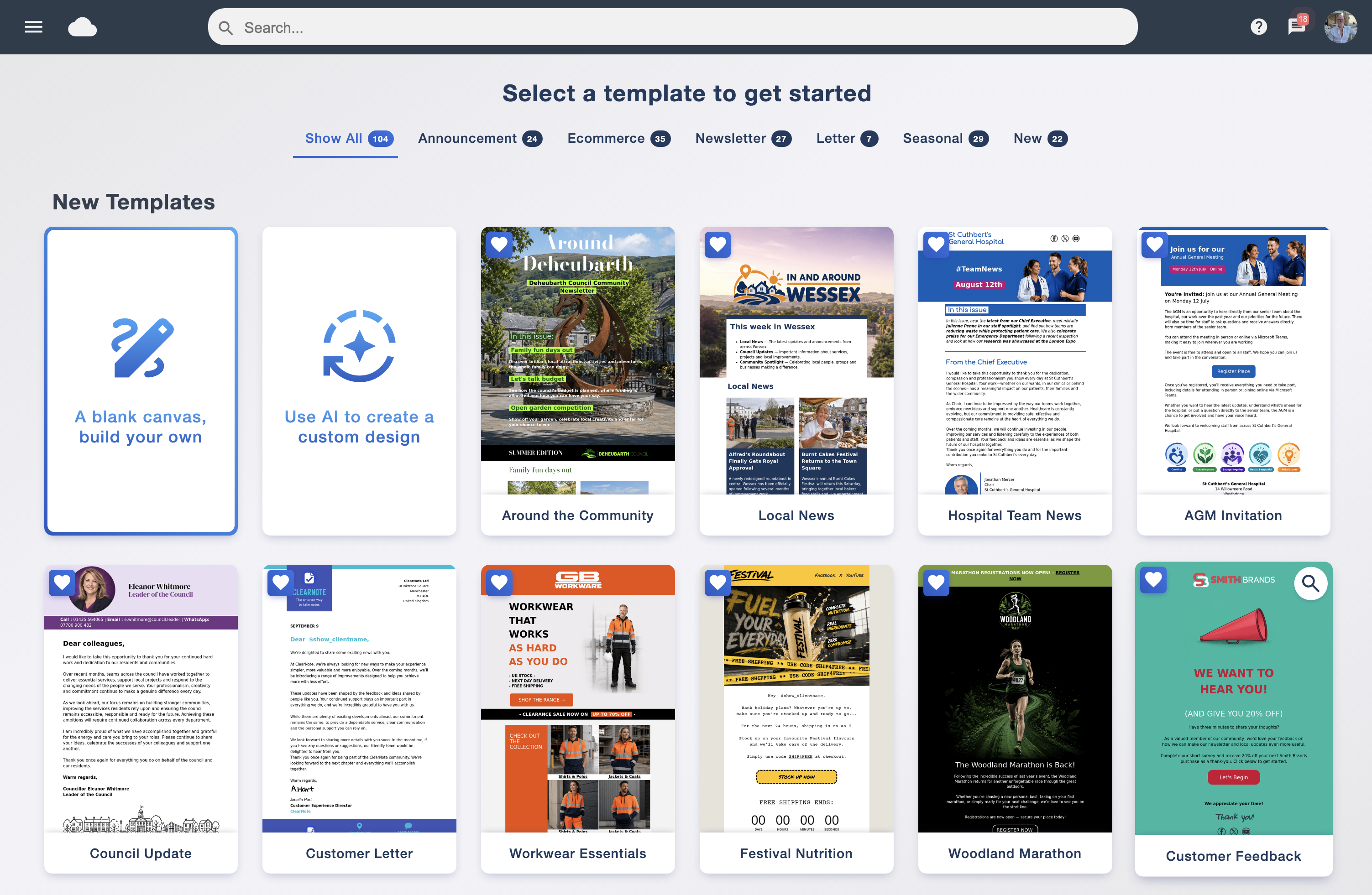
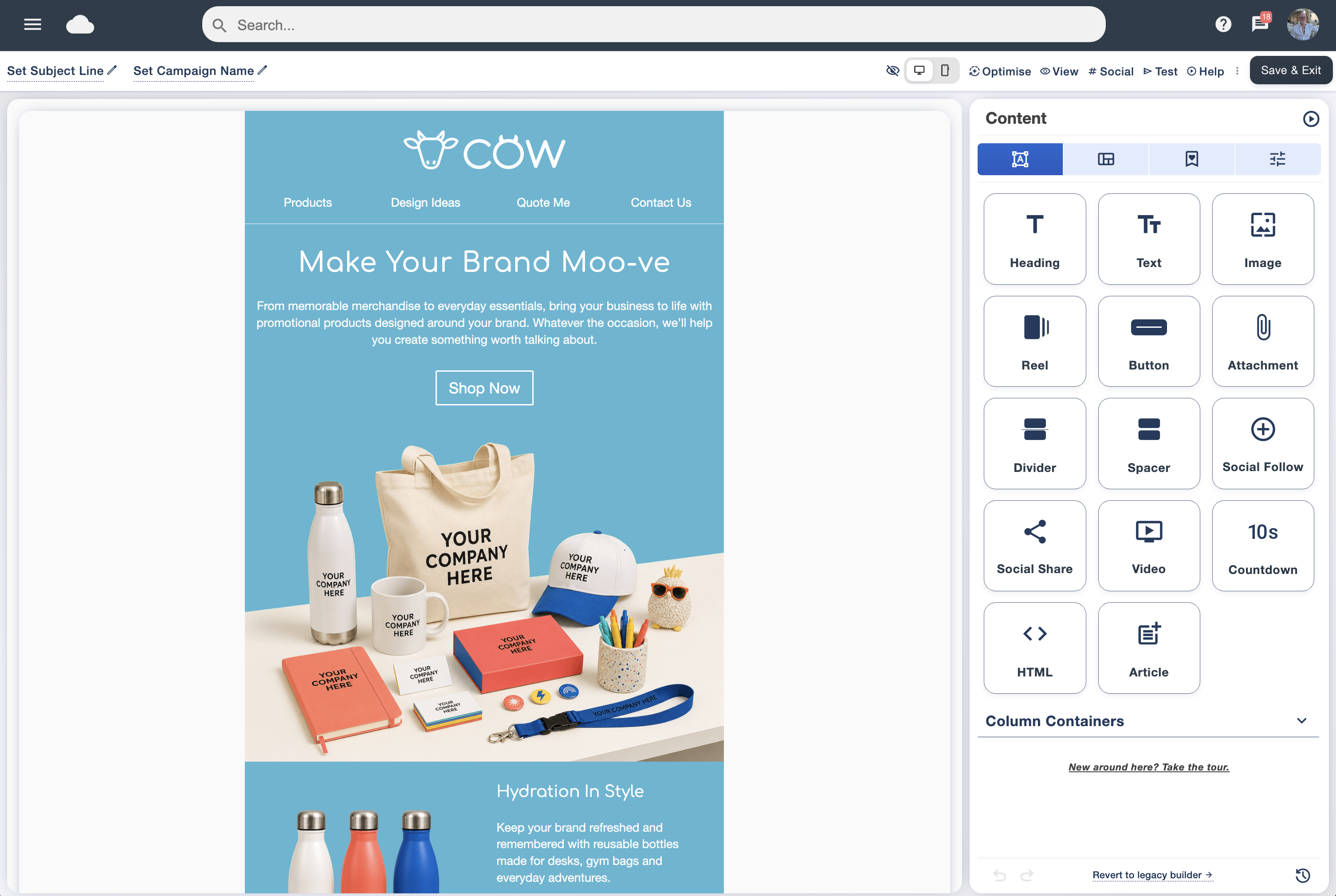
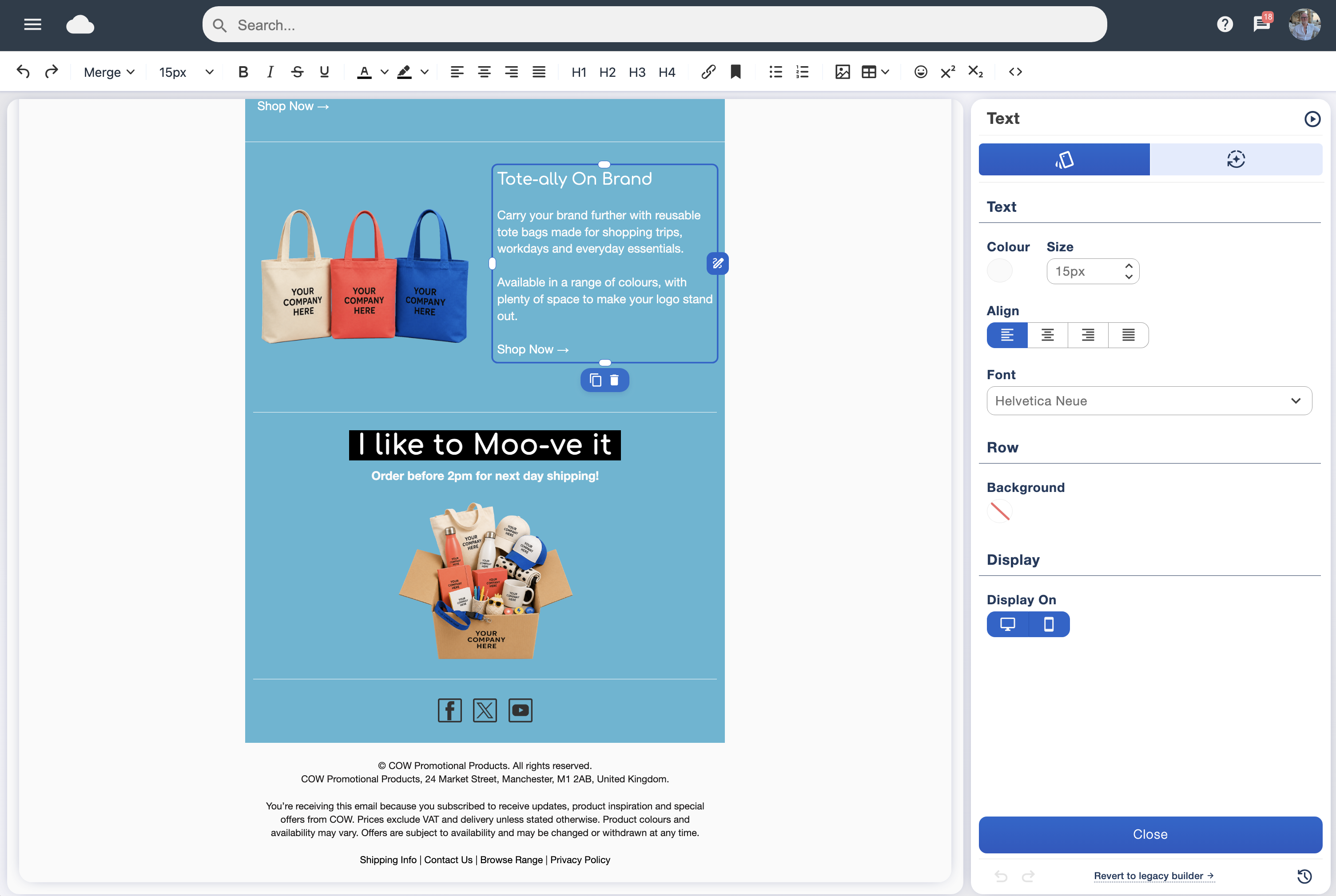
Use Email Blaster’s drag and drop email designer to start with a template and organise your content. Keep text readable, leave space between sections and use images that support the message. Add meaningful alternative text to informative images.
Preview on mobile, check every link and send a test before the live campaign. Important information should remain understandable if images are blocked.
 Watch and learnCreate emails people want to engage with▶ Play video guide
Verify your domain before your first campaign
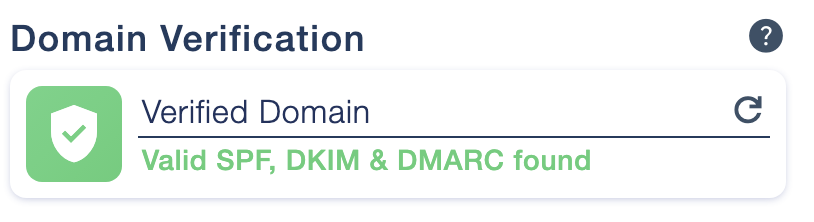
Domain verification is a foundation of email marketing for beginners. It helps receiving mail systems check that Email Blaster is authorised to send using your domain, and that your messages authenticate as expected.
SPF lists the servers permitted to send for your domain.
DKIM adds a digital signature that receiving systems can check.
DMARC checks alignment with the visible sending domain and publishes a policy for messages that fail.
Open Sender Profiles in your Email Blaster account for your exact settings, then add the records through your DNS provider. Follow our domain verification guide and ask your web or IT contact for help if you do not manage DNS yourself.
Mailbox providers expect authentication, particularly for bulk sending. Verification supports delivery and helps prevent impersonation, but it does not guarantee that every email reaches the inbox. A relevant message and a healthy, permission-based audience remain essential.
Understand your email marketing engagement statistics
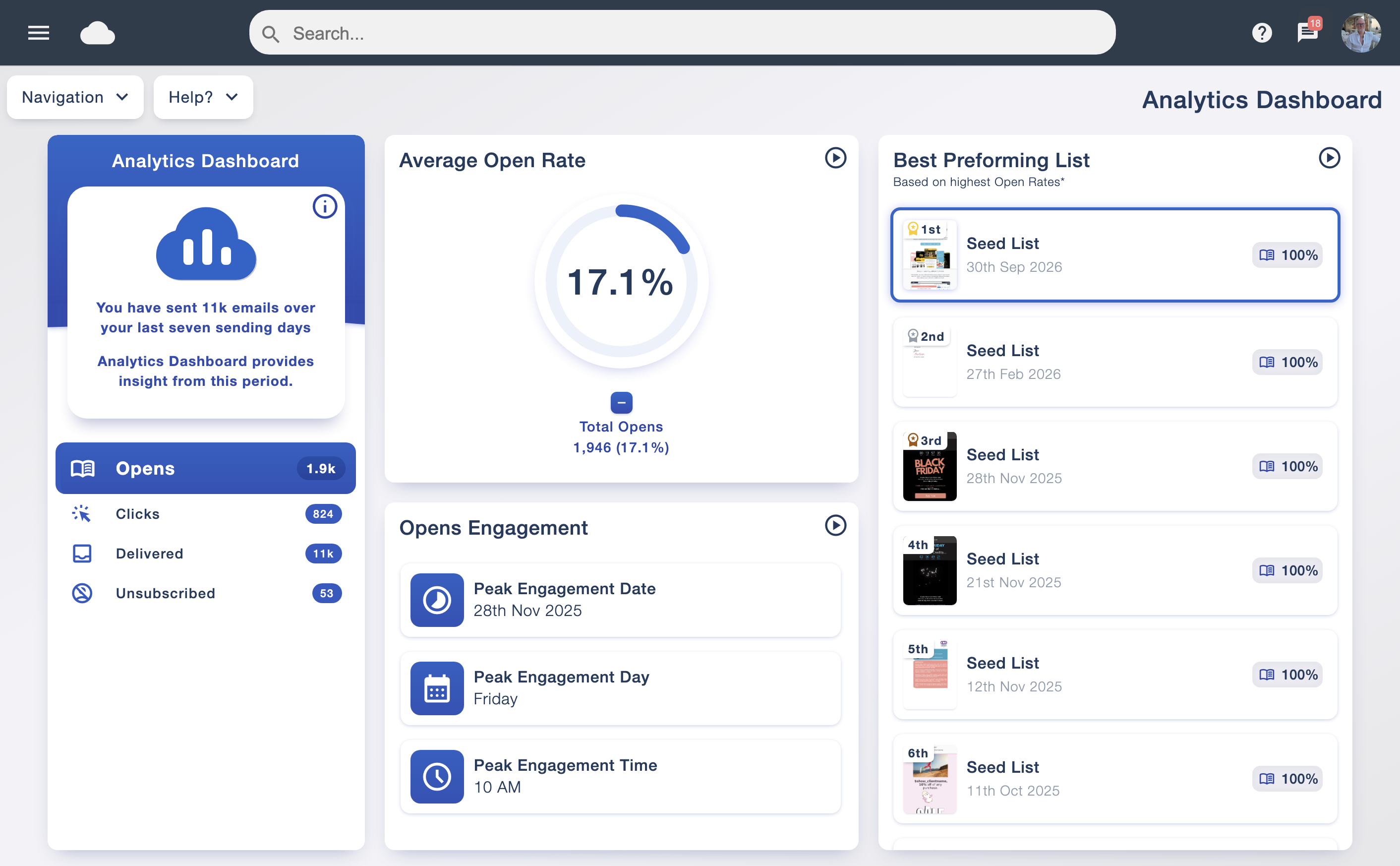
This beginners guide to email marketing would be incomplete without explaining what happens after you send. Choose a campaign goal before opening the report, then review the measures that tell you whether readers took the next step.
- Delivery and bounces: check how many messages were accepted and which addresses failed. Delivery does not necessarily mean inbox placement.
- Clicks: see which links drew interest, and whether the main call to action received attention.
- Enquiries or purchases: connect the campaign with the outcome you wanted, using appropriate website tracking where available.
- Unsubscribes and complaints: look for signs that the promise, audience or frequency needs adjustment.
- Opens: use them as an indicator alongside other measures; privacy features and automated activity can affect the figures.
Compare similar campaigns and use the same definitions when reviewing percentages. One unusually strong or weak result is a reason to investigate, rather than a complete verdict on your email strategy.
Email Blaster’s analytics suite brings campaign reports together. Review popular links and the response to different messages, then choose one improvement for your next send.
Use A/B testing to learn what your audience prefers
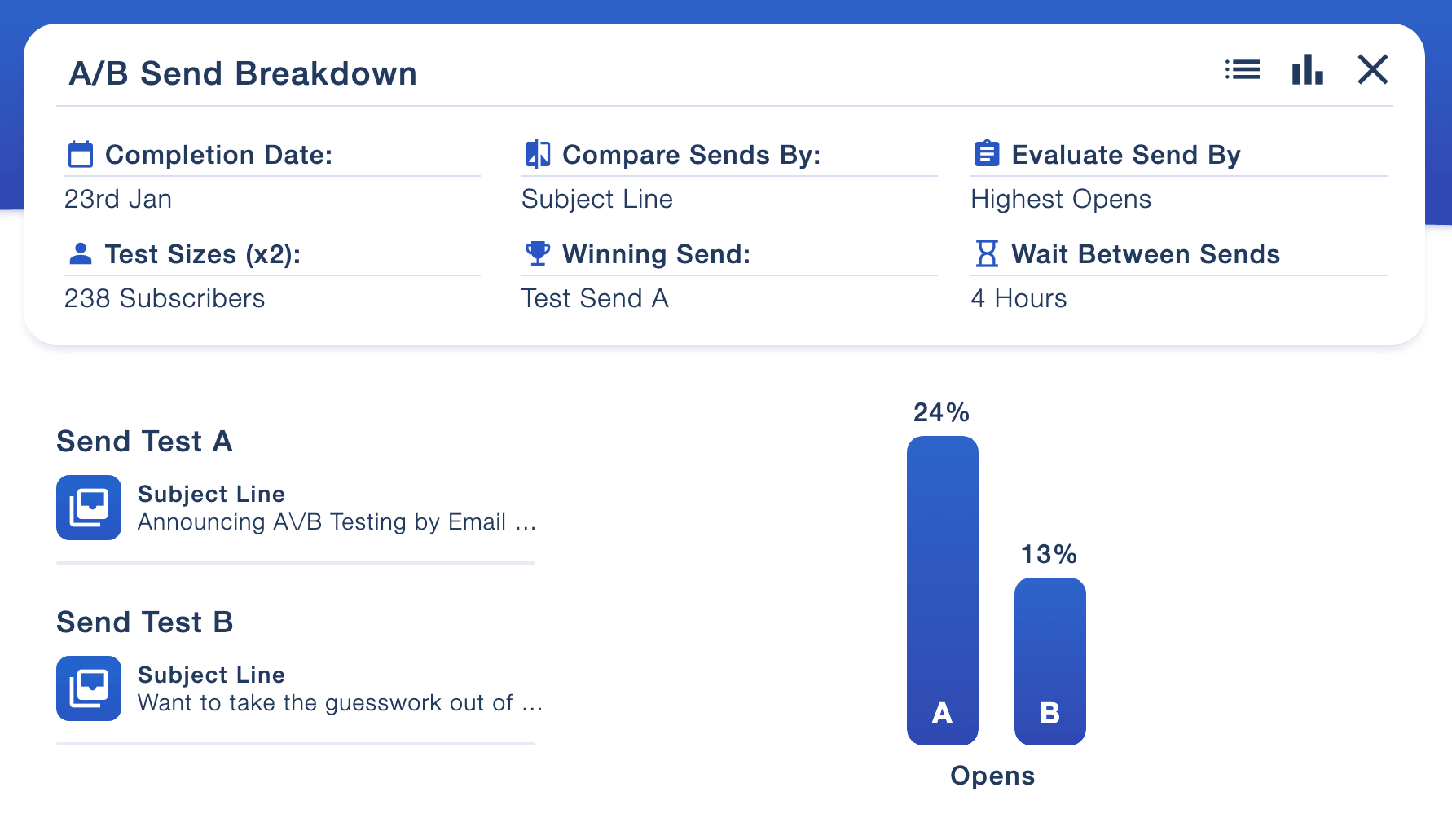
A/B testing compares different versions of an email marketing campaign. For a beginner, a useful first test is two subject lines for the same email, or two button labels that lead to the same page.
Ask one question at a time
Keep the audience and other details as consistent as possible. Decide how you will judge the comparison before sending. A click-focused campaign should not be judged only by opens; the measurement should fit the goal.
Email Blaster supports comparisons of content, send time, subject line and sender profiles. Once a test completes and a winner is identified, the winning send is automatically scheduled for the remainder of the mailing list.
With a small audience, a few actions can change the percentages substantially. Treat early results as learning, build evidence across campaigns and avoid assuming one winner will always work. Explore A/B testing for email marketing.
Keep your list healthy with Email Blaster list checks
Regular list hygiene belongs in your email marketing routine from the start. Addresses change, domains stop working and subscribers opt out. Sending repeatedly to unsuitable records wastes sends and can harm your reputation.
How Email Blaster List Scan and List Ai help
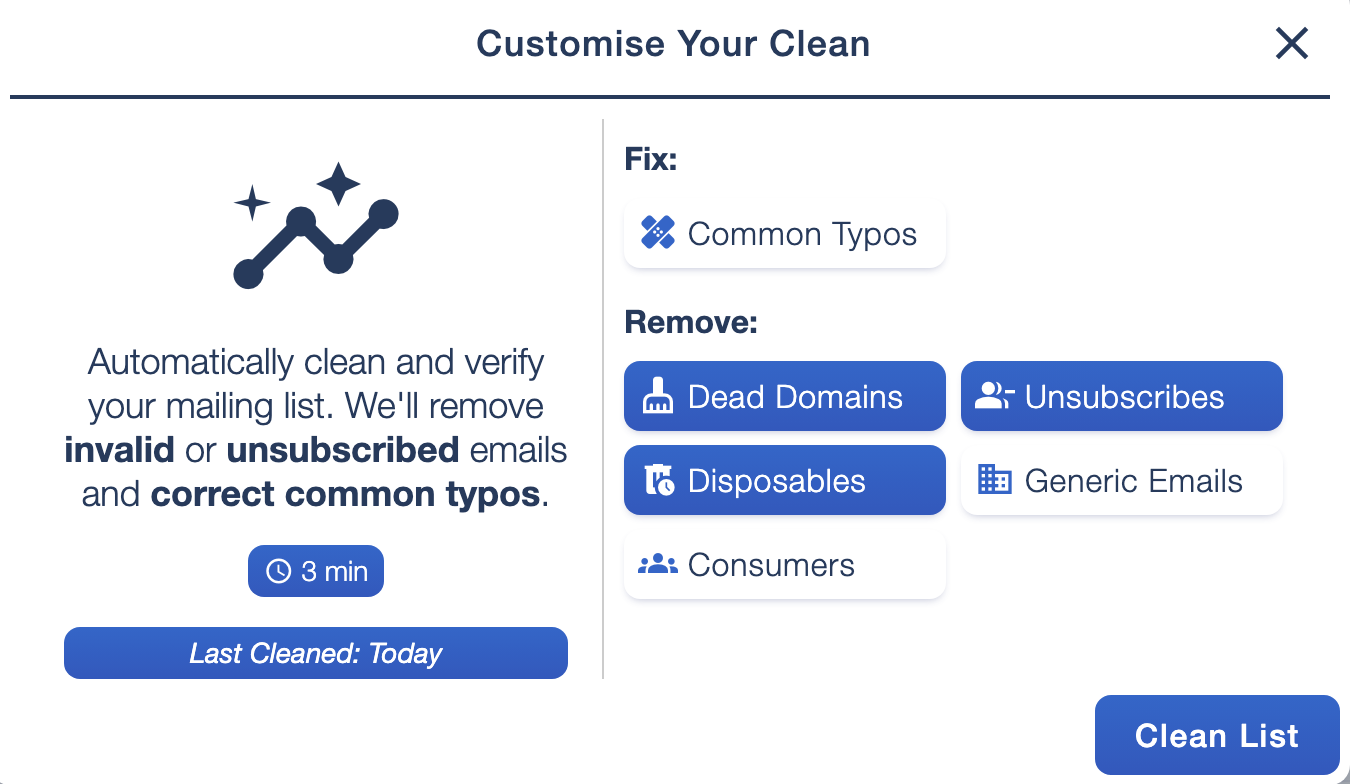
Email Blaster checks new imports for duplicate contacts, common address errors and inactive domains. It also checks addresses against unsubscribes and suppressions, helping preserve previous preferences when data is imported again.
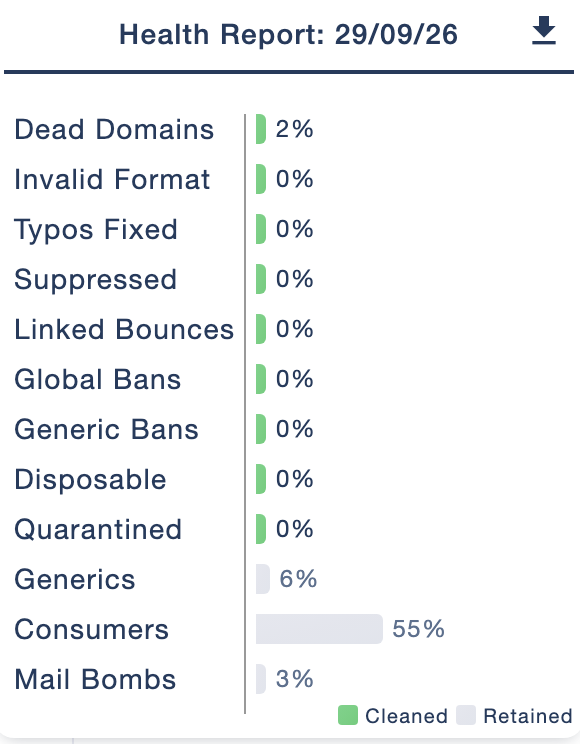
The data-cleansing tools, shown as List Ai on our software pages, let you review cleaning options and reports. Check options for common typos, dead domains, disposable addresses and other address categories before running a clean. Generic and consumer addresses may be valid for your audience, so choose settings that match your purpose.
Review the report to understand what was retained or removed. Keep suppressed contacts out of active sends and investigate high bounce levels. An address check cannot prove marketing consent or guarantee that a subscriber will engage.
Read more about Email Blaster data cleansing and email bounces.
How often should beginners send email marketing?
There is no universal best sending frequency. Start with a schedule that fits your subscribers’ expectations, the value of your content and your team’s capacity. A monthly newsletter can be a manageable starting point; a time-sensitive business may have useful reasons to send more often.
Keep the promise made at sign-up
If your form promises monthly updates, do not switch straight to daily promotions. Plan a simple calendar with the purpose of each email, its audience and the action it supports. Give each send a useful reason to exist.
Watch the pattern of clicks, unsubscribes and complaints as you adjust the schedule. Avoid reacting to a single campaign, and do not keep sending more simply because open rates are unclear. Use send scheduling to prepare your campaigns in advance.
 Watch and learnHow often should you send email marketing?▶ Play video guide
Design a website sign-up form people want to use
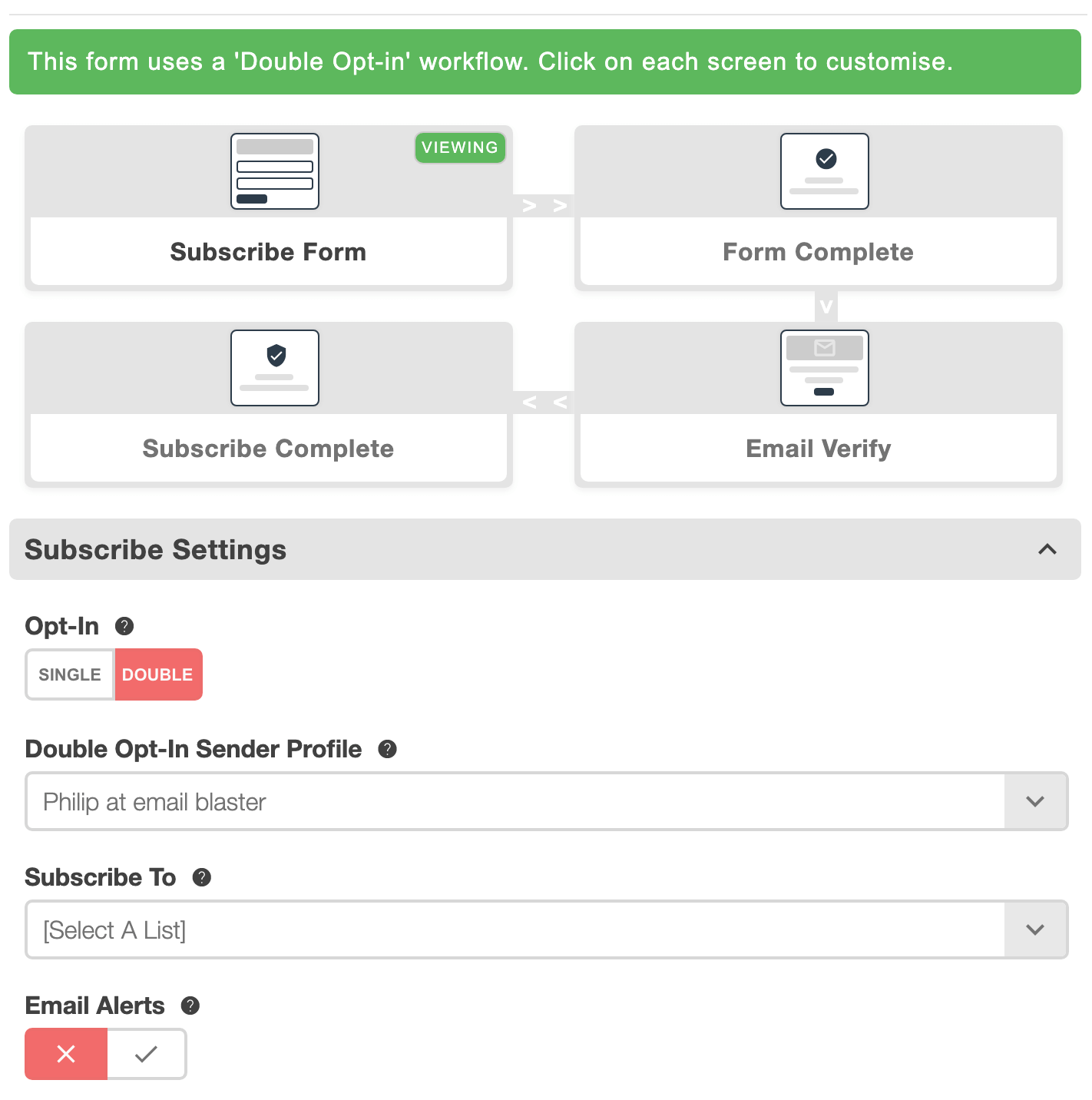
A web sign-up form connects your website with your email marketing list. For beginners, the best starting point is a clear invitation, a small number of useful fields and an obvious submit button.
- Explain the benefit: say what subscribers receive, rather than only “Join our newsletter”.
- Set expectations: state the intended frequency and identify your business.
- Keep fields purposeful: start with the email address and only ask for extra information you will use.
- Make permission clear: use an active choice where relying on consent, and link to your privacy information.
- Design for a phone: use readable labels, large input areas and helpful error messages.
- Confirm the next step: thank people and explain what arrives next.
Place the form near relevant content and include its link in social profiles or event materials. Test a complete sign-up yourself, including any confirmation email. Use Email Blaster’s website subscribe forms to build a branded entry point for your audience.
Your first email marketing campaign checklist
- Choose one audience and one useful campaign goal.
- Check subscription records, suppressions and list quality.
- Verify your sending domain in Sender Profiles.
- Write a clear subject, preview text and main call to action.
- Preview the design on mobile and send a test.
- Check links, sender details and the unsubscribe option.
- Schedule the campaign and review the response afterwards.
 Bring it all togetherGetting started with email marketing▶ Watch the step-by-step guide
Beginners guide to email marketing: your questions
How do I start email marketing as a beginner?
Choose an audience and a clear sign-up promise, select your software and verify your sending domain. Start with a simple template, send a test and launch one focused campaign. Use the response to improve the next one.
Do I need a large email list to get started?
No. Begin with a permission-based audience that is interested in your business. A small list lets you practise the workflow and learn what readers find useful while you continue building subscriptions.
Do I need coding skills to design an email?
No. Email Blaster’s drag and drop designer lets you start from a template, edit the content and arrange blocks visually. Preview and test the result before sending.
Can I buy a list for my first email campaign?
Build your own audience instead. Bought addresses may lack the permission and relevance your campaign needs. An address appearing on a website or in a directory does not establish newsletter consent.
How do I know if my email marketing is working?
Compare the response with your original goal. Review clicks, enquiries or sales alongside delivery, bounces and unsubscribes. Use opens with care and look for patterns across similar campaigns.