Smart personalisation for emails that feel more relevant.
Put the details in your mailing lists to work. Personalise your email content, subject lines and client links with up to 50 mail merge fields, then preview the result before sending.
A personal touch, without writing every email separately
A familiar name is a good start. A message that includes the right customer details is even more useful. Smart personalisation lets you bring information from your mailing lists into an email, so each recipient sees the details that belong to them.
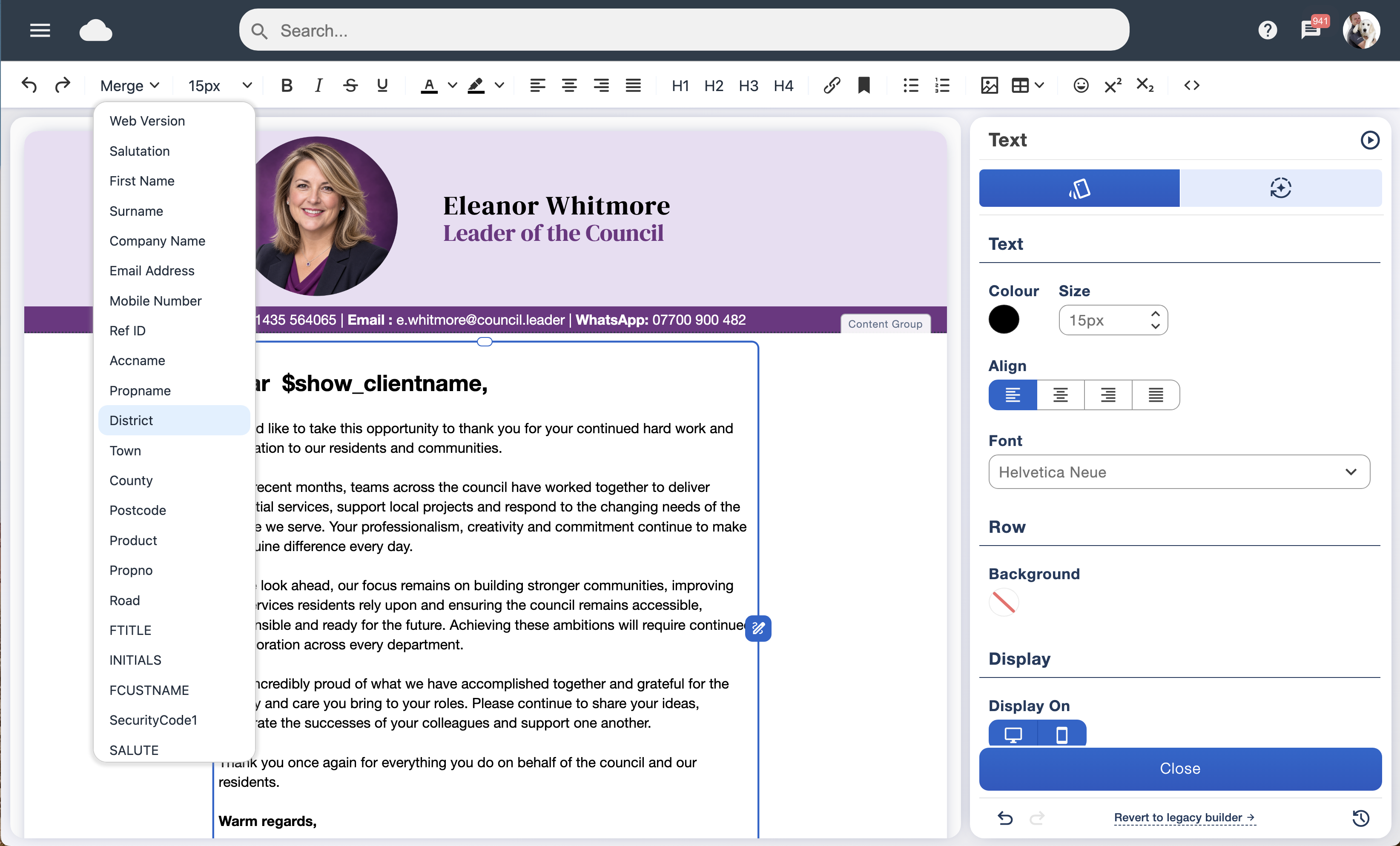
Write your campaign once and insert mail merge fields where you want personalised information to appear. Email Blaster recalls the matching data from each contact’s record when the email is sent.
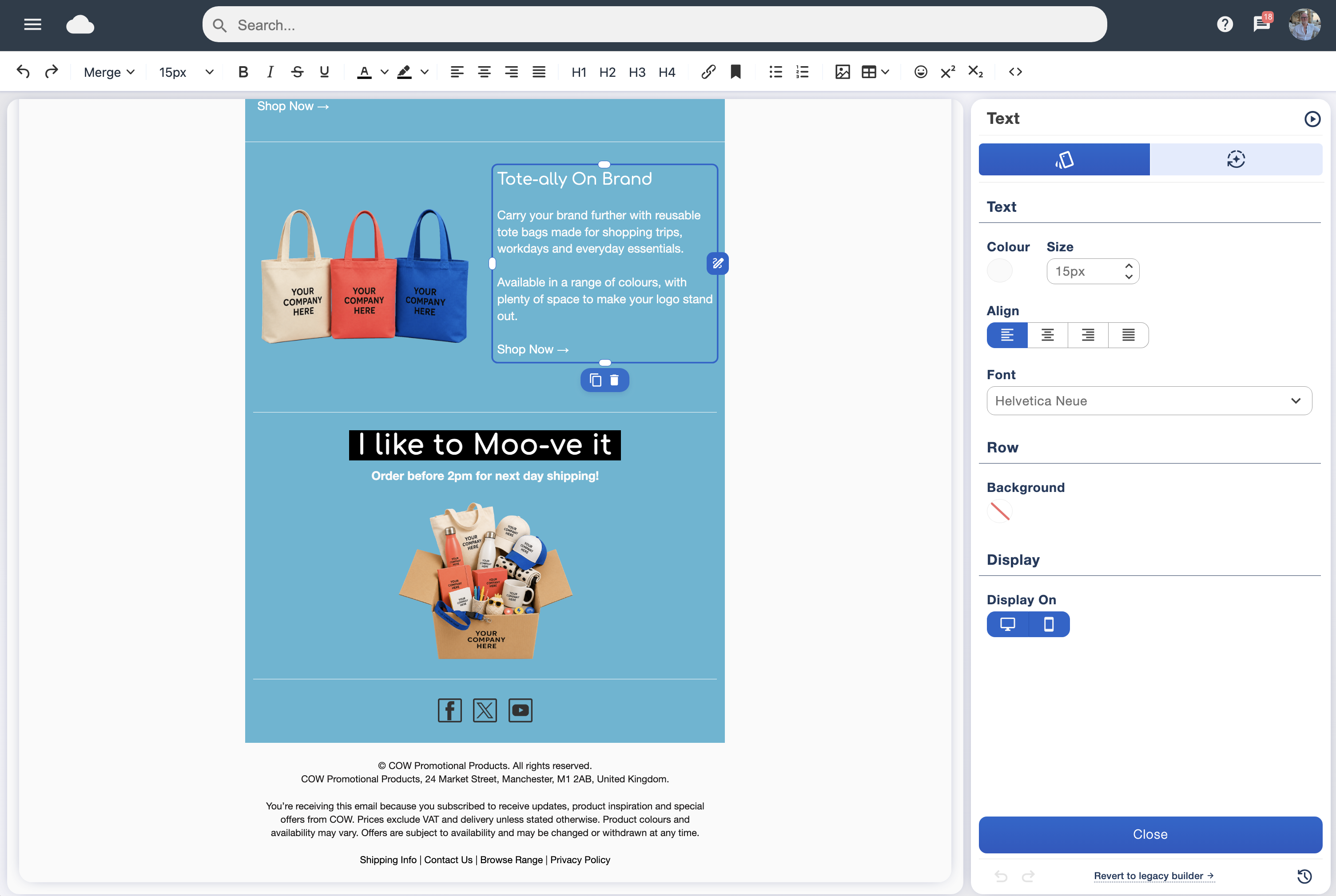
It all works within our drag and drop email designer, giving you a straightforward way to create individual messages as part of a larger campaign.
Up to 50 mail merge fields for your own data
Personalisation can go well beyond “Dear first name”. With up to 50 available mail merge fields, you can insert bespoke information held in your mailing lists directly into your email.
That might be a company name, membership number, renewal date, product name or appointment detail. Choose the data that makes the message useful to your customers, members or colleagues.
The merge menu gives you access to your available fields while you write. Keep your contact information organised with data tagging, and use data segmentation to select an audience that fits the message.
Make the subject line personal too
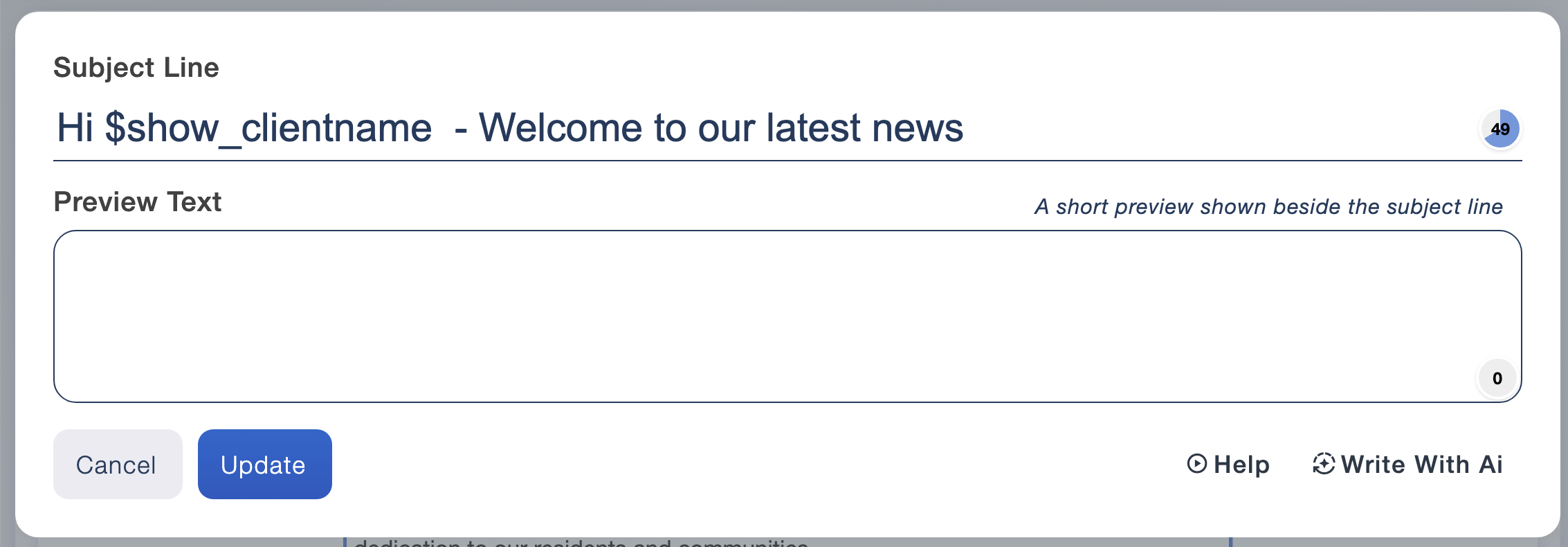
Mail merge also works in your email’s subject line. Include a recipient’s name or another relevant detail to make your message easier to recognise in a busy inbox.
A welcome email could greet someone by name, while a renewal reminder could refer to their membership. Keep the wording clear and give readers a useful reason to open the email.
Try different approaches with A/B testing to learn which subject lines work best for your own audience.
Preview real mail merge data before you send
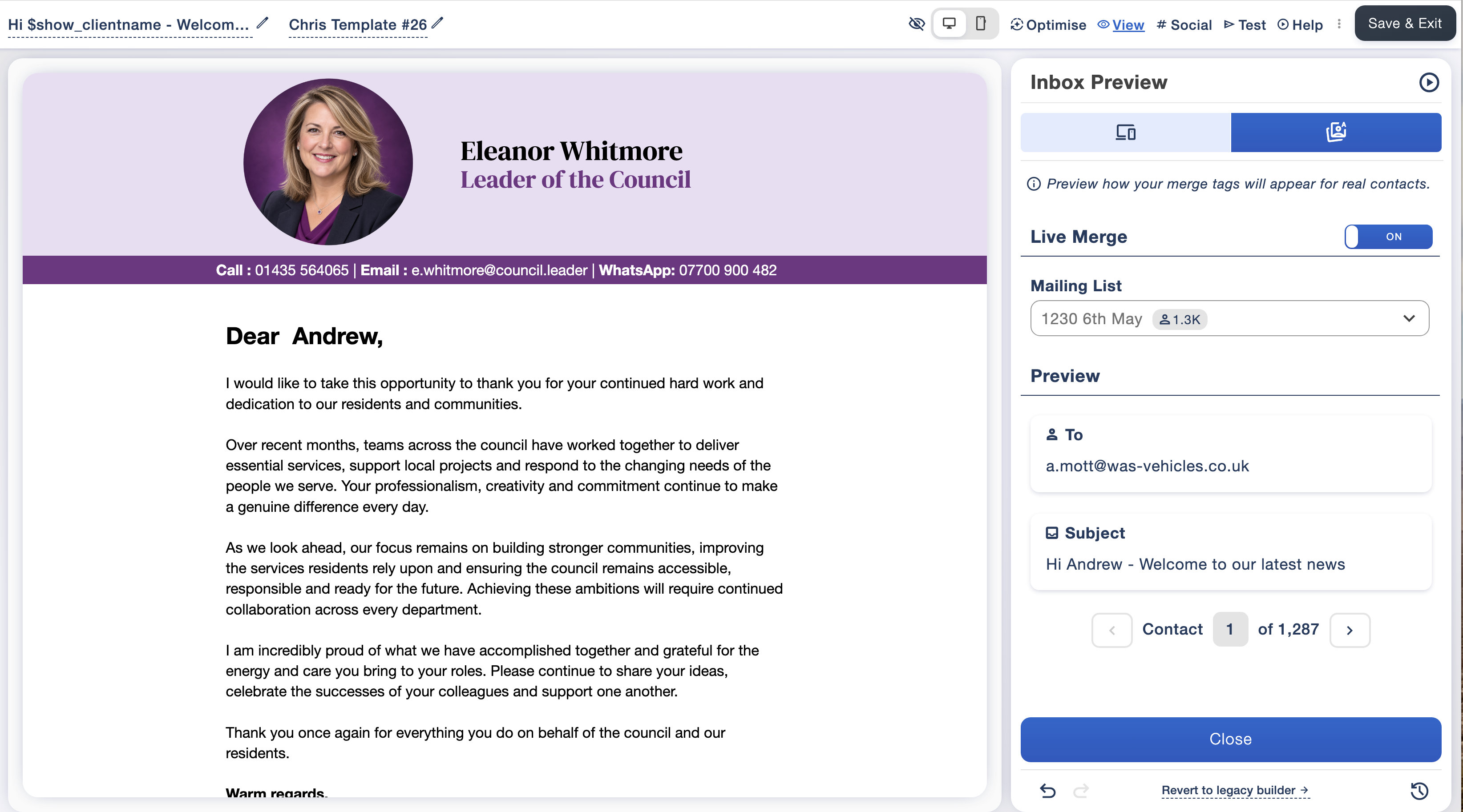
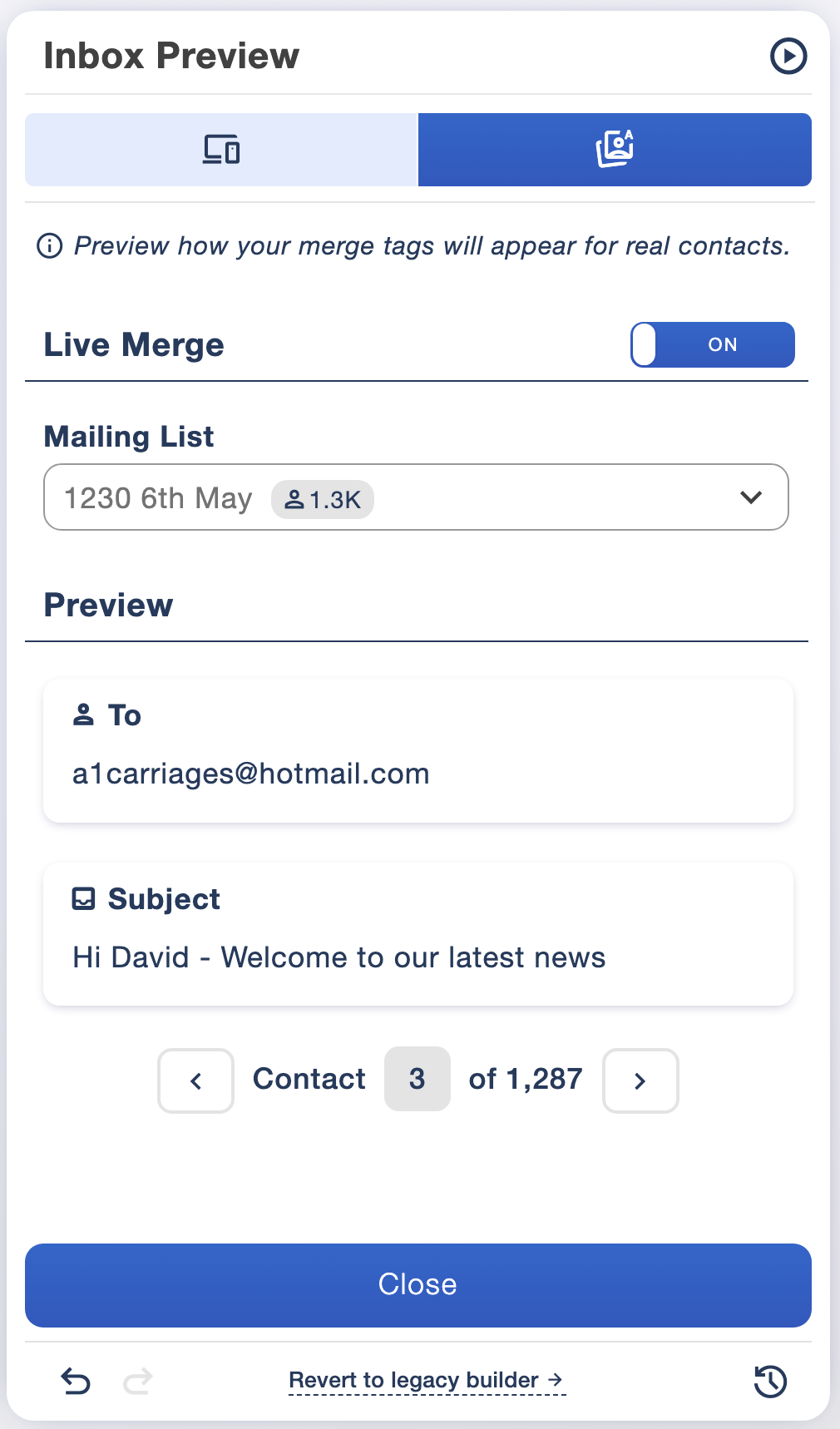
You do not have to imagine how your merge fields will look. Live Merge lets you preview the data from your selected mailing list inside the email before sending.
Move between contacts to check how names and other details appear. You can also review the personalised subject line alongside the message, so you can see the experience for an individual recipient.
Use this check to spot missing values, awkward greetings or details that need updating. A few minutes reviewing real records can make a big difference to the finished campaign.
Send each client to their own personalised URL
Personalisation is useful for links as well as text. Store a client-specific URL in your mailing list and use mail merge to include that person’s link in their email.
You could direct a customer to their own quotation, a member to a relevant renewal page or an attendee to their booking details. One campaign can carry a different destination for each contact, using the information you have supplied.
Check that the URLs in your data are complete and correct, and test representative links before sending. The destination website should handle any sign-in or access checks needed for private information.
Why personalised email campaigns can earn stronger engagement
Readers have more reason to pay attention when an email relates to them. A relevant detail, a clear reminder or a link to the next step can make your message easier to act on.
There is evidence that even a small personal touch can help. In a published field experiment on email personalisation, adding the recipient’s name to the subject line increased opening rates from 9.05% to 10.80%—around a 20% relative increase. Results vary by audience and campaign, so measure the effect on your own sends.
Look beyond the greeting. Use accurate data and useful content, then review clicks and responses in your campaign analytics to see which changes help your subscribers engage.
01
Use the details you already hold
Bring bespoke mailing list data into your message with up to 50 mail merge fields.
02
Check each recipient’s experience
Preview live contact data in your email and subject line before sending.
03
Give people a relevant next step
Include client-specific URLs so each recipient can follow the link intended for them.
Personalised campaigns with UK email marketing software
Email Blaster brings email design, mail merge and campaign reporting together in UK email marketing software with UK-based support. Create your account and make your next newsletter more useful to each reader.
Need help preparing your mailing list or using a merge field? Ask our UK-based team.