
Correct common typos
A simple typing mistake can prevent an email reaching its destination. Use the available correction option to address common errors in your data.
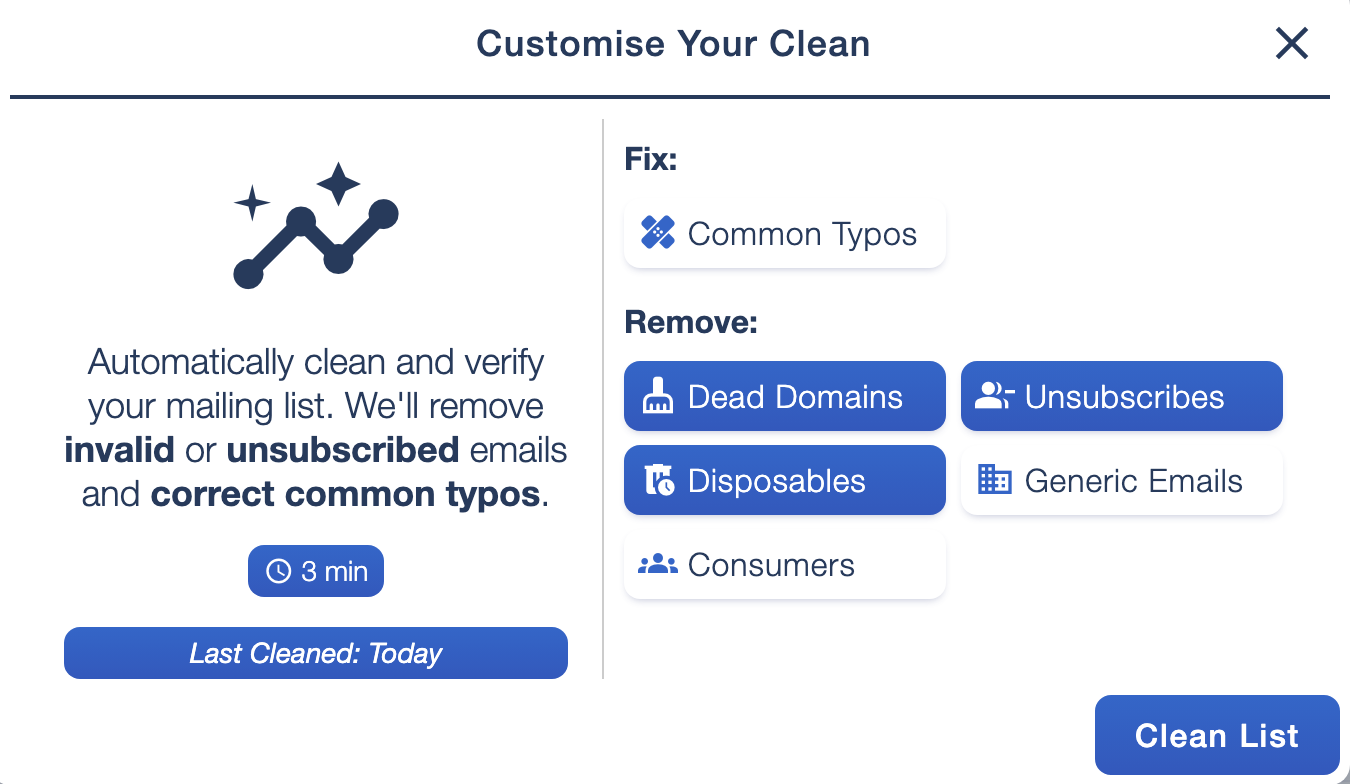
Your mailing list should reflect the people you want to hear from. List Ai gives you cleaning options you can review before running a clean, rather than treating every type of address the same way.
Choose whether to fix common typos and review removal options for dead domains, unsubscribes and disposable addresses. You can also choose how to handle generic email addresses and consumer domains, depending on the purpose of your list.
A simple typing mistake can prevent an email reaching its destination. Use the available correction option to address common errors in your data.
A shared inbox can be a useful contact for some campaigns. Decide whether generic addresses belong in this particular audience before selecting their removal.
Personal email providers are a normal part of many customer lists. Choose your settings to suit your audience, whether you serve businesses, consumers or both.
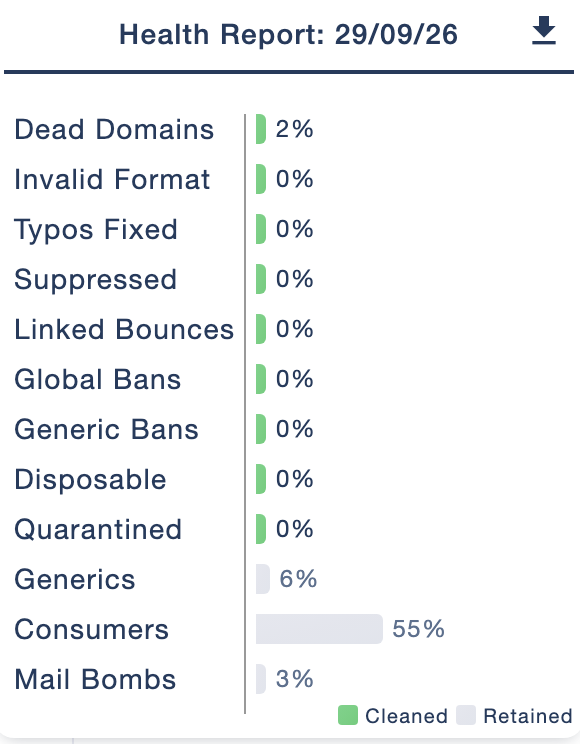
Your report gives you a useful overview of the data you are working with. Review active subscribers, the balance of business and consumer domains, and the proportion of named and generic addresses.
The detailed view also shows checked contacts, active, inactive and removed records, and categories of automatically cleaned data. Use this information to understand what changed and plan your next steps.
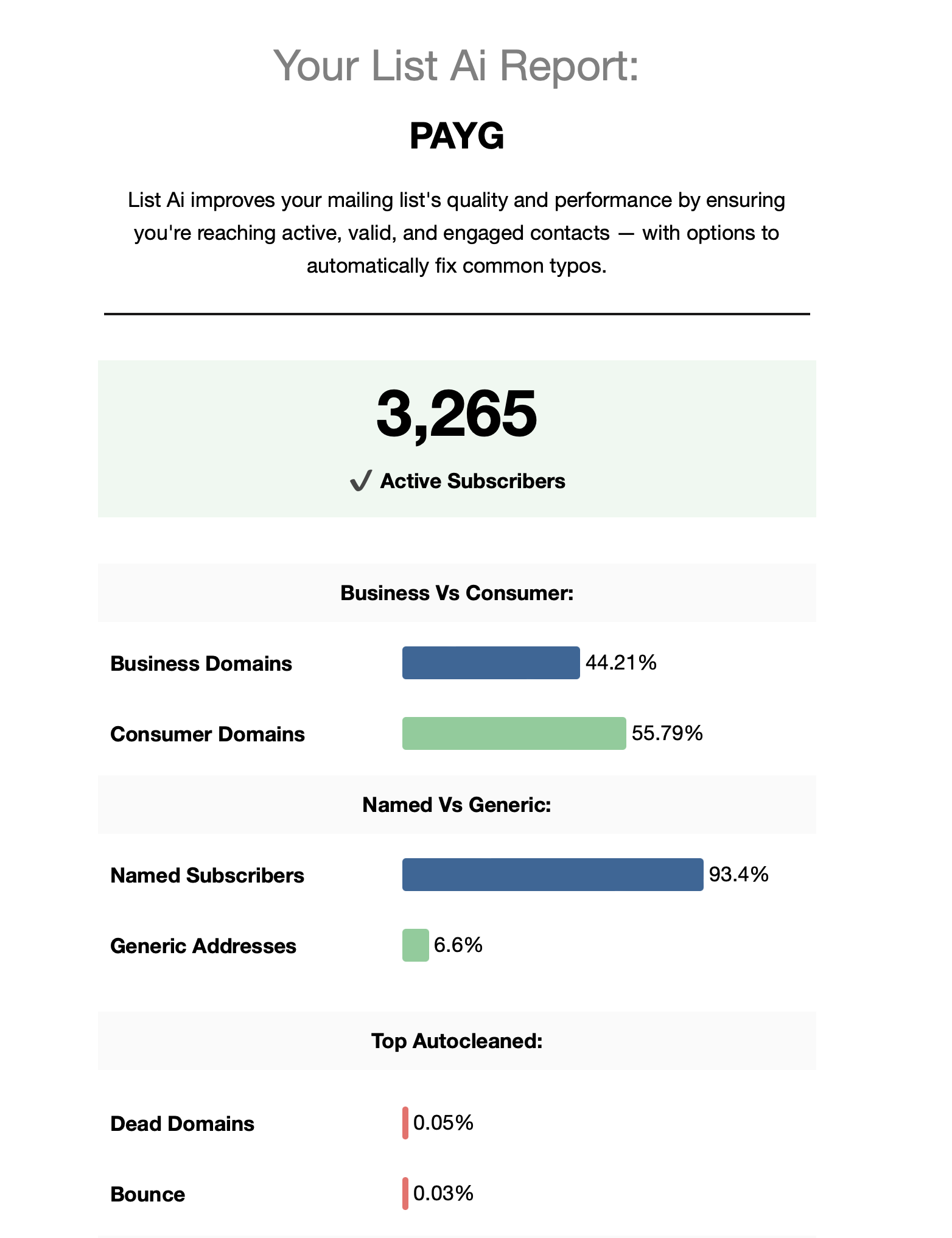
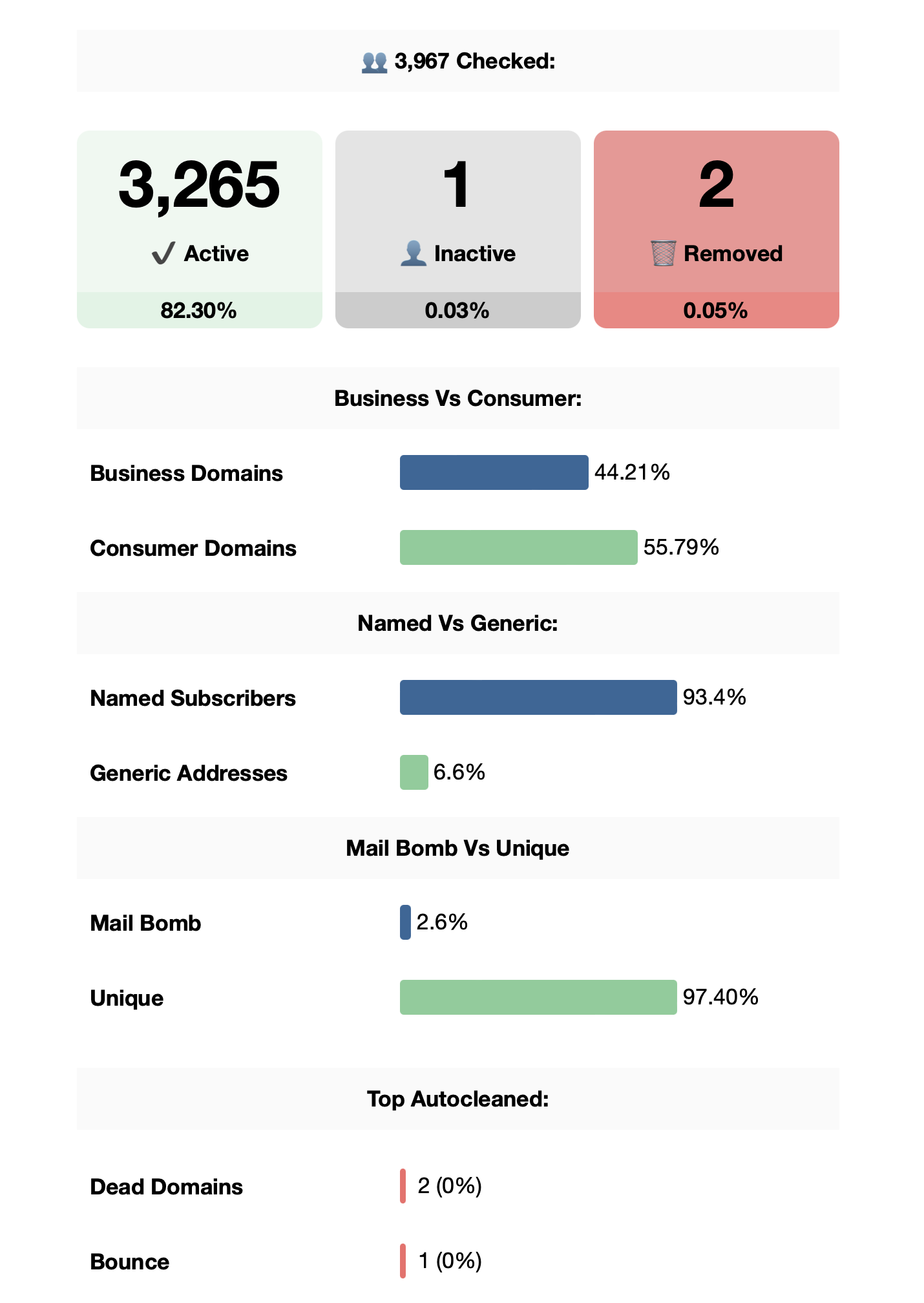
These screenshots show example reports. Your figures will depend on your mailing list and cleaning settings.
Duplicate removal helps keep your subscriber data organised, including checks across multiple lists. Automated unsubscribe and bounce handling also reduces the manual work involved in maintaining your audience.
Review delivery issues in your campaign analytics and use our email bounce guide to understand temporary and permanent failures.
Check the health of your list before an important send and review the results afterwards. A report gives your team a shared starting point when deciding which records need attention and how to organise future campaigns.
Use data tagging to organise contacts around your business, then add relevant details to your emails with smart personalisation.