
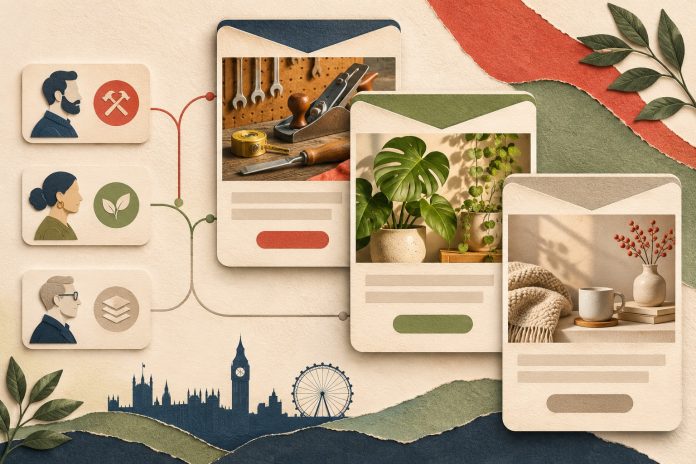
Email personalisation uses information about a subscriber to make a message more useful. A first-name greeting changes a field. A workshop recommendation changes what the reader can do next. Start with a decision that matters to the reader, then choose the simplest approach that can deliver it.
Choose between mail merge, audience versions and dynamic blocks
Use mail merge when the structure stays the same and a known detail changes, such as a first name or account reference. Use separate audience versions when the headline, image or call to action changes. A shared base design with one rewritten section is often enough.
Conditional dynamic blocks are a third approach. Where a platform supports them, it can select a whole block within one template using rules evaluated for each recipient. Confirm which fields are available, when rules run, how conflicts are resolved and what appears when nothing matches. The worked example below uses separate versions with Email Blaster’s tagging and segmentation.
Use signals that justify the next message
Start with a stated preference, such as a topic someone picked at sign-up. A recent booking or a course enquiry can help when it is appropriate to use that information. Record where each field came from, when it was last updated and when it should stop influencing the message.
Treat a click as a tentative signal. A security scanner may follow links, and one visit says little about someone’s long-term interests. Apple’s Mail Privacy Protection also limits what senders can learn about opens. Prefer an explicit topic choice or a confirmed action when the follow-up depends on knowing what someone did.
Agree who owns each data field and keep your audience suppression rules consistent across versions. Review permissions and the way you collect and use tracking information before relying on it. Email Blaster is for permission-based mailing lists.
Worked example: a local workshop newsletter
A UK training studio sends a monthly newsletter to people who asked to hear about its classes. It wants readers to find a workshop that suits them. The studio has two stated interests, photography and printmaking, and some subscribers have chosen neither.
Define the versions. Keep the same newsletter design. Give photography subscribers a block about a beginner lighting session with a link to its booking page. Give printmaking subscribers a block about a starter lino-cut class. Use the full workshop calendar as a fallback for subscribers without a current preference.
Resolve overlaps before sending. Where someone picked both interests, use their most recent explicit preference if you can identify it reliably. Otherwise send the general calendar. Exclude anyone who should no longer receive the newsletter and check that the three recipient groups are mutually exclusive.
Handle completed actions separately. If you have reliable booking data, suppress the reminder for people already booked for that session. Reconcile the data close to send time. If your booking system updates in batches, decide what to do when the latest bookings might be missing. For more on entry and exit rules, see our customer journey mapping guide.
Build and check the variants
Organise declared interests with data tagging, then use segmentation to select each intended audience. Give each version a clear internal name and keep a short record of the rule and expected recipient count.
Test with sample contacts covering a clear match, two possible matches, a blank value, an older preference and an excluded contact. Check who belongs in each group before sending. Preview merge fields using representative records. If a greeting cannot be rendered reliably, use a neutral greeting for that version.
Check desktop and mobile test emails for each variant. Open the actual destinations, confirm dates and check that each version still makes sense if images are blocked. Review the subject, preheader and hero together so a printmaking email cannot carry a photography subject line.
Measure the action you designed for
Choose one outcome before sending. For the studio it could be confirmed workshop bookings within seven days. Give each link a consistent campaign label, if supported by your measurement setup, and reconcile clicks in your campaign reporting with bookings recorded by your website. Keep the reporting window and denominator consistent.
To test whether the photography block helps, randomly split eligible photography subscribers between the tailored block and the general calendar while keeping other content and timing similar. Comparing photography subscribers with people who chose no topic mixes the effect of the copy with the effect of audience interest. Record unsubscribes and delivery alongside bookings. With small groups, record uncertainty and look for a consistent pattern over several comparable sends.
Get help from a UK team
Email Blaster is an established UK company with UK mailing-data storage and friendly UK support you can reach by phone, email or live chat. Its clear send-based pricing helps you plan the total volume across campaign versions. You can move your monthly package up or down as sending needs change, subject to current terms. See the software overview to explore the tools for your first segmented send.