
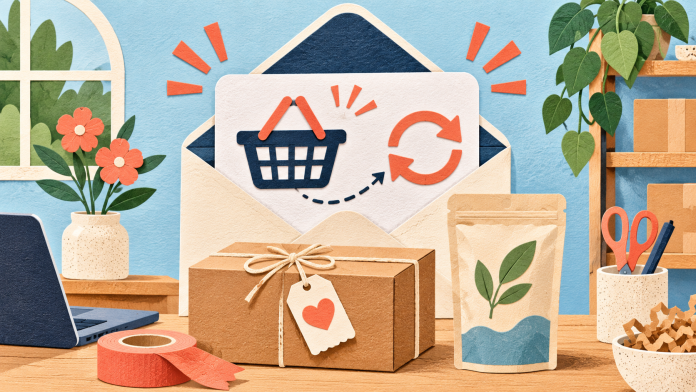
Start with one customer decision your shop can support with reliable data. A basket reminder needs a real checkout event, a product recommendation needs a good reason to match, and a refill reminder needs a sensible estimate of when the product runs out. You can start with carefully chosen groups of subscribers before connecting real-time events.
Choose a campaign your data can support
Make a list of what your shop actually knows: purchase dates, order status, product categories, marketing preferences and stock availability. Decide where each fact comes from and how often it changes. A click on a grinder guide can suggest interest in coffee equipment. It cannot tell you the reader owns a grinder, has a basket waiting or wants a refill.
Start with three groups: subscribers with no known order, first-time buyers and repeat buyers. Only put someone in the first group if the source covers the relevant order channels. Add product preferences once you have enough contacts to make each group worth writing for. Exclude unsubscribed contacts, remove overlaps and give each campaign one clear action.
Recover abandoned baskets with a reliable checkout signal
Decide whether you mean an item left in a basket or an identified customer leaving during checkout. These are different signals. Your shop or a verified integration must provide an eligible contact, the event time and a usable link back to that checkout. For example, Shopify documents a specific abandoned-checkout trigger. Check your platform’s actual behaviour for guest checkout and other sales channels before building a flow.
Try one reminder after a suitable pause. A shop selling coffee equipment could test a reminder the next morning with the subject “Still deciding on your coffee setup?” and links to resume checkout and check delivery costs. Treat the timing as a test. Exclude completed orders and recent reminders, recheck permission just before sending, and check what happens if the basket expires or an item sells out. Never imply you have reserved stock unless your shop really has.
Test the journey with a purchase made before the reminder is due, a customer who unsubscribes during the wait and a checkout that cannot be restored. If you cannot reliably stop a reminder after a sale, keep this campaign off while you fix the data path.
Recommend the next useful product
Begin with a short list of product pairs your team can explain. For someone who bought a pour-over brewer, show filters that fit that model and explain the size. Check stock and compatibility before sending. A curated email for a reliable purchase group can be useful even without live personalised recommendations.
Give readers one reason to look at each product. If purchase data is incomplete, use a general buying guide instead of saying “you bought this”. If a product changes frequently, link to a maintained collection page and remove unavailable items from the email before sending.
Time a replenishment reminder around actual usage
Use a product where reordering makes sense, such as coffee beans or cleaning concentrate. Review the time between repeat orders for the same pack size. Distinguish a single pack from a multipack, skip subscriptions that already replenish and account for refunds and newer purchases.
For example, if your own records suggest that customers often reorder a 250g bag around week four, test a reminder near week three for eligible buyers. Phrase it as an option: “Running low on your usual coffee?” Avoid asserting that they have run out. If you only have weekly exports, build and check a fresh group before each send. A fully automated reminder needs dependable order events and a way to cancel or recalculate the reminder when a new order arrives.
A worked plan for an independent coffee shop online
Week one. Clean the opt-in records and match the past month’s eligible buyers to two product groups: brewing equipment and beans. Keep only the fields needed to run these campaigns. Check that refunds, unsubscribes and customers who qualify for both groups are handled before you send.
Week two. Send equipment buyers a short brewing guide with compatible filters. Use a separate newsletter for people who asked for offers but have no known order, with a link to a beginner collection. Check each link on a phone and send yourself a test.
Week three. Review eligible bean buyers whose purchase is approaching the tested refill window. Exclude repeat orders since the original purchase. Send one reminder using a direct link to the correct bag size.
Week four. Review clicks, completed orders and unsubscribes by campaign. Note promotions, shipping changes and stock gaps that could affect the comparison. Choose one change for the next cycle, such as a later refill reminder or a clearer filter compatibility guide.
Measure orders separately from clicks
Agree the measurement window before the send. If 200 eligible people receive a reminder and 12 place an order within seven days, that’s a 6% observed order rate. It does not tell you how many orders the email caused. If your shop can support a comparable group that receives no reminder, use it to estimate the difference. With small groups, look for a pattern over several campaigns and check margins after discounts, returns and postage.
Use consistent campaign labels and compare link activity with your shop’s order reports. Remove personal details from tracking links. Monitor unsubscribes alongside orders so you can spot a campaign that is selling at the cost of audience trust.
Check permission and match the tools to the work
An email address collected during checkout does not automatically give permission to send marketing. For UK individual subscribers, check consent or every condition of the applicable products and services soft opt-in. Identify your business and provide an easy unsubscribe. The ICO’s guidance on electronic mail marketing sets out the requirements. Keep genuine order updates separate from promotions. Email Blaster does not allow cold campaigns or purchased lists.
With Email Blaster’s UK email marketing software, start with permissioned groups using data tagging and the email designer. Use scheduled sends for checked campaigns and the analytics suite for available campaign activity. The software overview explains the tools. Ask the team to verify your particular setup before relying on checkout triggers, product feeds, live recommendations or replenishment automation.
Email Blaster is an established UK company, with UK mailing-data storage and friendly UK support you can reach easily. Review wider processing and any connected shop services separately. Clear send-based pricing helps you budget for seasonal volumes. You can move your monthly package up or down as sending needs change, subject to current terms.
For campaign ideas around a seasonal range, see our retail and ecommerce sector guide. For a deeper look at entry, exit and hand-offs, read the customer journey mapping guide.