
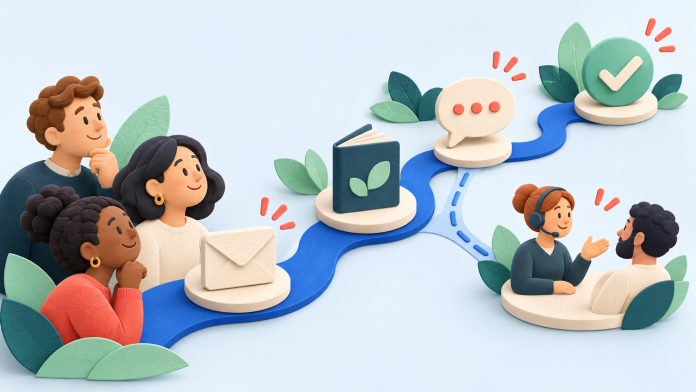
Customer journey automation means planning useful responses to the stages a person moves through, then automating the parts your data and tools can support. Start with the customer’s question, choose a meaningful next step and decide when the journey should stop. The sequence of emails comes after that plan.
For a UK business, the journey might begin with a website visit, continue through a newsletter sign-up and lead to a conversation with your team. Email can connect those moments, but it should not pretend to know more than it does. This guide shows you how to map a practical journey, distinguish a click from a completed action and put verified tools in Email Blaster’s UK email marketing software to work.
What is the difference between a customer journey and a drip campaign?
A drip campaign is a sequence of messages. A customer journey is the wider experience around those messages: what the person is trying to do, which touchpoints they encounter and what happens when they need something different.
For example, someone might read a guide, ask a question by email and then speak to an adviser. Sending the next sales message without recognising that conversation can make a neatly timed sequence feel unhelpful. Your map should include the website, forms, emails and human hand-offs, even where the hand-off is managed manually.
Our earlier guide to automated email journeys introduces the basic planning stages. Here, we will turn those stages into a working brief with evidence, owners, exit rules and a test plan. For the structure of an individual sequence, see our drip-campaign guide.
1. Choose one customer problem and one outcome
A useful first journey is narrow enough to explain in a sentence. “Help new subscribers understand which service suits them” is more workable than “automate our entire customer experience”. It gives you a reason for each message and a way to recognise progress.
Write down the starting audience and the outcome separately. Joining a newsletter is an entry event. Reading a guide is engagement. A completed consultation request is a different outcome that needs its own evidence. Treating them as interchangeable makes both the messaging and reporting less reliable.
- Audience: people who have directly signed up for a specific, clearly explained newsletter.
- Need: understand a choice, find an answer or prepare for a conversation.
- Outcome: a completed action your business can verify, such as a submitted enquiry.
- Owner: the person responsible for the emails, the destination page and any follow-up.
Ask colleagues in sales and support what people usually need at this stage. Use real recurring questions to guide the content. Keep a record of assumptions you still need to check rather than presenting a guessed customer motive as a fact.
2. Map the moments before you choose the automation
Use a simple planning sheet. One row per moment is usually enough to begin. For each row, record the following fields:
- Customer question: what are they trying to decide?
- Touchpoint: where does this happen: website, form, email or conversation?
- Evidence: what reliable information shows the moment occurred?
- Next useful response: what would help them now?
- Owner and timing: who acts, and when should they review or send?
- Exit or exception: what should stop, change or redirect the journey?
Do not map only the happy path. Include an unanswered question, an out-of-date detail and a person who has already taken the intended action. That is where a customer experience often becomes confusing, and where a clear manual process can be more valuable than another automated branch.
A worked journey map: from useful guide to a conversation
Imagine a small UK training provider offering courses for business teams. A visitor signs up for its monthly learning newsletter after reading a guide. The provider wants to help interested subscribers choose a suitable course and, where appropriate, submit an enquiry. This is an illustrative planning example, not a customer case study or a performance forecast.
- Discover: a visitor reads the course guide on the website. Their question is whether the subject is relevant. Give them a clear summary and an optional, accurately described newsletter sign-up. Do not assume every reader has agreed to marketing.
- Join: a person completes the newsletter sign-up. The first email explains what they will receive and points to useful starting information. The evidence is the recorded subscription, not merely a visit to the form.
- Explore: a subscriber chooses a course-topic link. A relevant follow-up can answer a common question about that topic. The click is an interest signal; it does not prove a booking or an enquiry.
- Ask: the person submits a question through the provider’s existing website form. A named colleague owns the reply. This completed submission needs to be verified in the system that actually receives it.
- Continue or leave: the provider checks whether the person is already being helped, has changed their preferences or no longer wants marketing. Its follow-up process must respect those facts before another promotional message is sent.
This map covers email and the surrounding experience. The enquiry form and staff response remain part of the provider’s own workflow. Connecting their status back to an email journey requires a verified data process; it should not be assumed to happen automatically.
3. Define entry, timing, exceptions and exit rules
For every automation, write a short rule in plain English before building it. “When a new subscriber joins this list, send the introduction, wait for the chosen interval and offer a useful next step” is something your team can inspect and test.
Then challenge the rule. Can an existing subscriber enter again? What happens if a date is missing? Could someone receive both this sequence and the regular newsletter on the same day? Does the journey still make sense if the subscriber has contacted your team in the meantime?
Plan the stopping condition
A journey needs an end as well as a beginning. Decide which events should stop promotional follow-ups: an unsubscribe, an already completed outcome or a hand-off to someone who is helping the customer. Keep the distinction between the desired business rule and the mechanism available in your software.
If an enquiry system is not connected to your email tool, do not claim that its submissions automatically stop a sequence. Agree a safe, documented review or audience-update process with the team, and test the available controls before activating the journey. Ask support about your particular setup where needed.
An illustrative first sequence
For the training-provider example, you might plan three messages. The timing below is an example to test, not a universal recommendation or a claim that every audience should receive three emails:
- Introduction: explain the newsletter promise and link to a concise course-selection guide.
- Helpful follow-up: after a considered interval, answer one recurring question, such as how to compare course formats.
- Next-step invitation: offer a clear way to ask a question on the existing website, with a human owner ready to respond.
Check this sequence against the frequency described at sign-up. If someone expected only a monthly newsletter, a separate rapid series may be a surprise. Set expectations clearly before using that journey rather than quietly adding more sends.
4. Match the plan to verified Email Blaster tools
The Smart Automation overview describes subscription, date and birthday starting points, timed sequences and decision-based follow-ups using recorded campaign interactions. Use these documented capabilities as your starting point, then check that the specific trigger, branch and timing you need are available in your account.
Build the messages in the drag and drop designer. Use data tagging for categories your team maintains and List Builder segmentation for available engagement-based audiences. A tag or click does not automatically establish a purchase, a completed application or a new permission.
For a standalone campaign that needs to go out later, send scheduling is the relevant tool. A fixed scheduled send and a subscriber’s multi-step journey solve different planning needs. See the complete software overview to understand how the tools fit together.
Purchase triggers, abandoned-cart events, CRM status changes and automatic booking confirmations need their own reliable data and verified integrations. A strategy diagram is not evidence that a particular platform can run every step. Keep any unverified event out of the live journey until the team has confirmed and tested the workflow.
5. Carry the context across touchpoints
The next page should fulfil the promise made in the email. If the email offers help comparing course formats, link to that information rather than a generic homepage that leaves the reader searching again. Make the enquiry form short enough for its purpose and tell people what will happen after they submit it.
The human hand-off deserves the same care. Agree who checks enquiries, how colleagues can see that a reply is underway and how they report a completed outcome. A journey map can identify these responsibilities without promising that email software is a helpdesk or a CRM.
Collect only the information you need. Use broad interests or the context of a request where appropriate, and avoid putting private customer details into campaign-link parameters. Keep customer expectations and permissions consistent when a journey moves between tools.
6. Test the whole journey before activating it
Reading each email is only part of testing. Use appropriate test records to follow the experience from the real sign-up point through the intended next step. Check both an expected route and the exceptions.
- Entry: does the correct subscriber enter, and is an unintended repeat entry prevented or handled?
- Content: do personalisation fallbacks, images, links and the next page make sense on desktop and mobile?
- Timing: are delays, send times and the relevant timezone understood and checked?
- Branching: does the tested interaction lead to the expected next message?
- Exceptions: what happens when information is missing, a person unsubscribes or the outcome has already happened?
- Hand-off: does the named colleague actually receive the enquiry, and is the follow-up process clear?
Keep a short test record with the journey version, the route you tried and what happened. If a stopping rule cannot be verified, simplify the workflow or keep that step under manual review. Activate a small, understandable journey before extending it.
7. Measure progress without confusing clicks with outcomes
Use the campaign analytics suite to review available delivery and engagement information. Opens can be affected by privacy features and automated activity, so do not use an open alone as proof that a person read the email or needs an urgent follow-up.
Choose a measure at each meaningful stage. You might count eligible new subscribers, people who clicked the guide link and completed enquiries recorded by your enquiry system. Use a consistent cohort and observation period. Avoid comparing a group that joined yesterday with one that has had several weeks to progress.
Worked measurement example: suppose a clearly defined test cohort contains 100 eligible subscribers and your enquiry system verifies eight completed enquiries during the chosen review window. That is an 8% observed enquiry rate for that cohort. It is an invented illustration of the calculation, not an Email Blaster result, a forecast or proof that the emails caused every enquiry.
Where your website uses Google Analytics appropriately, consistent campaign parameters can help identify referred traffic. Use stable source, medium and campaign names rather than customer identifiers. Google explains this in its campaign URL guidance. Traffic attribution still needs to be distinguished from a verified completed action.
Review the stage where people appear to get stuck. A link with few useful visits may need a clearer promise. Plenty of visits but few enquiries may point to the destination page, the offer or a form problem. These are hypotheses to investigate; changing the subject line will not fix every problem further along the journey.
Keep permission and UK supplier choices part of the plan
Build journeys around people who want the messages you have described, keep appropriate records and provide a clear way to unsubscribe. Email Blaster does not permit purchased lists or cold campaigns. Review the government’s direct marketing guidance and your own responsibilities before collecting or using customer information.
Supplier choice is also part of a sustainable plan. Email Blaster is an established UK company founded in 2009, with customer mailing data stored in the UK and friendly, easy-to-reach UK support. Mailing-data storage should be assessed separately from wider processing and any other services you connect.
Budget for the messages the journey actually needs, alongside your regular newsletters. Email Blaster offers clear, transparent send-based pricing, and you can move your monthly package up or down as month-by-month sending volumes change. Check the current pricing and account terms when planning a change; an automated journey does not require the same volume every month.
Start with one journey you can explain and test
Choose one audience, one useful outcome and a small set of touchpoints. Write down the evidence for each step, give the human hand-offs an owner and make the stopping conditions explicit. Only then build the automated parts.
Explore Email Blaster’s software overview or talk to our UK team about the journey you want to create. A well-understood first workflow gives you a practical basis for learning what your customers need next.