
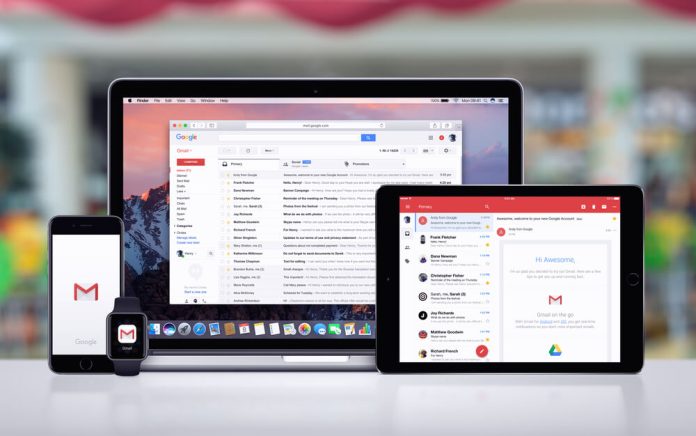
For years, email marketers have had a love-hate relationship with Gmail’s Promotions tab.
When it first appeared, many businesses saw it as a threat:
- “Our emails aren’t landing in the primary inbox anymore.”
- “Open rates will drop.”
- “We’re being hidden from users.”
But in 2026, the reality is very different.
The Promotions tab is not a problem to avoid — it’s a powerful feature that can actually improve email marketing performance when understood correctly.
Let’s break down why.
What Is the Gmail Promotions Tab?
Gmail automatically sorts incoming emails into categories such as:
- Primary (personal messages)
- Promotions (marketing emails)
- Social (social media updates)
- Updates (receipts, confirmations, alerts)
The Promotions tab is specifically designed for marketing and commercial content.
Instead of mixing promotional emails with personal messages, Gmail groups them in one place where users expect to see offers, deals, and brand updates.
The Biggest Misconception: “Promotions = Spam”
One of the biggest misunderstandings in email marketing is that landing in Promotions is the same as being ignored.
It’s not.
The Promotions tab is not spam — it’s a curated inbox section.
Users actively check it when they are:
- Shopping
- Looking for deals
- Browsing brand updates
- Comparing offers
In fact, many users intentionally go to the Promotions tab when they’re ready to buy something.
Why the Promotions Tab Helps Marketers
Instead of hurting performance, the Promotions tab can actually improve targeting and engagement.
Here’s why:
1. It Pre-Qualifies Your Audience
If a user opens the Promotions tab, they are already in a “shopping mindset.”
That means:
- Higher purchase intent
- More deal-focused behaviour
- Less resistance to marketing messages
You’re not interrupting their personal inbox — you’re meeting them in a commercial context.
2. Less Competition With Personal Emails
In the Primary inbox, your email competes with:
- Friends
- Colleagues
- Family messages
- Important alerts
In Promotions, you only compete with other marketing emails.
That levels the playing field.
3. Users Expect Marketing Content There
Expectations matter.
When users open the Promotions tab, they are:
- Mentally prepared for offers
- More tolerant of marketing messages
- More open to browsing multiple emails
This creates a more receptive environment for conversions.
4. Better Organisation Improves User Experience
Gmail’s filtering helps users manage inbox overload.
Instead of feeling overwhelmed, users can:
- Quickly scan deals
- Find relevant offers
- Ignore irrelevant promotions
This improves overall email engagement behaviour.
5. Higher Engagement From Interested Users
Studies and industry observations show that users who actively use the Promotions tab often:
- Engage with multiple brands
- Compare offers
- Click promotional content intentionally
This means clicks from Promotions can be highly valuable, even if open rates look different.
Why Trying to Avoid Promotions Is a Mistake
Some marketers still try to “hack” their way into the Primary inbox by:
- Removing marketing language
- Avoiding images
- Changing sender names frequently
- Using overly generic messaging
This approach often backfires.
Why?
Because Gmail’s filtering is not just based on keywords — it uses:
- Engagement patterns
- Sender reputation
- User behaviour
- Content classification
- Historical interaction data
Trying to “trick” the system usually leads to:
- Lower trust signals
- Inconsistent deliverability
- Reduced long-term performance
It’s better to work with the system, not against it.
The Real Goal: Relevance, Not Inbox Category
In 2026, successful email marketing is not about where your email lands.
It’s about:
- Whether it is opened
- Whether it is clicked
- Whether it converts
A Promotions tab email that converts is far more valuable than a Primary inbox email that gets ignored.
How to Perform Better Inside the Promotions Tab
If your emails land in Promotions (as most marketing emails do), here’s how to maximise performance:
1. Use Strong Subject Lines
Focus on clarity and curiosity:
- “Your 20% discount is inside”
- “3 things you missed this week”
- “Quick update before Friday”
2. Design for Scannability
Users often skim Promotions quickly:
- Use clear headings
- Keep paragraphs short
- Highlight key benefits
3. Focus on Value First
Don’t lead with sales immediately.
Instead:
- Educate
- Inform
- Help
- Then sell
4. Maintain Consistent Sending
Consistency builds familiarity, which increases engagement over time.
5. Encourage Engagement
Higher engagement signals improve future inbox placement across all tabs.
How Gmail Decides Where Your Email Goes
Gmail’s filtering system looks at:
- Sender reputation
- User interaction history
- Email content type
- Engagement patterns
- Complaint rates
- Click behaviour
If your emails consistently perform well, Gmail is more likely to:
- Keep your emails visible
- Prioritise them within Promotions
- Improve overall placement quality
The Shift in Perspective for 2026
Modern email marketers have stopped asking:
“How do I avoid the Promotions tab?”
And started asking:
“How do I make my emails valuable enough that people actively look for them?”
That’s a fundamental shift.
The inbox is no longer a single stream — it’s a structured experience.
And Promotions is part of that structure.
Where Email Blaster Fits In
Platforms like Email Blaster are designed with modern inbox behaviour in mind.
That means focusing on:
- Deliverability optimisation
- Engagement tracking
- Segmentation tools
- Campaign performance insights
- Automation that improves relevance
Rather than trying to “game” inbox placement, the focus is on helping users create emails that perform well wherever they land.
Final Thoughts
The Gmail Promotions tab is not the enemy of email marketing.
It is:
- A curated shopping space
- A high-intent browsing environment
- A structured way users engage with brands
Instead of fearing it, marketers should embrace it.
Because in 2026, success isn’t about fighting inbox categories.
It’s about creating emails so relevant and valuable that subscribers want to open them — no matter which tab they’re in.