About Email Blaster UK   |   Jobs   |   Why email marketing?   |   Email top tips   |   Blog   |   Help
 

Email Marketing UK – View and Manage Your Mailing Lists

Easily view and manage your email marketing mailing lists using our new feature “my mailing lists”. This section enables you to view all your lists in one place as well as having access to the all the handy features such as list doctor, de-dupe and adding new subscribers.

My Mailing Lists

View your email marketing lists

The my mailing list feature gives you the opportunity to search across your whole database for a single email contact. You might also wish carry out the following activities:

  • Scan for duplicates
  • Create a new list
  • Delete a list
  • Create a newsletter sign up form
  • add individual contacts
  • import a database

Managing your contacts is an integral part of making sure every campaign you send reaches the right person. Further to that if you have the right message and a great landing page, you will get the result you want from this easy to use medium.

Email marketing is a great way to keep in touch with existing clients and create new business opportunities if executed in the right way. Getting your contact list clean, up to date and relevant to your messaging will ultimately increase your ROI.

To find out more call 0845 263 7266 or email us.

FacebookDeliciousTwitterYahoo BookmarksShare

Comments

blog post category   Tags: , ,
Posted in Other | Comments Off web hosting calendar Posted: May 2nd, 2012


The Official Google Chrome Email Blaster UK App!

Are you among the 40% of Email Blaster users who use Google Chrome web browser?

We have today launched the official Email Blaster App for Google Chrome, now featuring in the Chrome App store.

Email Blaster Google Chrome App

The official EBUK app is free and will auto install in one click. After installing the App, the EB icon will appear inside your Chrome Apps listing area. Clicking on the icon will quickly launch and login to your EBUK account.

The EBUK Google Chrome Store Listing:

Email Marketing Google Chrome App

Simply click on the ‘Add To Chrome’ button to install the official application.

If you are not a Google Chrome user, we recommend checking out the free internet browser – it is faster than FireFox and offers increased security over Internet Explorer. Your Email Blaster account also looks fantastic in the browser.

Check out the App and Chrome:

> Download the free official Email Blaster UK App

> Download Google Chrome

FacebookDeliciousTwitterYahoo BookmarksShare

Comments

blog post category   Posted in Announcements | Comments Off web hosting calendar Posted: May 2nd, 2012


Email Marketing: Getting personal to improve ROI

Get to know your web visitors a little better and you can start to develop the kind of email marketing subscriber list that dreams are made of. The journey your visitors make through your website will provide you with the intelligence to design campaigns with a more bespoke approach.

Understand what email marketing your clients want to receive

This should be the starting point of any campaign. Your list of subscribers should be able to tell a story that enables you to target certain products at certain buyers. Segment your list into categories based on the following:

1. Recent purchases
2. Shopping cart abandonment
3. Newsletter sign-ups
4. Enquiries without a purchase

Take these elements and segment your list to create four different sub lists that you can prepare campaigns for. For example; if you are a holiday company, you will have thousands of visitors browsing through your site for particular destinations. Start by segmenting all the visitors that are interested in self-catering villas in Spain. Send them an email template with details of villas in Spain and you will see a big improvement in bookings for this type of holiday. By doing this you are simply providing your opted in clients with the information they want.

If you are getting lots of enquiries but not turning them into business, you need to get an understanding of what these enquiries really want. By looking at their journey through your website, you can identify a pattern and compartmentalise key targets for mailings. If they focused time on looking at particular products, mail them with a great offer that has a time deadline attached and analyse the results.

Don’t forget your recent purchasers.  It is so much easier to sell to existing customers that create new business, so make sure you utilise this list and keep in touch with your clients with new product announcements and offers on a regular basis.

Finally, when you are signing up new subscribers, try to get first name and last name so you can personalise your emails to each client.  This, along with your segmentation and targeted emails will ensure each email marketing campaign is received, read and acted upon rather than just ignored.

For more information on email marketing visit our knowledgebase.

FacebookDeliciousTwitterYahoo BookmarksShare

Comments

blog post category   Posted in Other | Comments Off web hosting calendar Posted: April 25th, 2012


Email Marketing UK: Banish your duplicates

Say goodbye to those double entries in your database. It is impossible to avoid adding duplicates to a large database. If your database contains multiple duplicate addresses, you run the risk of sending an email twice or your email not reaching the inbox at all. If you have taken time to populate a clean opt-in subscriber list, the last thing you want is to tarnish it with lots of double entries. The spam filter at most companies won’t let double sends through and your sender reputation will be put at risk.

But, fear not, the List Doctor can provide a solution to this common problem. The team at Email Blaster UK (these guys never go on holiday you know), have developed a de-duping function that will scan your database and delete the duplicates leaving you with a clean list.  The scan can be activated after uploading a list and takes seconds to complete.  A report is generated to provide information on the number of duplicates and the remaining number of subscribers in that particular list.

The List Doctor has been developed to ensure optimum delivery rates are achieved every send.  Managing multiple databases just got easier.  www.emailblasteruk.com


FacebookDeliciousTwitterYahoo BookmarksShare

Comments

blog post category   Posted in Other | Comments Off web hosting calendar Posted: April 23rd, 2012


Clean your mailing list

how to clean email list

If you have a clean good quality COI mailing list, you are more than halfway there to creating a successful email marketing campaign.

To help assist with this, last year we introduced a new module to the Email Blaster platform named List Doctor. We have received some great feedback over the last few months regarding the Doctor.

The aim of List Doctor is to automate the cleaning of your databases as a far as possible.

Following users feedback over the last few months we have made some further developments to how the Doctor operates. One of the most common suggestions was regarding scan speeds.

It was requested that after importing a database, we increased the speed at which it optimises the database before use. Following your feedback, we have now changed this.

Rather than waiting for List Doctor to optimise your database before use, the doctor will now start scanning and optimising your database for delivery right away. Gone are the waits!

In addition to this, we have made some major changes to the cleaning engine to help further optimise even the largest databases for use.

It does not end there…

We are also looking at introducing automatic de-dupe for database imports. This is something we are currently working on. So watch this space.

Thank You

We would also like to thank all Email Blaster users over the last few months who have participated in our feedback programs.

FacebookDeliciousTwitterYahoo BookmarksShare

Comments

blog post category   Posted in Announcements | Comments Off web hosting calendar Posted: April 17th, 2012


UK stamp prices to rise. Time to switch to email marketing?

On the 30th April 2012 the price of postage stamps in the UK are set to rise yet again.

A 1st class stamp will increase from 46p to 60p. While a second class stamp will rise from 36p to a staggering 50p.

Sending a letter via the UK postal system is no longer a cheap method of communication. In addition to this, if you are using 2nd class mail, your letter most likely wont arrive for a few days.

Yet more, it has been reported by both the BBC and Sky News today that the Royal Mail are limiting supply of stamps to retailers before the price rise in a hope to stop consumers and businesses stocking up. It could be argued that this is blatant profiteering by the Royal Mail.

Time to switch to email?

We would suggest that if you have not done so already, it is time for your business to migrate over to email as your preferred communication method. Many large companies based in the UK have already done so – Banks, ISP’s and mobile phone networks all ask their customers if they would like to opt for paperless communications.

Along with looking after the environment by consuming less paper, email is a much more cost effective method of communication.

At EBUK, your company can broadcast 2000 emails to your customer database at a cost of £8.99 – this works out at less than 1p per communication. A huge saving over the new 60p charge imposed by the Royal Mail.

In addition to the cost, email is faster and provides more detailed tracking.

If you send a brochure via the post to your client – are you able to track if they opened and read the brochure or simply threw it in the trash? With email marketing you can, its easy and tracked automatically.

In summary, email is more cost effective, quicker and provides tangible success tracking. We would argue that now really is the time to switch over to email as your preferred communication method – even if our viewpoint may be a little biased!

FacebookDeliciousTwitterYahoo BookmarksShare

Comments

blog post category   Posted in Email Marketing UK Tips | Comments Off web hosting calendar Posted: April 13th, 2012


Email marketing templates – a pick of the best

Getting the design right for your email template can be a challenge. Email marketing template design is very different to web or traditional print creative. The objective is to drive clients away from the email as soon as they have opened it so it needs to be snappy.

The subject line is the reason why your email gets opened so don’t lose the interest by failing to live up to your enticing offer.

Here is a pick of the templates we have sent out recently on behalf of clients. I think they represent their products and services really well and provide the recipient with a good mix of strong content and images.

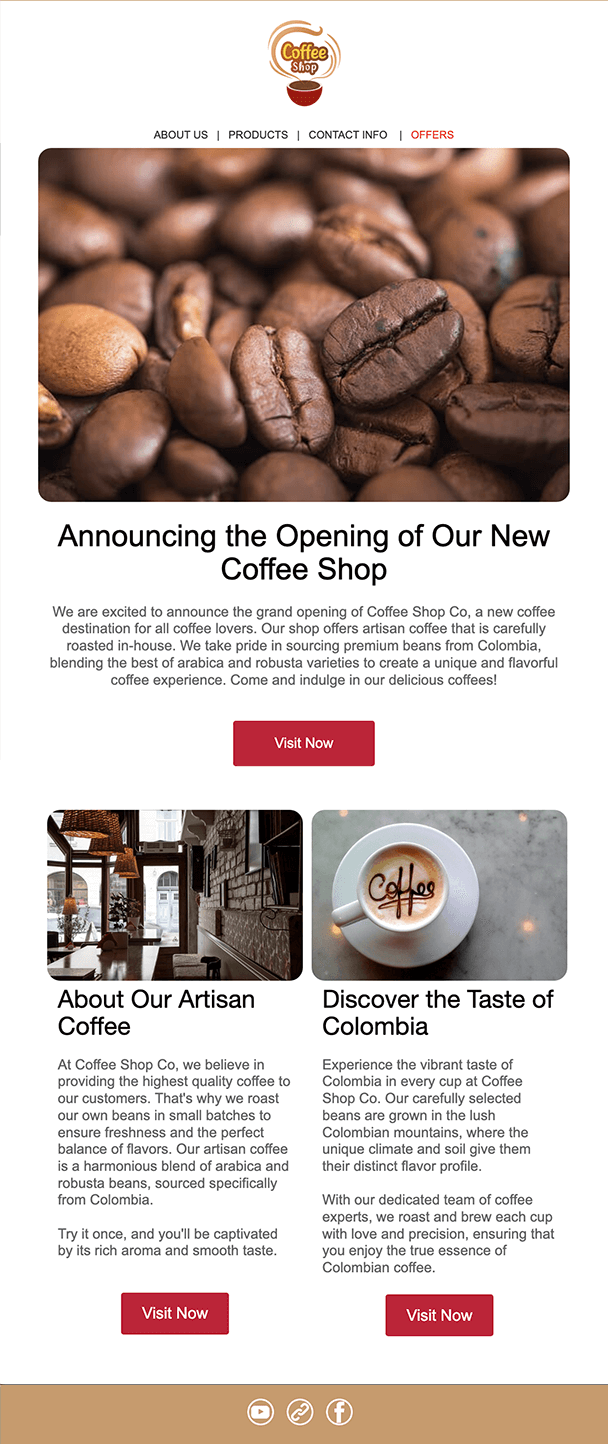
This first template demonstrates the need to meet with the expectations of your subscribers. The design is reflective of the brand image of the company and offers lots of options to make contact as well as links to social networking sites used extensively in this market.

Email marketing template

This next email marketing template gets straight to the point. It has a strong banner with a call to action driving the subscriber to book. The full details of forthcoming events and other information follows. This is a good example of an email that delivers a punch in the first half.

Email marketing template 2

The key thing to remember when designing an email marketing template is that you don’t have very long to get your point across. The subject line will get the email opened whilst the top half of the email has to work hard to encourage that all important click through.

The two templates seen here both focus on getting click throughs within the top half of the email. They understand their market and drive subscribers to the areas that will benefit them the most. Each market will respond in a different way so test your creative before you send your whole campaign.

For more tips and ideas on template design visit our knowledge base. To have a template designed by our extremely talented design team email us or call 0845 263 7266.

FacebookDeliciousTwitterYahoo BookmarksShare

Comments

blog post category   Posted in Other | Comments Off web hosting calendar Posted: April 5th, 2012


Benefits of Email Marketing

Email marketing has grown significantly in popularity with businesses wishing to develop a more reciprocal relationship with their clients and grow new business opportunities. If you are still not convinced by this medium, take a look at the many benefits email marketing can bring to your business:

Upselling opportunities

It is much easier to sell to existing customers than to develop new ones, so use email marketing to communicate your latest offers and new products. With a well designed template and clean database of clients, you can send regular notes to your clients reminding them that you offer a wide range of products and services that they may not even be aware of.

Build a mailing list

Every business needs a good list of prospects and these can be gathered using your web site. Once you have built up a list of potential clients, they can be emailed to (if they have given their permission) and start becoming purchasers. By keeping in touch with people that have enquired through your website, you can develop regular dialogue with them, resulting in eventual sales. Set up your email marketing campaign today.

It’s cheap!

Let’s face it in these tough financial times we all need a more cost effective way to market. Email marketing can fill that gap, if carried out using a good up to date fully opted in list and a great looking template. Email your database with great offers and helpful tips and ideas and you will reap the rewards. Use a hosted system to send your emails and you can track who has opened your email and how many clicked through to your website or landing page.

It’s fast!

Email marketing is a quick way to reach out to new clients. Direct mail campaigns take much longer to plan and execute and the response time is much longer. With an email you can get straight in front of the person you want to target with your latest offers instantly. If your recipients have asked to receive your email communications, you will have their full attention on the day you want them to read it which can make all the difference when it comes to response.

For more benefits and client testimonials visit our website or call us 0845 263 7266.

FacebookDeliciousTwitterYahoo BookmarksShare

Comments

blog post category   Tags: , , , ,
Posted in Other | Comments Off web hosting calendar Posted: April 2nd, 2012


Email Feedback loop reporting

Over the next week at Email Blaster we will be releasing our new automatic Feedback Loop management system.

The new module is currently in BETA testing. Once we are satisfied that everything works as it should – we will be rolling it out across all accounts.

What are feedback loops?

If a recipient opens your email and marks it as spam, this will have a detrimental affect on your email marketing. Your sender reputation will be lowered and as a result, future campaigns could be rejected by the recipient email server or slip into the junk folder.

To help maintain great delivery, it is crucial that you aim to minimise the amount of people that open your email and click on the junk button  - This is why purchased lists are never a good idea, they attract spam complaints which will lower your sender reputation.

So how does a feedback loop come into play? – If a user opens your email and marks it as spam, they are still on your mailing list, they have not clicked on the unsubscribe button. This means that when you next run a broadcast, more than likely the same user will mark your email as spam again – further lowering your sender reputation.

The user has marked your email as spam, they obviously do not wish to receive further communications from you.

At EB, we have established relationships with many large email hosts – when a user opens your email and marks it as spam, we will be informed.

Once we are informed, our new Feedback Loop management system will automatically remove the user from your database and let you know. This helps minimise future spam complaints and improve your sender reputation.

This does not affect me, no user should mark my email as spam!

Sadly this is not true. Return Path report, that even if you have a great quality COI email database – 7 out of 10 users who no longer wish to receive you email will click on the junk button rather than unsubscribe. Our new feedback loop management system will automate this for you.

When is it live?

The new Feedback Loop management system has finished development and is now in testing. We are hoping to make the new system live over the next week.

The new system will be introduced into all accounts at no extra charge.

FacebookDeliciousTwitterYahoo BookmarksShare

Comments

blog post category   Posted in Announcements | Comments Off web hosting calendar Posted: March 30th, 2012


Get your email opened in the first place

You have spent time and energy writing great copy and having a very pretty email template designed for your next campaign. You are now ready to send your email. Wait a minute, what about the subject line? The bit that is the first thing your subscriber will see in their inbox and decide whether to read or delete.

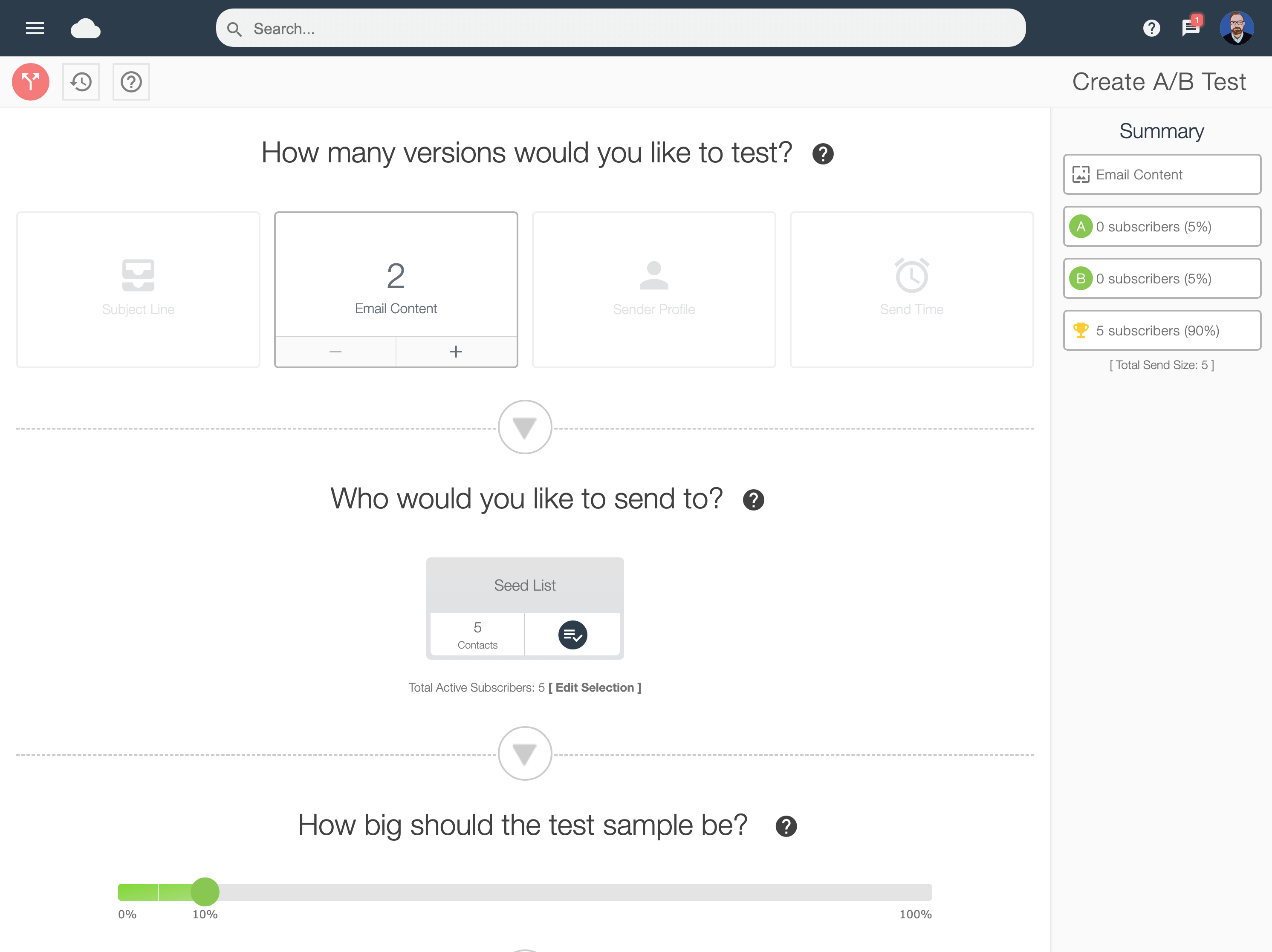
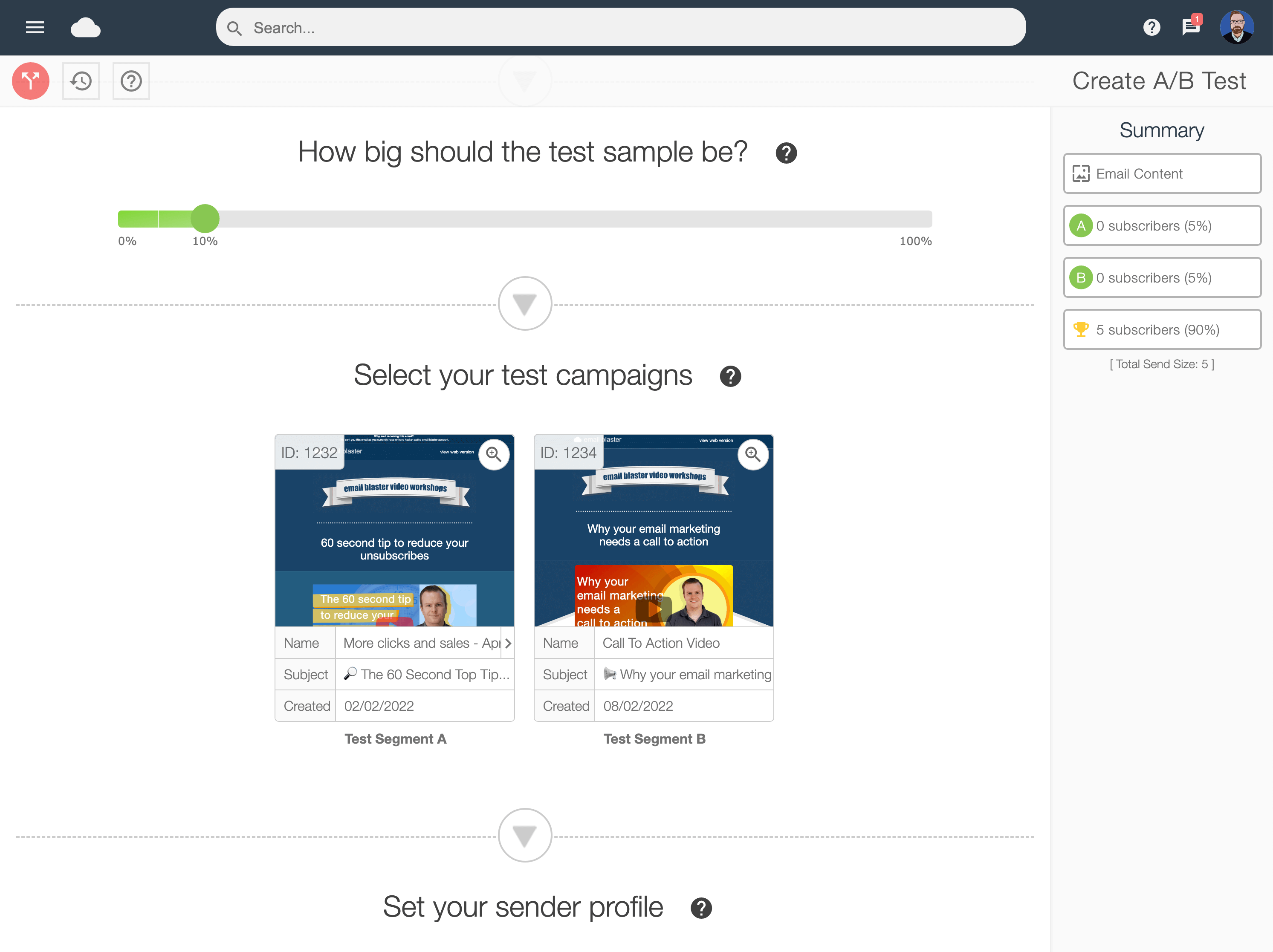
The subject line is the most important aspect of your email. Without giving it great consideration, the email won’t get opened and may just hit the spam box. The best way to find out if your idea of a subject line will work is to test it out on a small element of your database first. Think of two separate lines and send your email to two small separate test lists. Compare the open rates and use the most opened line for the rest of your campaign.

The following is a checklist of things to avoid when composing your next subject line:

1. Avoid the word “Free” or any use of £££ signs

This will find its way straight into the junk folder or worst be intercepted before it gets as far as that by a spam filter.  It also looks like spam and will be avoided like the plague.

3. Make it enticing and intriguing

Invite the reader to find out what you are offering and make sure the content of the email delivers on the promises of the subject line. Email marketing is all about engaging with your subscribers and providing them with great offers and information that they want to receive.  Make sure your subject line conveys this message.

4. Avoid using “newsletter”

This is a very common subject line when email marketing and really won’t get anyone’s mouse clicking excitedly. Try to capture the nature of the email content in the subject line rather than naming it too generally.

5. Don’t deceive

Try to stay away from “your enquiry” or “reply to your message” as a subject line. These will encourage an open but will just as quickly lead to the delete button as the reader soon realises the email is not related to the subject line.

Keep any emails that you receive with really good subject lines. Inspiration is always useful when composing an email and tried and tested methods are a good place to start.

For more information on creating the perfect subject line visit the knowledge base or our tips pages. To start email marketing to your subscribers call us on 0845 263 7266.

FacebookDeliciousTwitterYahoo BookmarksShare

Comments

blog post category   Tags: , , ,
Posted in Other | Comments Off web hosting calendar Posted: March 22nd, 2012


email marketing uk home email blaster announcements email marketing tips EB UK news network status email marking video